Need help?
Do you have a question about the Lanzar VIBE E540P and is the answer not in the manual?
Details the layout and function of the E740v's front panel controls, including volume, fader, and equalizer adjustments.
Describes the rear panel connections for the E740v, including line inputs, outputs, and power connections.
Explains the function of the LED level display and power indicator for the E740v unit.
Details how to use the equalizer, volume, and fader controls for sound adjustment on the E740v.
Guides on connecting the E740v to audio sources and power, including wiring instructions.
Describes how to connect the E740v's front and rear channel outputs to amplifiers.
Details the layout and function of the E750s' front panel controls, including EQ, fader, and subwoofer adjustments.
Describes the rear panel connections for the E750s, including line inputs, outputs, and power connections.
Explains the function of the LED level display and power indicator for the E750s unit.
Details how to use the equalizer, fader, and subwoofer controls for sound adjustment on the E750s.
Guides on connecting the E750s to audio sources and power, including wiring instructions.
Describes how to connect the E750s' front, rear, and subwoofer outputs to amplifiers.
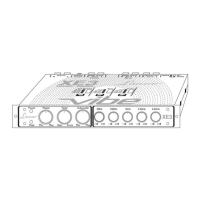
Details the top panel controls for the E540p, including EQ frequency and input gain adjustments.
Details the front panel controls for the E540p, including volume, fader, parametric EQ, and subwoofer adjustments.
Describes the rear panel connections for the E540p, including line/aux inputs, outputs, and power connections.
Explains how to use the EQ frequency and input gain adjustment controls on the E540p.
Details the operation of the parametric EQ controls and subwoofer gain/frequency controls on the E540p.
Explains the function of the volume, fader, and defeat switch for the E540p.
Guides on connecting the E540p to audio sources and power, including wiring instructions.
 General
| Channels | 4 |
|---|---|
| Output Voltage | 7V RMS |
| THD | <0.05% |
| Input Impedance | 10k Ohms |
| S/N Ratio | 90dB |
| Power Supply | 12V DC |

 To Next Page