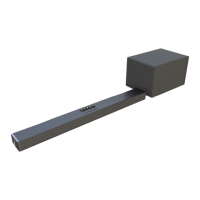
This document describes the LarkSound L220 Soundbar, a 2.1 channel 3D soundbar system designed to enhance your home theater audio experience. The manual provides essential information for safe operation, setup, and troubleshooting.
Function Description
The LarkSound L220 Soundbar is a versatile audio system that offers multiple input options to connect with various devices. It functions as a central audio output for your TV, PC, tablet, smartphone, and other compatible devices. The soundbar is designed to deliver a rich and immersive audio experience, including 3D sound effects, for movies, music, and dialogue. It features a main soundbar unit and a separate subwoofer for enhanced bass performance.
Usage Features
The soundbar offers a range of features to customize your audio experience:
- Multiple Input Modes: The L220 supports various input sources including HDMI ARC, Optical, AUX, USB, and Bluetooth. This allows for flexible connectivity with a wide array of devices.
- HDMI ARC Connectivity: If your TV is HDMI(ARC) compliant, you can connect the soundbar using a single HDMI cable to receive TV audio, simplifying your setup.
- Optical Digital Audio: For devices with an optical digital output, the soundbar can be connected via an optical cable, ensuring high-quality digital audio transmission.
- AUX Input: A 3.5mm audio cable allows connection to PCs, tablets, smartphones, and other devices for analog audio playback.
- USB Playback: The soundbar can play MP3 and WMA audio files directly from a USB flash drive. When a USB drive is inserted, the soundbar automatically switches to USB input mode and begins playback.
- Bluetooth Connectivity: Easily pair your smartphone or other compatible devices via Bluetooth to stream audio wirelessly. The soundbar enters pairing mode automatically if a previously connected device is switched off or manually disconnected, and it will re-establish connection within a 10-meter range.
- Remote Control: A comprehensive remote control is included, providing convenient access to all functions, including power on/off, input mode selection, volume control, mute, bass adjustment, EQ mode selection (Movie, Music, Dialogue, Normal), dimmer settings for the display, and 3D sound effect activation.
- On-Device Controls: The soundbar also features on-device buttons for standby, input selection, Bluetooth play/pause, and volume adjustment, offering an alternative control method.
- EQ Modes: Tailor your audio experience with preset equalizer modes for movies, music, dialogue, and a normal setting, optimizing sound for different content types.
- 3D Sound Effect: Activate the 3D sound feature to create a more immersive and spatial audio environment.
- Display Indicators: The soundbar features an LED display that shows the current input mode (BT, OP, HD, US, AU), EQ mode (E0, E1, E2, E3), 3D sound status (3d), and volume level, providing clear visual feedback.
- Automatic Power On: When plugged into a wall outlet, the soundbar will automatically turn on.
- Wall Mountable: The soundbar can be mounted on a wall using the provided template and screws, offering flexible placement options and saving space. It is recommended to allow at least 30mm distance between the soundbar and the TV for optimal performance.
Maintenance Features
Proper care and maintenance are crucial for the longevity and optimal performance of your LarkSound L220 Soundbar:
- Cleaning: The unit should only be cleaned with a clean, dry, or slightly damp cloth. Avoid using chemical solvents, as these can damage the finish of the product.
- Placement: Place the soundbar on a dry, stable surface, away from direct sunlight, sources of excessive heat, dirt, dust, moisture, humidity, and vibration. Ensure there is adequate ventilation by leaving at least 20 cm of space above and 5 cm on each side of the unit. Do not block ventilation openings with items like newspapers or tablecloths.
- Protection from Elements: The apparatus must not be exposed to dripping or splashing liquids. Do not place objects filled with liquids, such as vases, on the unit. Protect the equipment from direct heat, rain, moisture, or dust to prevent fire or shock hazards.
- Power Cord Care: Always pull directly on the power plug when removing it from the wall outlet, never on the cord itself, to prevent damage. Protect the power cord from being walked on or pinched.
- Furniture Protection: The soundbar is equipped with non-skid rubber feet. To prevent potential marks or stains on furniture, especially with oil-based polishes or wood preservatives, it is recommended to apply small self-adhesive felt pads to the bottom of the rubber feet before placing the unit.
- Servicing: Do not attempt to dismantle the product, remove any covers, or access the inside of the unit. There are no user-serviceable parts inside. All servicing should be referred to qualified service personnel. This includes situations where the power supply cord or plug is damaged, liquid has been spilled, objects have fallen into the apparatus, the apparatus has been exposed to rain or moisture, does not operate normally, or has been dropped.
- Troubleshooting: The manual includes a troubleshooting guide for common issues such as no sound, distorted sound, or Bluetooth connectivity problems, providing simple solutions to resolve these issues. For more complex problems or additional assistance, contact customer support.
- Storage: If the apparatus will be unused for long periods, unplug it from the power source, especially during lightning storms.

 Need help?
 General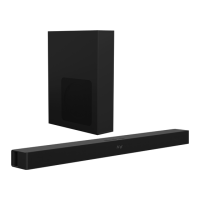

 To Next Page