- 8 -
OPERATE INSTRUCTIONS
Seng the Soundbar
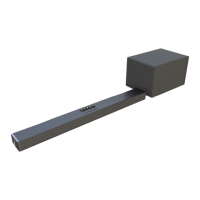
1: Connect subwoofer to soundbar;
2. Plug in the power cord and the display will light up.
LED Indicators
Powering On/O
1. Plug the sound bar into a wall outlet, it will automacally turn on device.
2. To turn o, press the power buon on remote control then unplug from wall
outlet.
Playing Audio via BT Connecon
1. Turn on sound bar and then short-press the IPT buon to switch to T mode.
2. Acvate the pairing funcon on your phone of other com
pable device and select “ark
220”.
3. When successfully paired, the ED display will stay on “T”.
4. The remote control includes T mode playback controls.
otes:
If your Pairing device switched o or manual disconnected, the sound bar will
automacally enter pairing mode.
If the connected device is switched o or manual disconnected, the sound bar will
automacally enter pairing mode, successfu
lly connected device will be re-established
once you re-enter wireless range(10 meters). To connect to other devices, repeat the
above pairing steps.
Press T buon on device 3 seconds to shutdown in pairing mode, and 3 seconds again
to turn on paring mode.
T: lue Tooth
mode
D: DMI ARC
mode
OP: Opcal mode
S: S mode
E0:Music EQA :AX I mode
E1:Movie EQ
E3: ormal EQE2:Voice EQ
3d:3D Sound eect


 To Next Page