16
Setup – customizing setting in the main menu
Specific setting method and description
!
Menu Submenu Item Setting and description
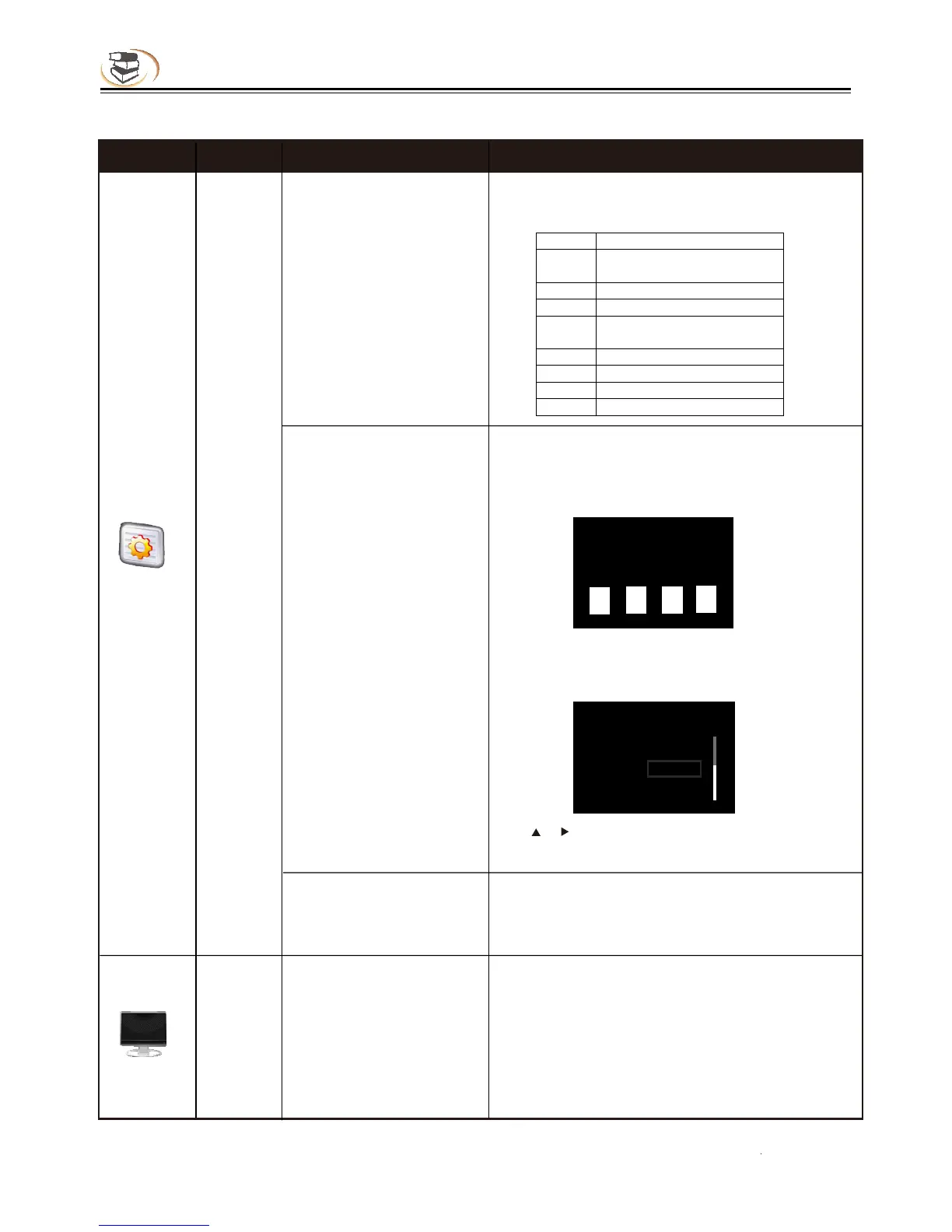
Motion Picture Association of America Film
Rating
Select this function and press [OK], the screen
shows the dialog box below and asks you to enter
the password 0000, the setting of which is
described in previous page.
Press [0]-[9] to enter current password, and the
following dialog box appears if the password is
valid:
Use [ ]/[ ] to select the country, and press [OK]
to exit the dialog box.
A
B
C
General
Country Code
(select country code,
and make sure that the
user only can watch the
content allowed in local
region)
BD Region Code
Security
P
arental Control
(allow selecting playing
content according to
disc rating and filtering
the content improper for
children)
Country & region
Enter the password
•
=
=
Country & region
Select country: UK.
U.S.
U.S. Minor Outlying Islands
Display
TV Screen
(set the aspect ratio
matching the connected
TV set)
When connected to 16:9 TV, select:
16:9 full screen
In this mode, if the aspect ratio of the disc is 4:3,
the output signal of the player will be stretched to
16:9 full screen.
16:9 normal
In this mode, if the aspect ratio of the disc is 4:3,
TV



 To Next Page