27
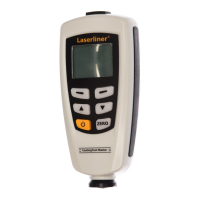
CoatingTest-Master
11.1
11.2
Checking calibration
1 Zero calibration; see item 10
2
/K@BDSGDQDPTHQDCQDEDQDMBDÖKLRNMSGDTMBN@SDC
material (original material or reference material)
3 Measure the reference thickness
Value within tolerance (see technical data):
Check complete;
no one-point or two-point calibration required
Value outside tolerance (see technical data):
One-point and two-point calibration required; see item 11.2
Perform one-point and two-point calibration
1 Zero calibration; see item 10
One-point calibration (cal 1)
2 Turn the device off/on
3 Set the measuring mode:
Menu > Options > Measure mode > Single mode
Exit the menu: press key 1 twice
4 Set the working mode:
Menu > Options > Working mode > Direct / Group 1 - 4
"@KHAQ@SHNMB@MADCDÖMDCHMCHUHCT@KKXENQD@BGLNCD
Exit the menu: press key 1 twice
5 Delete the previous calibration data in the applicable working mode:
see item 7
6 Set the calibration mode:
Menu > Calibration > Enable > ESC
(„cal“ and „zero“ appear on the display)
7 Place the required reference film(s) on the uncoated
material (original material or reference material)
8 Measure the reference thickness
9
Set the reference film thickness using the „“/„“ keys
10 !QHD×XOQDRRSGD9$1.JDX
(„cal 1“ and „zero y“ appear on the display)
EN






 To Next Page