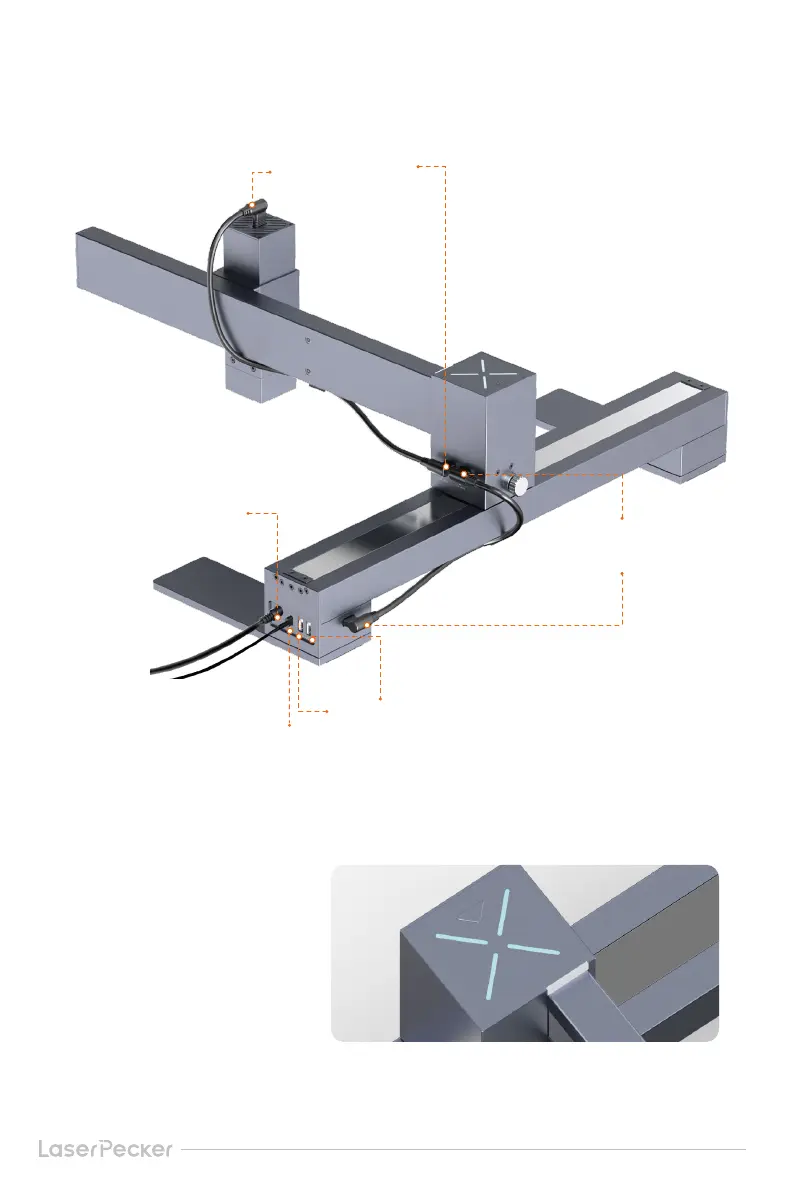
6. Diagram Power Interface Connection
Laser module
connection interface
Connect as shown in the picture:
Y axis connection interface
15
7. LED Indicator Description
Accessory connection interface
Connect to power
Connect to computer (PC software)
Solid Blue: Bluetooth is connected
Blinking Blue: Bluetooth is disconnected
Solid Green: In preview
Multi Color: Data is transmitting
Streaming Light: Engraving in progress
Blinking Yellow: Engraving stops
Alternative Flashing of Red and Blue: Firmware is being upgraded
Alternative Flashing of Red and Green: Reset to factory settings


 To Next Page