Section 2. Error lights
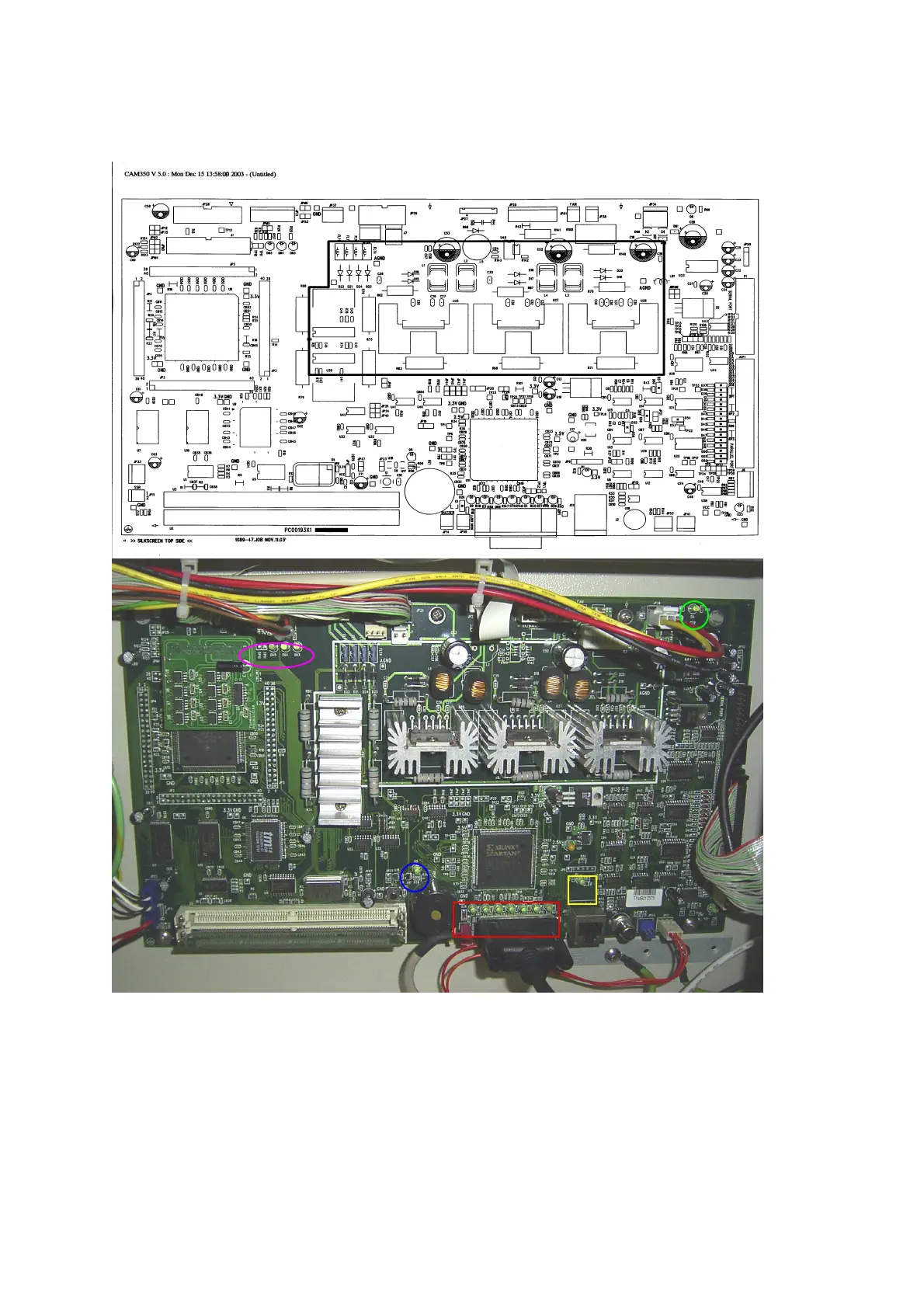
Identifying problems by looking at the lights on the mainboard.
The LED circled in green is the 5V light. This light should always be
“ON“ showing that there is a 5V supplied to the mainboard. Check that the power
supply next to the mainboard that provides the 5V power is working properly if it
is not “on”.
The LED circled in blue is the reset light. This light should only turn on when the
reset button is hit. If it stays “on” all the time then the mainboard needs to be
changed.
86



 To Next Page