20
Adjusting the calibration setting may aect the precision of
the device.
Menu Item Description Optional Settings
Backlight 5 seconds - 60 seconds
Laser active timer 20 seconds - 120 seconds
Auto power o 100 seconds - 300 seconds
Sound On / O
Unit setting Metres / feet / inches
Angle unit Degree (°) / slope (%)
Calibration -0.009m to +0.009m
Bluetooth On / O
MENU OPTIONS
Navigating the menu
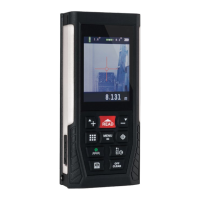
a) Press the menu / equal button to enter the menu.
b) Press the addition / scroll up button or the subtraction / scroll
down button to scroll through the menu settings.
c) Press the menu / equal button to adjust the setting. Press the
addition / scroll up button or the subtraction / scroll down button to
scroll through the options.
d) Press the menu / equal button or the data storage button to select
and save the setting.
e) Press the o / clear button to return to the measurement screen.
i


 To Next Page