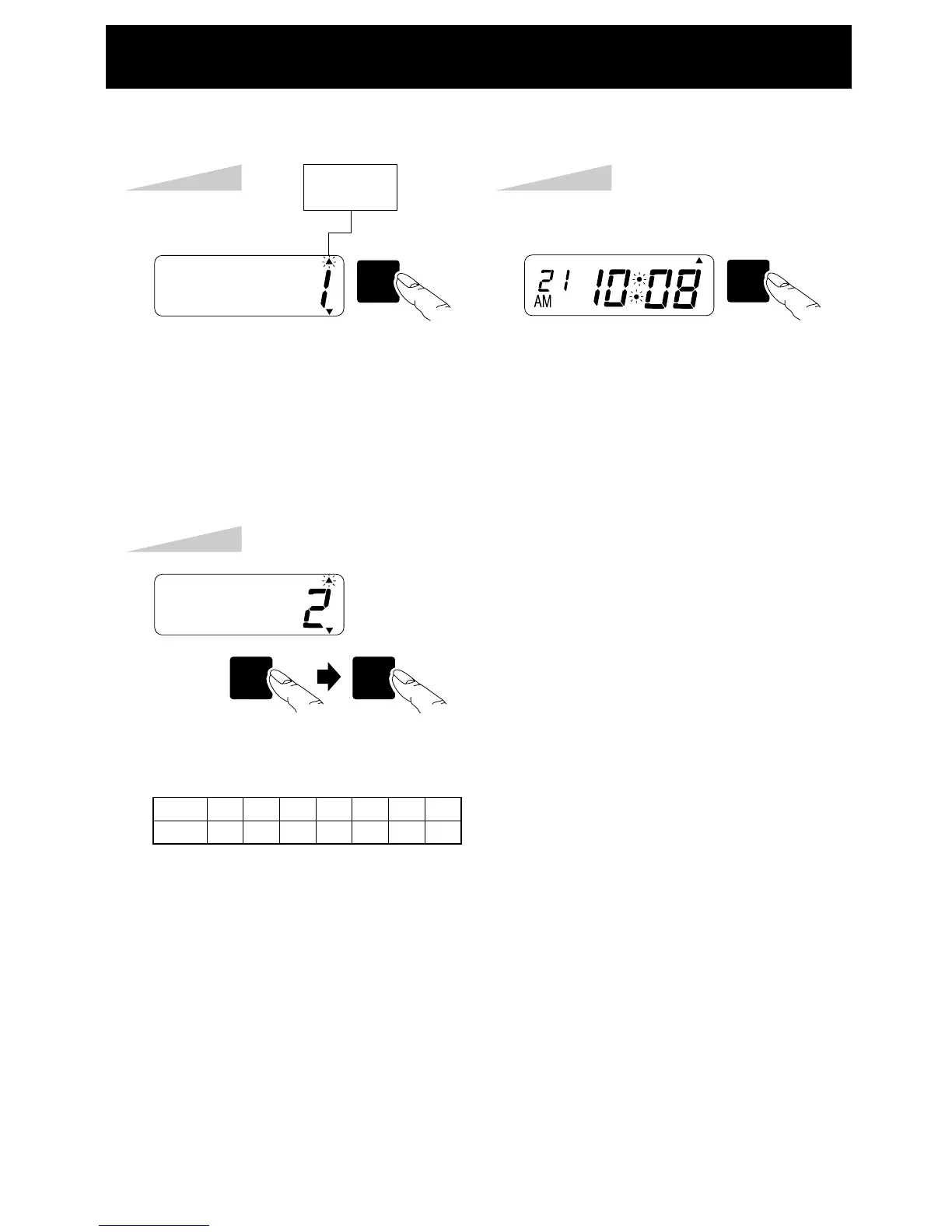
Step 1
Press the [SW5: MODE] key seven
times, the "COMMENT" arrow flashes.
Example:
Setting the comment to SENT.
SW5
MODE
SW2
MINUTE
DAY
SW1
SET
TU WE TH FR SA SUMO
COMMENT
Step 2
Press the SW2 key until the correct
number appears.
Press the [SW1:SET] key after checking
the desired number on the LCD.
• The comment will change according to country
selection by DIP switch 2-6, 7 and 8.
TU WE TH FR SA SUMO
Step 3
Press the [SW1: SET] key again.
SW1
SET
TU WE TH FR SA SUMO
No.
Comment
1234567
RCVD
SENT
IN OUT
CMF
D
FILE
D PAID
PREPROGRAMED COMMENTS SETTING
12


 To Next Page