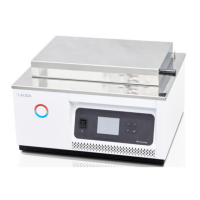
LAUDA Ultra-Thermostats
UB 20(-D), UB 25, UB 50, UB 30, UB 40
UB 20 F, UB 20 J, UB 30 J, UB 40 J, UB 65 J
UB 20 JL, UB 30 JL, UB 40 JL
YATE0013 / 10.04.02
- 61 -
Weekday code:
1 Monday
2 Tuesday
3 Wednesday
4 Thursday
5 Friday
6 Saturday
7 Sunday
The hours are input from 0 to 24 (factory-set to Central European Time).
Example: L
2
19.01.94 3 16:05
Terminate the input with
.
9.15.2 Timing clock function
By pressing the key in SHIFT mode the display shows the menu as described in
Item 9.15.1. Select the timing function FUNCT = 3 with 3
.
The display shows
L
1
Thermostat ON = 1
L
2
OR OFF = 0
Here it can be selected whether the thermostat should automatically switch on or off at
the time to be selected subsequently under Item 9.15.3. Input either 1 or 0 as
appropriate.
A display to input date and time appears.
Input here the switching point for the timing function as described under Item 9.15.1 and
enter it with
. The display returns to the standard display.
9.15.3 Activating the timing clock function
By pressing the key in SHIFT mode the display shows the selection menu as
described in Item 9.15.1. Activate the timing function with ACTIV = 1 by the input of 1
. Again the display shows
L
1
Clock
L
2
ON = 1 OFF = 0


 To Next Page