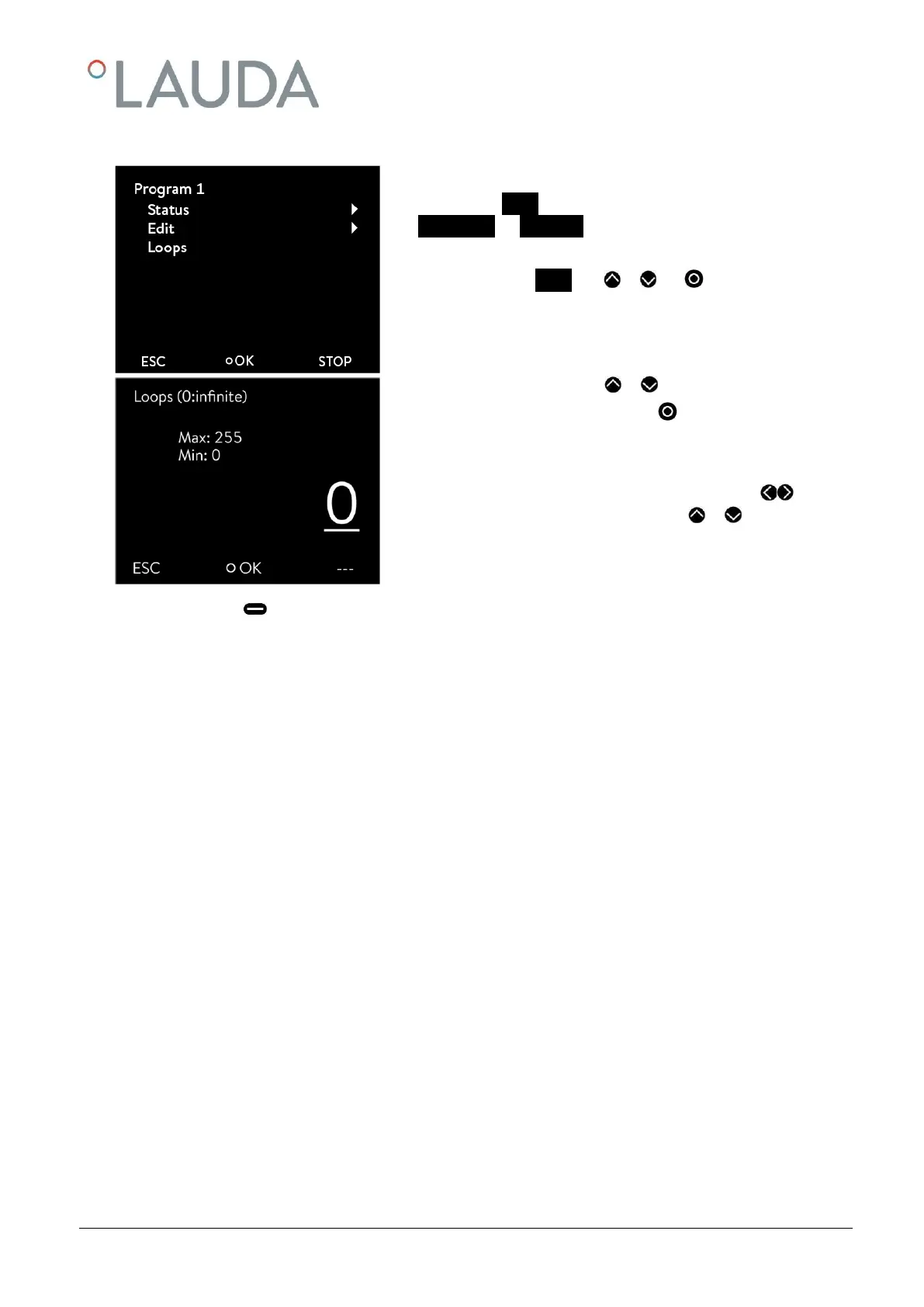
Programs can be processed many times.
- The submenu Loops appears by selecting and confirming
Programmer Program
n
.
- Select and confirm Loops with or and .
- Enter the desired number with or .
- Confirm your choice with the enter key .
Note: To enter two or three-figure numbers move the cursor to
the appropriate point and change the figures with or .
If "0" is entered, the program is continuously repeated.


 To Next Page