EasyManua.ls Logo

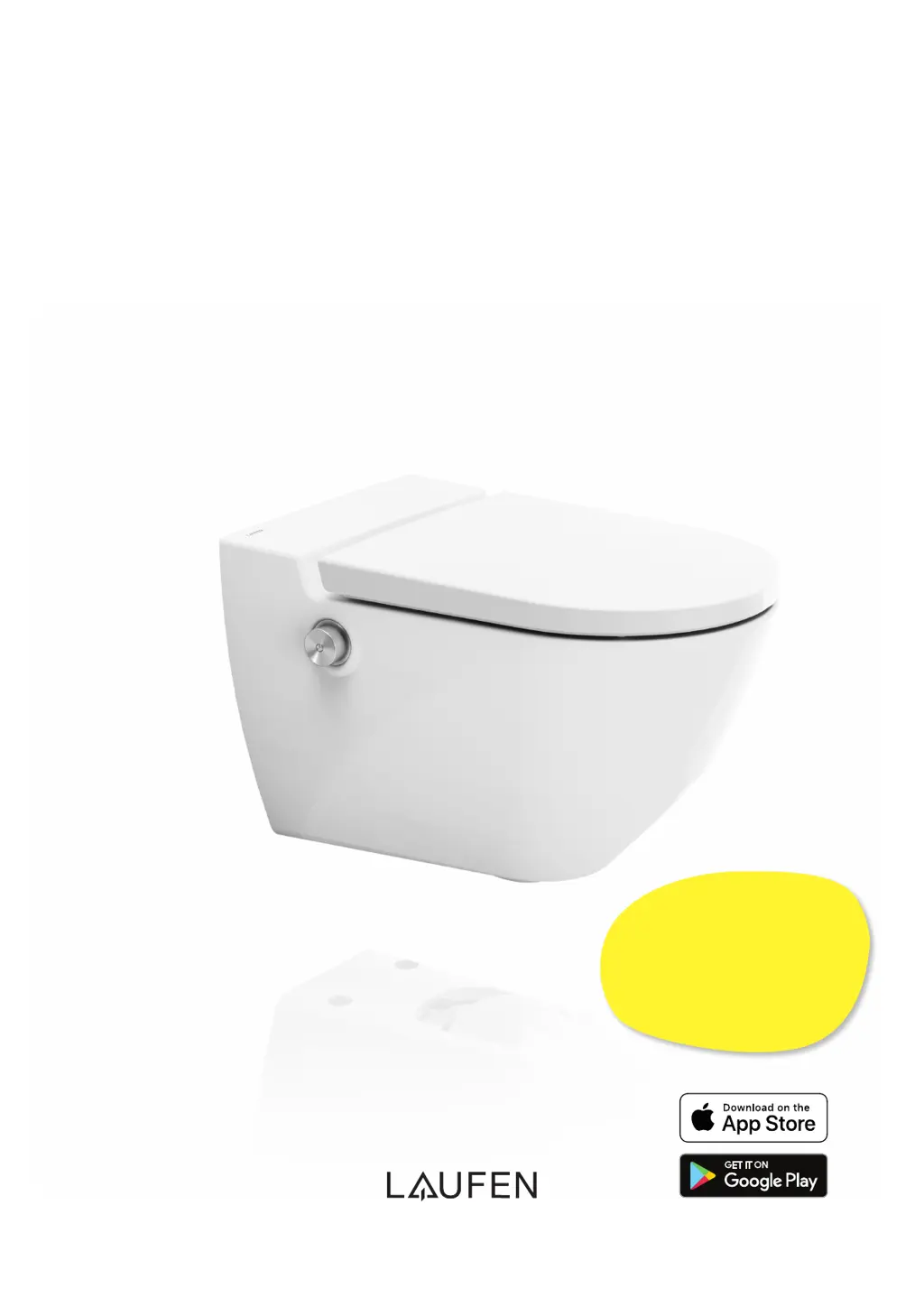
Laufen CLEANET NAVIA - User Manual

Laufen CLEANET NAVIA
20 pages
Print Icon
To Next Page IconTo Next Page
Loading...
LAUFEN CLEANET NAVIA
OPERATING MANUAL
+1
Register your shower toilet now!
www.laufen-cleanet.com
YEAR’S
GUARANTEE

Other manuals for Laufen CLEANET NAVIA

Questions and Answers

  • R
    Robert WrightAug 4, 2025
    What to do if my Laufen toilet does not function?
    • M
      Michael ScottAug 4, 2025
      If your Laufen toilet isn't working, first, check if the main switch located under the appliance on the left is turned on. If it is on, try switching off the main switch, waiting about a minute, and then switching it back on. If the issue persists, have a qualified electrician check the power supply.
  • D
    Dana HernandezAug 10, 2025
    Why is the water jet weak in my Laufen toilet?
    • D
      Derrick MarshallAug 10, 2025
      If the water jet in your Laufen toilet is weak or no water emerges, it could be due to several reasons. First, the intensity setting of the shower jet might be too low; increase it using the Laufen app or by turning the controller forwards during the shower. Save the setting in your basic profile using the app. Alternatively, the nozzle might be covered in limescale or locked, in which case you should initiate a descaling cycle on the shower toilet and wait at least ten minutes. Another cause can be rear shower being used too frequently in succession with a high jet intensity.
  • N
    Neil SmithAug 16, 2025
    How to fix a Laufen toilet controller that is not working?
    • A
      Angela BowenAug 16, 2025
      If the controller on your Laufen toilet isn't working, the water temperature might be low. Try pressing “General settings” in the app and setting economy mode to ECO or ON. Also, you can try switching off the main switch under the appliance, wait approximately 1 minute then switch it on again.
  • C
    Christian HinesAug 22, 2025
    What to do if the red LED indicator light flashes quickly on my Laufen toilet?
    • C
      christopher89Aug 22, 2025
      If the red LED indicator light is flashing quickly on your Laufen toilet, a fault has occurred. Try switching off the main switch under the appliance, wait approximately 1 minute then switch it on again.
  • S
    Stephen JonesAug 28, 2025
    How to fix a Laufen toilet when the red LED indicator light is permanently illuminated?
    • M
      Maria MartinAug 28, 2025
      If the red LED indicator light on your Laufen toilet is permanently illuminated, perform a descaling cycle. Insert three Laufen descaling agent tabs into the opening on the right-hand side of the bowl.

Summary

Safety and Warning Notices

Overview of Your Navia Shower Toilet

Controller with Rotary Button

Details the operation and functions of the rotary controller.

Operating the Shower Toilet

Rear Shower

Explains how to use the rear shower function.

Jet Intensity

Details how to adjust the intensity of the shower jet.

Shower Jet Position

Explains how to adjust the position of the shower jet.

Maintenance and Cleaning

Descaling

Detailed instructions for performing the descaling program.

Troubleshooting

Messages and Faults

Lists common messages and faults with their possible causes and remedies.

Laufen CLEANET NAVIA Specifications

General IconGeneral
BrandLaufen
ModelCLEANET NAVIA
CategoryToilets
LanguageEnglish

Related product manuals