26
LAUNCH Pilot TPMS User's Manual
6. Diagnose
6.1 Connection
1. Turn the ignition off.
2. Locate vehicle’s DLC socket: It provides standard 16 pins and is generally
located on driver’s side, about 12 inches away from the center of dashboard.
See Figure 2-2. If DLC is not equipped under dashboard, a label indicating
its position will be given. In case no DLC is found, please refer to Automobile
Repair Manual.
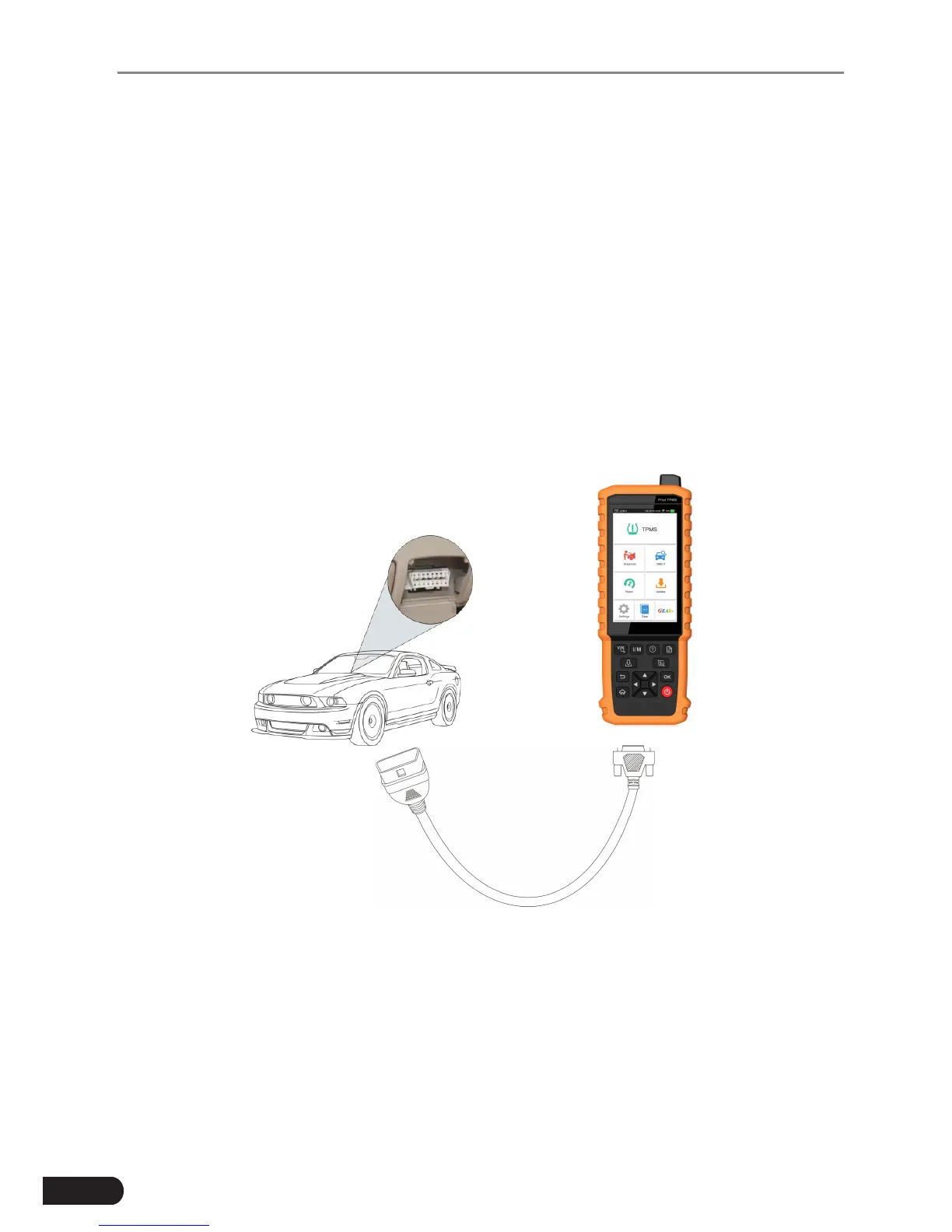
3. Plug one end of the diagnostic cable into the DB-15 connector of Pilot TPMS,
and tighten the captive screws. Connect the other end to the vehicle’s DLC.
Diagnostic Cable
Pilot TPMS
Vehicle's DLC
Figure 6-1
6.2 System Diagnosing
This function is specially designed to diagnose electronic control systems of
single vehicle model.



 To Next Page