27
LAUNCH Pilot TPMS User's Manual
EN
6.2.1 Smart Diagnosis (Auto-Detect)
After connection, turn the ignition key on and the system enters auto-detect
mode.
*Note: To detect more and accurate VINs, a stable network connection is highly
recommended for this funcon.
*CAUTION: Don’t connect or disconnect any test equipment with ignion on or engine
running.
A. Once the system successfully obtains the VIN (Vehicle Identication Number)
information of the currently identified vehicle, it will continue scanning the
vehicle systems. After the scanning is complete, a diagnostic report will be
automatically generated and sent to your email box (if bound).
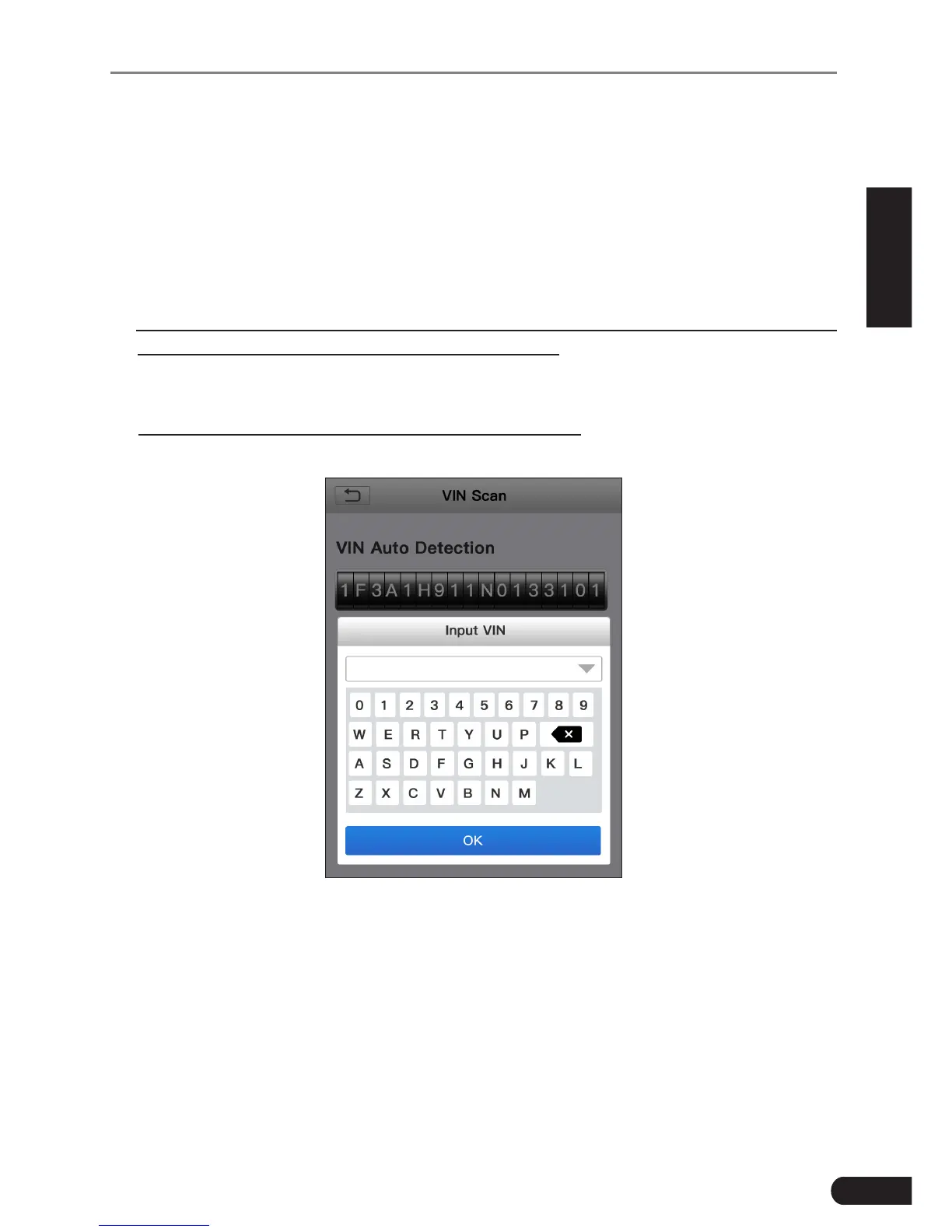
B. If the tool failed to access the VIN information, the screen will display as
below:
Fig. 6-2
Input the VIN, and tap “OK”, the system will automatically identify the vehicle
model. If the vehicle VIN is successfully decoded, it will perform auto-
diagnosis until a diagnostic report is automatically output. Otherwise it will
enter manual diagnosis mode. For details on manual diagnosis, see Chapter
6.2.2.
*Notes:
• The most recognizable location for this number is in the top left corner on the
vehicle’s dashboard. Other locations include the driver’s door or post, and the



 To Next Page