V1.0/244 V_pro8 Manual
Operation (Web Browser Control)
Operating Principles
Expanding Menus
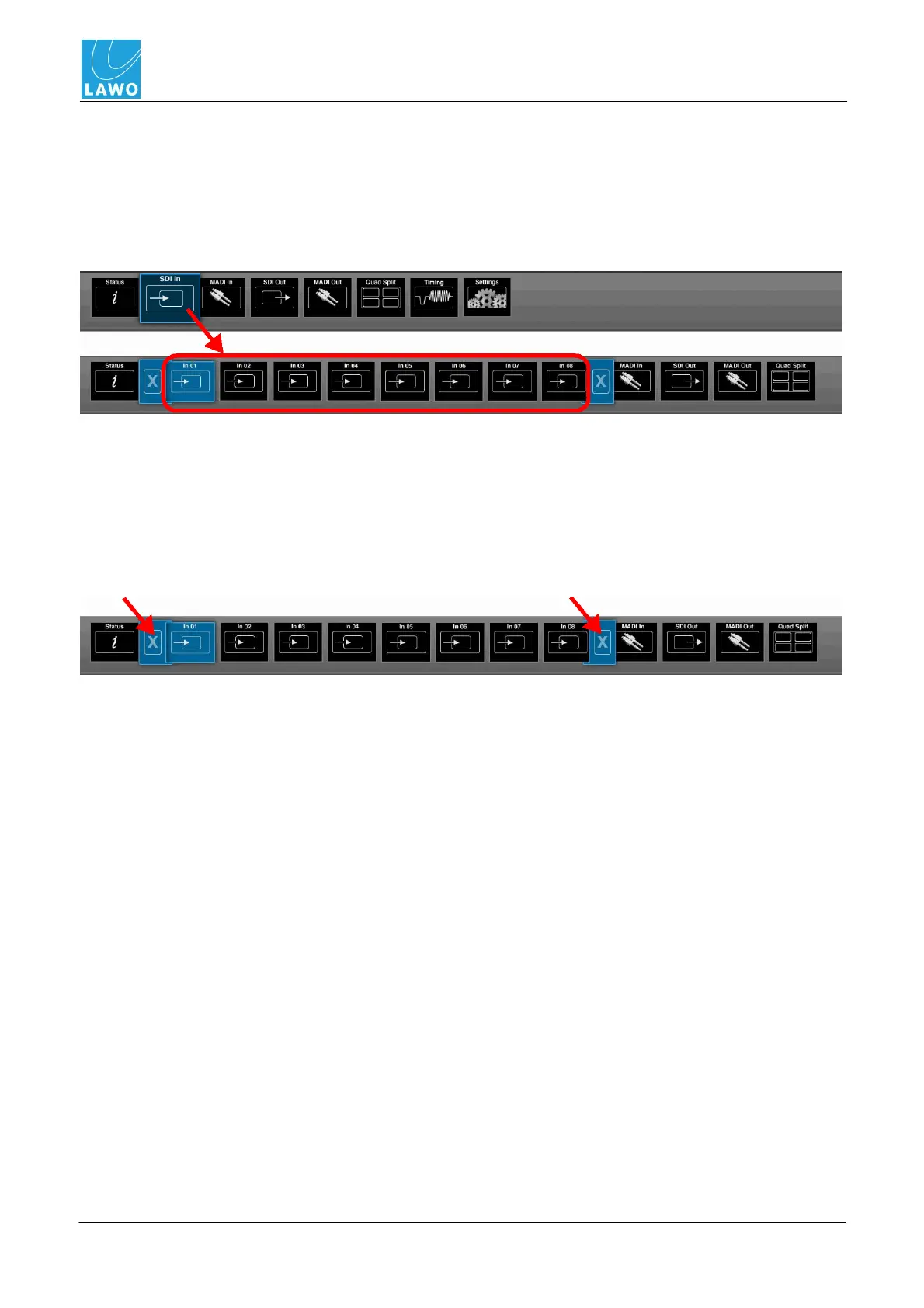
Some of the main and sub menus expand when you select them. For example:
1. Click on SDI In (main menu), and the menu bar expands to reveal further options - SDI In 01
to In 08.
One of the inner options is always selected - in our example, SDI In 01:
2. Click on a different SDI input - In 01 to In 08 - to switch between SDI inputs and compare
information and parameters.
Note how the menus which were to the right of SDI In (MADI In, SDI Out, MADI Out, etc.) shift
across the menu bar and, depending on your selection, disappear off screen.
3. To select a different main menu, click on it (if you can see it).
4. Or, collapse the expanded view, by clicking on either of the blue X buttons:
The menu bar returns to its normal size.



 To Next Page