V_pro8 Manual V1.0/2 89
Operation (Web Browser Control)
Timing
Timing
This main menu deals with the timing position of the pro8 and its video and audio reference signals.
All settings are applied globally.
1. Select the Timing (main menu).
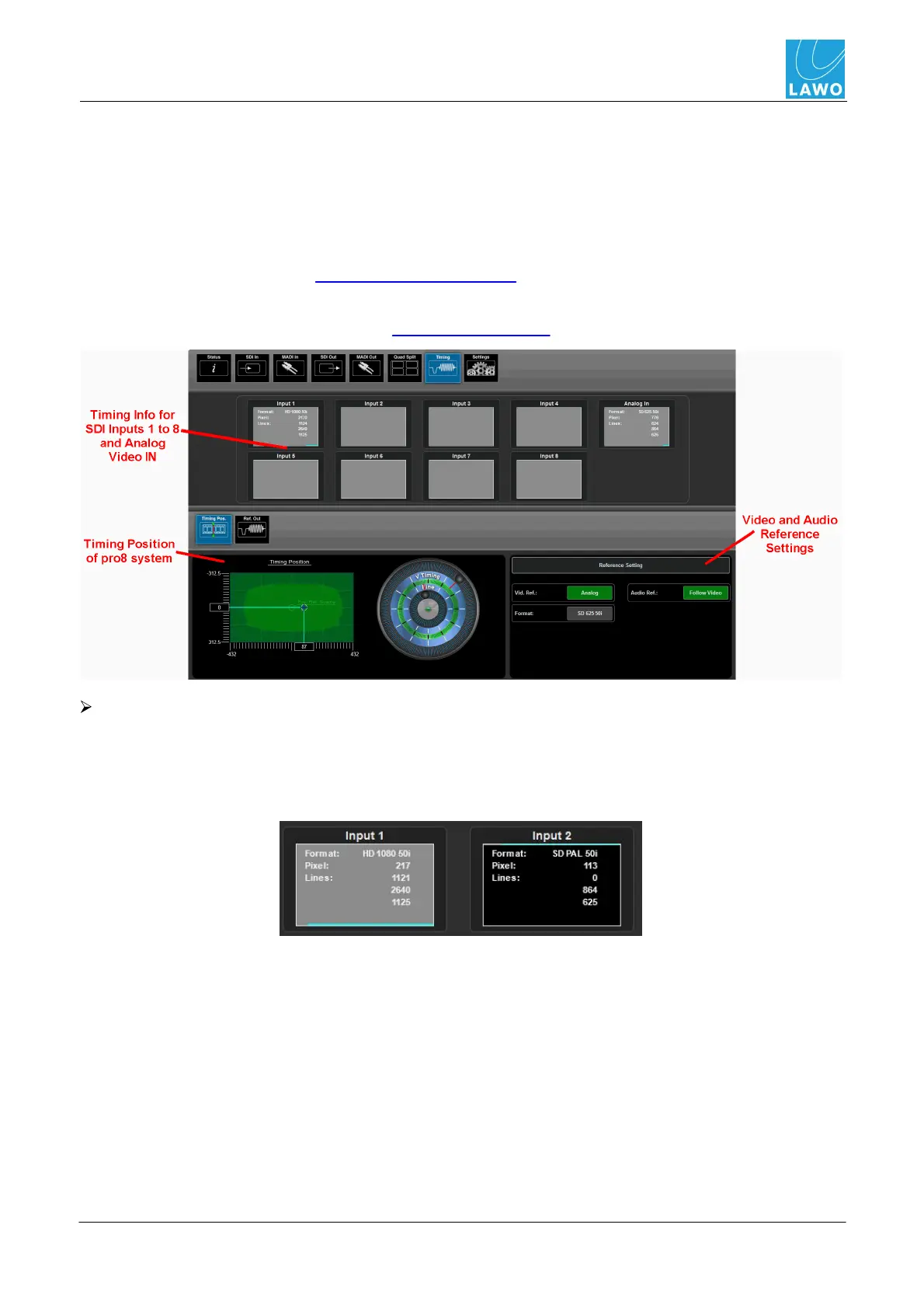
In the upper part of the operating window you will see timing information for all 8 SDI inputs - Input 1
to Input 8 - and the Analog In (external video reference IN).
The lower half of the screen can be used to adjust the Timing Position (including Reference
Settings) or the Ref Out (options for the video reference OUT).
Timing Information for SDI Inputs
Each box displays the video format and pixel/line content for the SDI input. If the incoming picture
signal is locked to the pro8's video reference, then the fields are stable. If the picture is not locked (for
example, you have disconnected the video reference signal), then the horizontal turquoise bar moves
from left to right, and the pixel/line fields fluctuate:



 To Next Page