V_pro8 Manual V1.0/2 95
Operation (Web Browser Control)
Settings
Settings -> Network
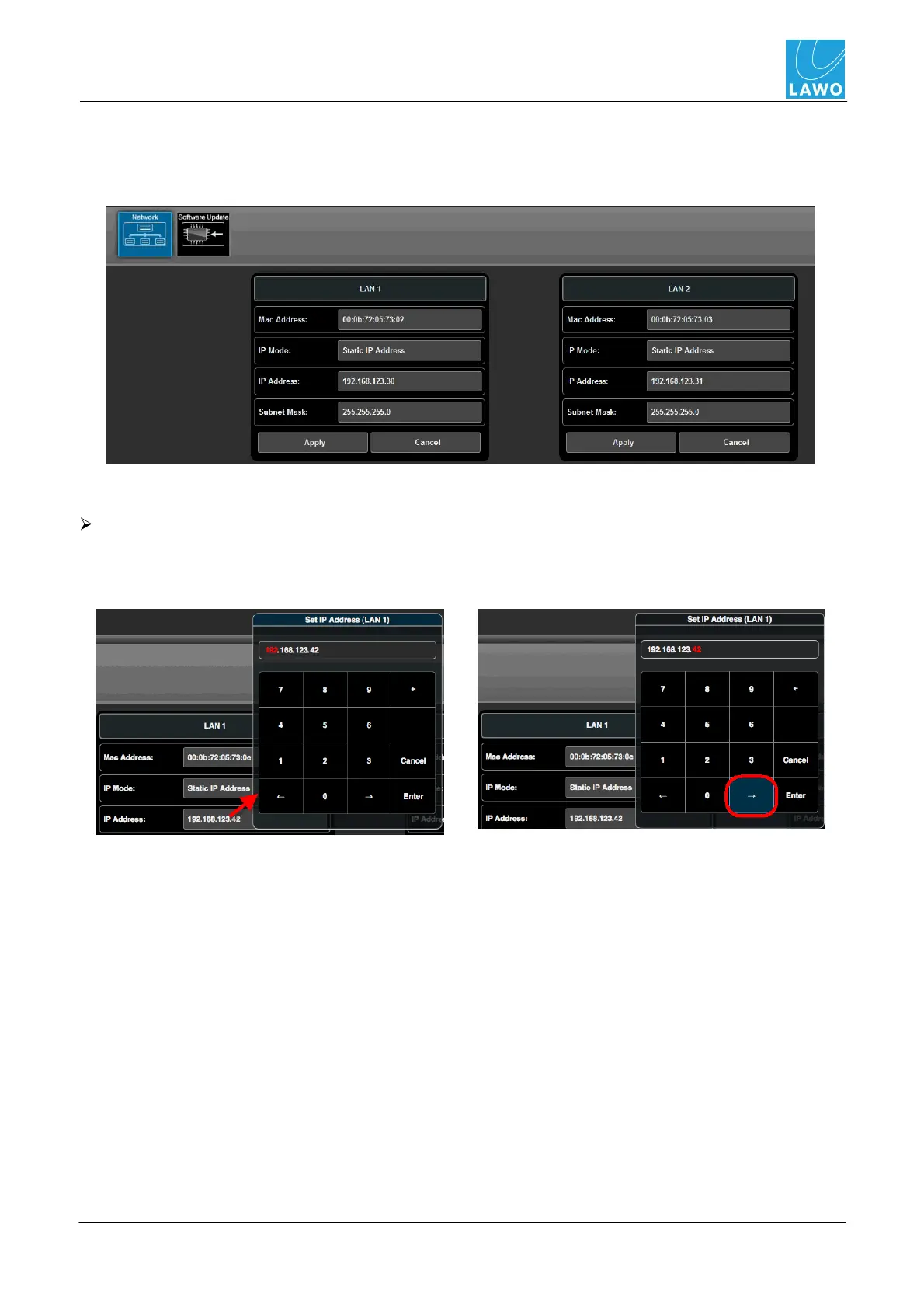
Use this sub menu to check the TCP/IP settings and Mac Address for the LAN 1 and LAN 2 network
ports:
All fields except IP Address and Subnet Mask are for display purposes and cannot be altered.
To change the TCP/IP settings of either LAN port:
1. Click on the current IP Address to open the pop-up selector. Click on the right arrow button to
highlight the correct set of digits; use the numeric keyboard to enter a new value and click Enter.
The IP Address field updates.



 To Next Page