Operation Setup
10
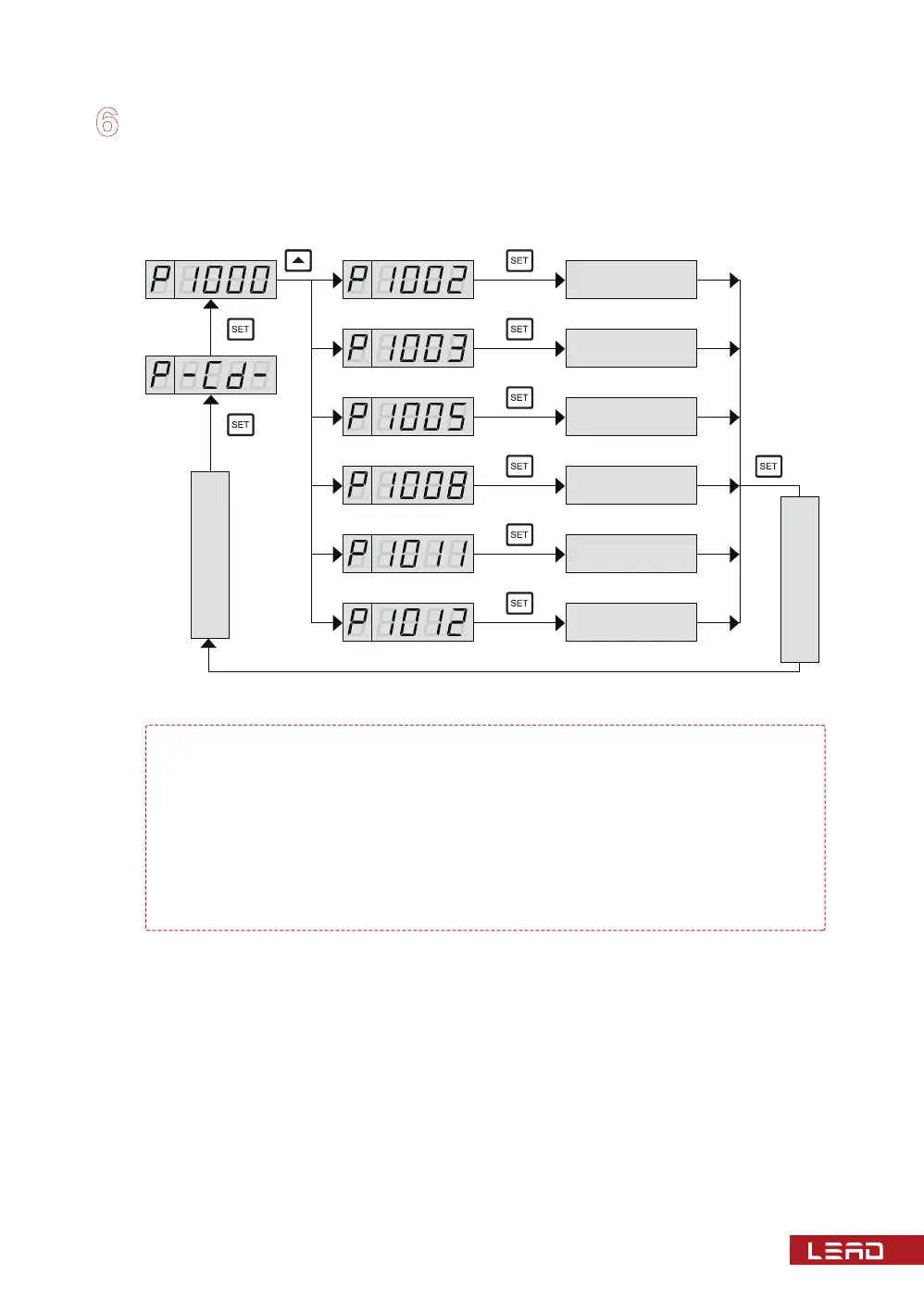
Common Function Codes Diagram
Note: ① When displaying the function prompt, press key SET to enter into the
corresponding data display.
② The following parameters are conventional default values. Details are
subject to the controller certification or the wiring figure.
③ During the key operation, if no key is pressed, the thermostat will auto-
matically return to its normal working state after about 100 seconds, and the
previous setting is invalid.
Black box
Timing start
stop of fan
Control
parameter
Temperature
compensation
Normal display status
Fan fault
parameters
Temperature
simulation
Normal display status


 To Next Page