2
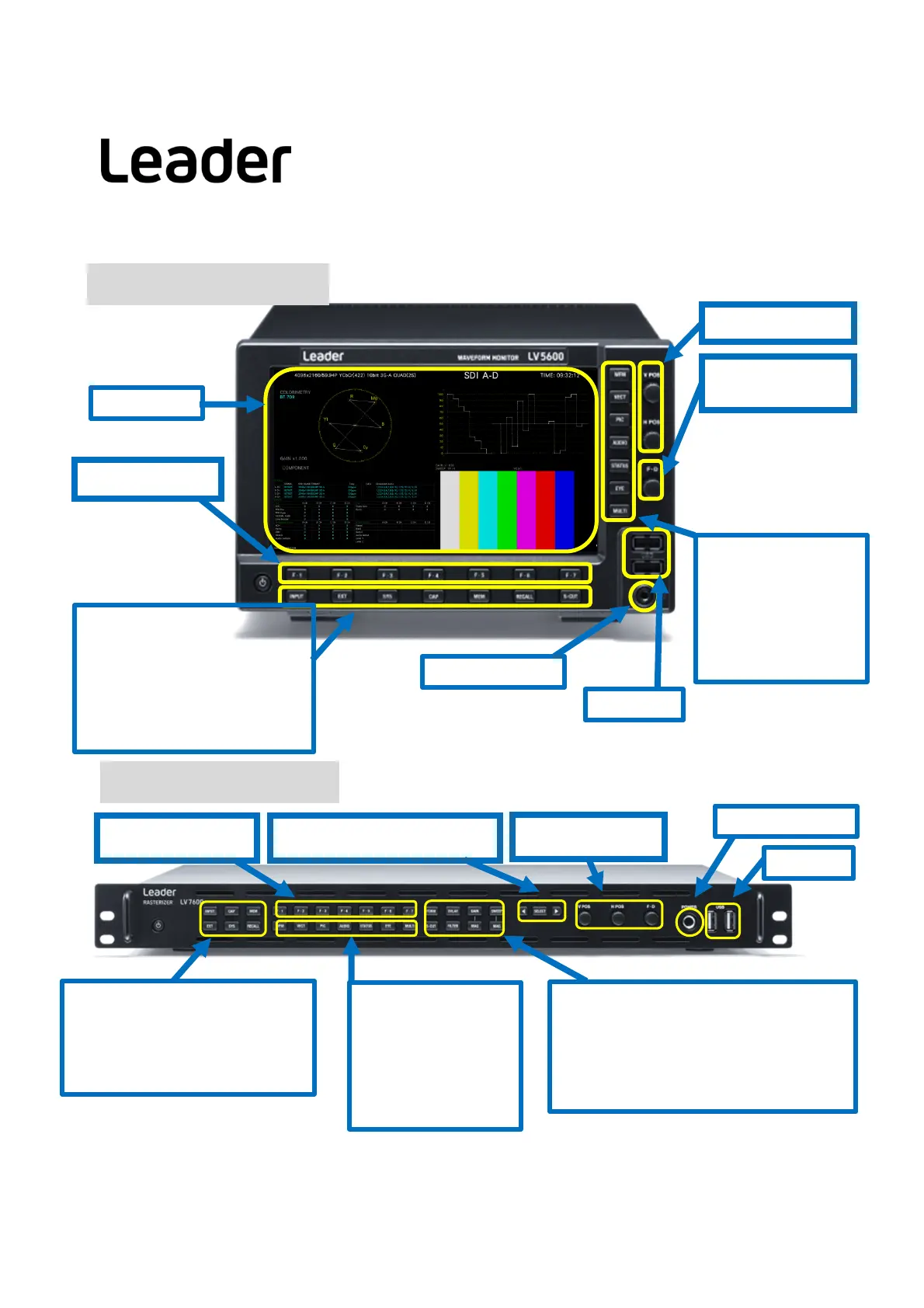
USB ports
Headphone jack
System key
INPUT: Sets the display channel
EXT: Switches the Sync signal
SYS: Configures the settings
CAP: Capture the screen
MEM: Preset Registration / Delete
RECALL: Recall a Preset
S-CUT: Short cut key
Mode Key
WFM: Waveform
VECT: Vector
PIC: Picture
AUDIO: Audio
STATUS: Status
EYE: EYE & Jitter
MULTI: Multi screen
LCD display
V / H position
Function Key
Turn to specify a
numeric value or to
move cursors. In most
cases, press to reset
the value to its default
value.
F・D
(FunctionDial)
LV5600 Front Panel
USB port
Headphone jack
INPUT: Select the display channel
CAP: Capture the screen
MEM: Preset Registration / Delete
EXT: Switches the Sync signal
SYS: Configures the settings
RECALL: Recall a preset
Position / FD
Function Key
FORM: Switches WFM/VEC display format
OVLAY: Switches Waveform display format
GAIN: Switches the WME/VEC gain
SWEEP: Switches the WFM sweep method
S-CUT: Short cut key
FILTER: Switches the WFM filter
MAG: Switches the WFM/VEC gain
SELECT:Select Function
LV7600 Front Panel
LV5600/LV7600 Quick Manual
Mode key
WFM: Waveform
VECT: Vector
PIC: Picture
AUDIO: Audio
STATUS: Status
EYE: EYE Jitter
MULTI: Multi screen


 To Next Page