EasyManua.ls Logo

Leggett & Platt S-cape+ 2.0 - User Manual

Leggett & Platt S-cape+ 2.0
56 pages
Print Icon
To Next Page IconTo Next Page
Loading...
LPAdjustableBases.com
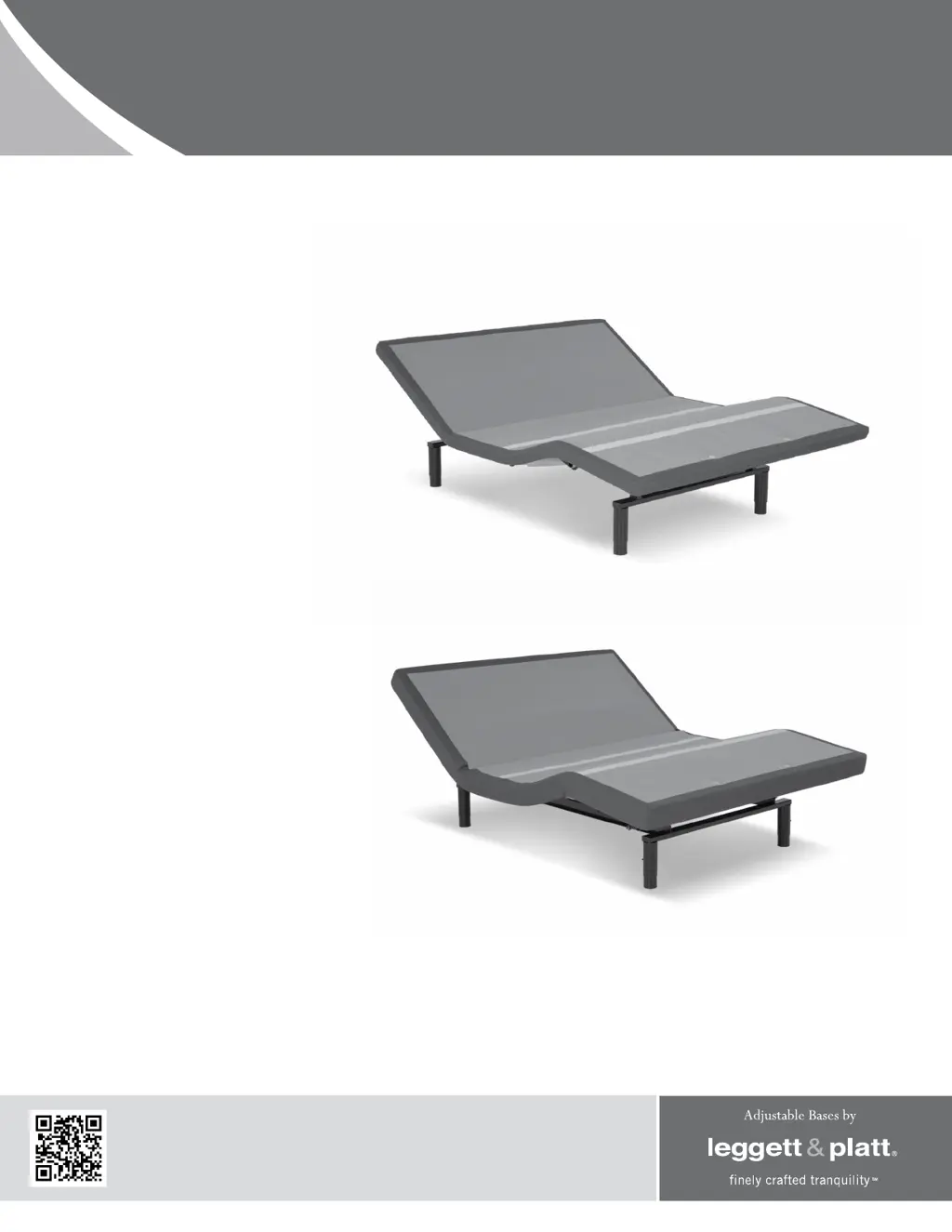
owners manual
G-122 NWH
G-122
G-122 USB
S-cape
®
2.0 / S-cape
®
+
2.0 /
Simplicity
™
3.0
S-cape
®
2.0 / S-cape
®
+ 2.0
Simplicity
™
3.0
ENGLISH
SPANISH
FRENCH

Questions and Answers

  • M
    Michelle BallJul 28, 2025
    What to do if Leggett & Platt S-cape+ 2.0 remote illuminates but won't activate base?
    • M
      Matthew JacksonJul 28, 2025
      If your Leggett & Platt Indoor Furnishing remote control illuminates but doesn't activate the base, ensure the power cord is connected to a working, grounded outlet, preferably with surge protection. Test the outlet with another appliance. Also, if the base has been used excessively, a thermal switch may have opened. Wait 30 minutes before trying again, and avoid exceeding the duty cycle.
  • T
    Trevor LambAug 2, 2025
    Why won't any features of my Leggett & Platt S-cape+ 2.0 base activate?
    • W
      walkerrichardAug 2, 2025
      If no features of your Leggett & Platt Indoor Furnishing base activate, try these steps: * Program the remote control. * Unplug the power cord, wait 30 seconds, and plug it back in to reset the electronics. * Check your electrical circuit breaker. * Test the outlet with another working appliance to rule out a defective surge protector or outlet.
  • R
    Robin RichardAug 8, 2025
    What to do if Leggett & Platt Indoor Furnishing head or foot won't return to flat position?
    • Z
      zhollandAug 8, 2025
      If your Leggett & Platt Indoor Furnishing head or foot section elevates but does not return to the horizontal position, first ensure that the base mechanism isn't obstructed. Elevate the base and check for, and remove, any obstructions. Also, ensure the head section isn't too close to the wall and that there's a 1.5” to 2” gap between the headboard brackets and the mattress.
  • F
    fleeAug 15, 2025
    How to reduce excessive massage motor noise in Leggett & Platt S-cape+ 2.0 Indoor Furnishing?
    • T
      Tanner GeorgeAug 15, 2025
      To reduce excessive massage motor noise in your Leggett & Platt Indoor Furnishing, consider these solutions: 1. If the base is on a hard surface, place carpet pieces or rubber caster cups under each leg or caster. 2. Slightly elevate the head or foot section to realign the lift/lower mechanisms. 3. Ensure the base isn't touching a wall, nightstand, or other object. 4. If installed over a bed frame, check for vibrations from the massage motors. 5. Tighten the headboard attachment hardware, if used.
  • L
    Lisa TaylorAug 21, 2025
    Why won't my Leggett & Platt Indoor Furnishing remote control illuminate?
    • N
      Nicole JamesAug 21, 2025
      If your Leggett & Platt Indoor Furnishing remote control will not illuminate, replace the batteries in the remote control.

Summary

Advisory: Product Safety and Ratings

Product Ratings

Describes motor duty cycles, weight limits, and safe usage practices for the adjustable base.

Massage Operation

Explains normal massage noise levels and automatic shut-off features for the base's massage function.

Advisory: Operational and Compliance

Lifting and Lowering Mechanisms

Explains normal operating sounds and methods to reduce vibration during base movement.

FCC Compliance

Details radio frequency compliance, potential interference, and correction methods for the device.

Service Requirements

Outlines technician responsibilities and service call scheduling for base maintenance.

Installation Guide

Included Components

Lists all parts provided with the adjustable base for proper setup and assembly.

Remote Control Functionality

Remote Button Operations

Describes the specific function of each button on the adjustable base remote control.

Remote Control Modes

Explains how to switch between press-and-hold and one-touch operating modes for the remote.

Remote Control Programming

Program One Remote for One Base

Steps to sync a single remote control with one adjustable base unit.

Program One Remote for Two Bases

Steps to sync a single remote control to operate two adjustable base units simultaneously.

Program Two Remotes for One Base

Steps to sync two separate remote controls with a single adjustable base unit.

Program Two Remotes for Two Bases

Steps to sync two separate remote controls to operate two adjustable base units independently.

Reprogramming Remotes for Individual Bases

Restores independent operation for two remotes and two bases after previous synchronization.

Power Down Operation

Emergency Lowering Procedure

Instructions for lowering the base to flat position during an electrical power outage using a battery backup.

Troubleshooting Guide

Base Not Activating

Solutions for when the remote illuminates but the base fails to respond to commands.

Remote Control Issues

Troubleshooting steps for when no base features activate or the remote will not illuminate.

Elevation and Flatness Problems

Solutions for when the base elevates but will not return to the horizontal (flat) position.

Excessive Massage Motor Noise

Guidance on identifying and resolving excessive noise or vibration from the massage motors.

Optional Accessories

Accessory Descriptions and Codes

Lists available optional accessories, their descriptions, order codes, and images.

Limited Warranty Information

Warranty Coverage Periods

Details the 1-year, 3-year, and 25-year limited warranty coverage for adjustable base parts.

Warranty Exclusions and Conditions

Outlines conditions that void the warranty, including misuse and unauthorized repairs.

Customer Service Contact

Provides Leggett & Platt contact information for warranty claims and customer service inquiries.

Leggett & Platt S-cape+ 2.0 Specifications

General IconGeneral
BrandLeggett & Platt
ModelS-cape+ 2.0
CategoryIndoor Furnishing
LanguageEnglish

Related product manuals