Keor MOD
User Manual
25
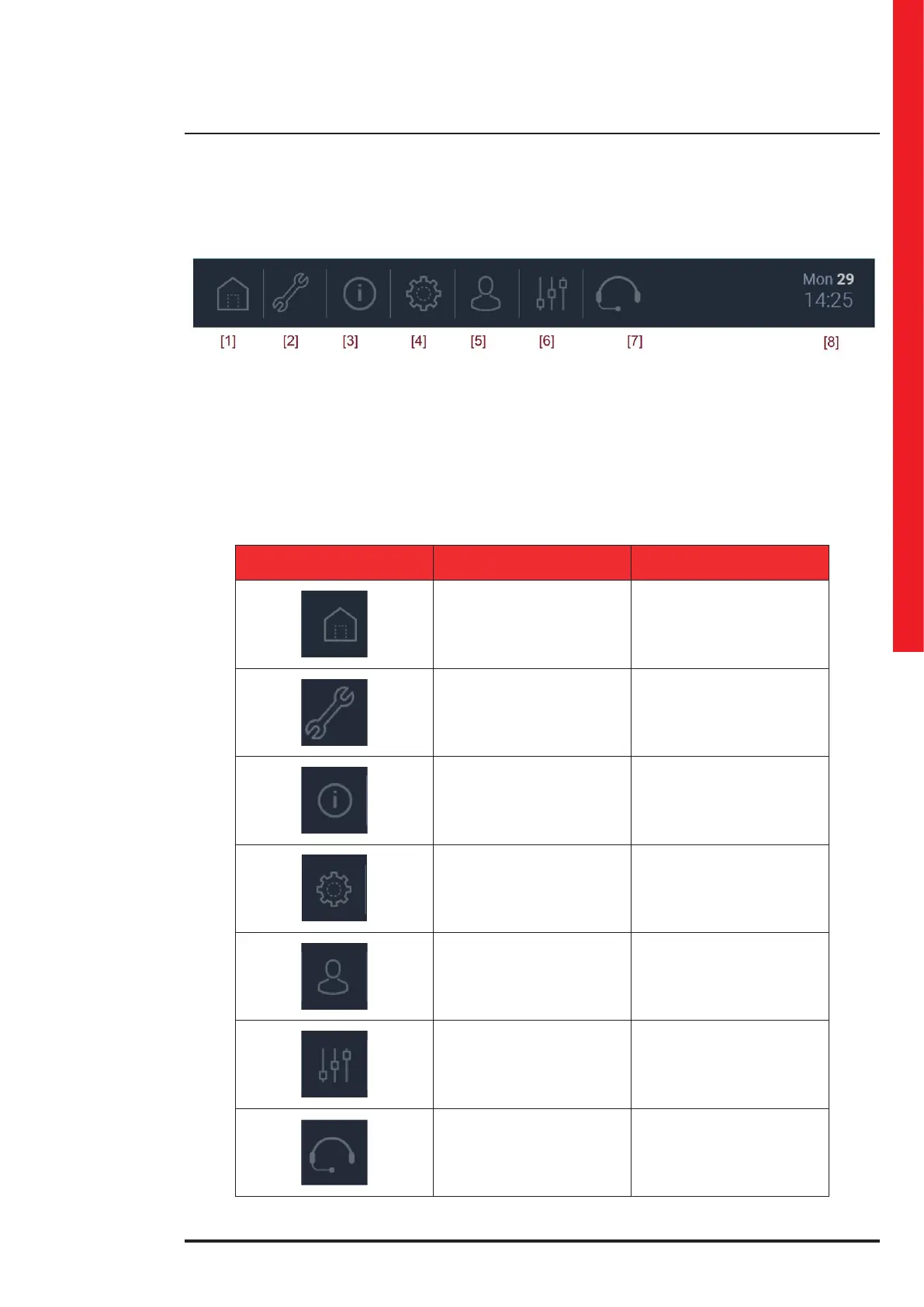
4.4 Menu bar
The menu bar, at the bottom of the interface, contains the section icons related to:
• [1] UPS View
• [2] Diagnostic
• [3] Info
• [4] Settings
• [5] Login
• [6] General Controls
• [7] Help
• [8] Date
ITEM DESCRIPTION
UPS View
Open the UPS view
(main screen)
Diagnostic
Read only info: errors log,
historical messages, etc.
Info General info of the HW and SW
Settings
Set the System Mode and its
options. It can also show
the login popup for some
special settings.
Login
Open the login popup
and the keyboard.
Two level access: user ID
and password
General Controls
Help
Information on how to contact
the LEGRAND Technical
Support Service



 To Next Page
 Loading...







