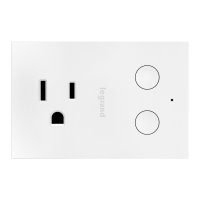
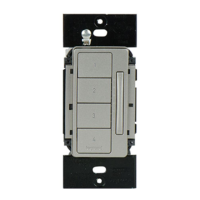
getting to know your switch
Item Name Description
1 LED Locator Light
• Indicates the current state of the device.
See LED locator Light Explanations for
detail.
2 Off Button
• Turns the device off. Also used to test GFCI
function.
3 On Button
• Turns the device on. Also used to reset the
GFCI function.
LED LOCATOR LIGHT EXPLANATIONS
LED
Color
State of
Light
Explanation
Green Blinking
Amber
Device is attempting to
connect to the network.
Solid White
Device is connected to
network and is off.
Solid Green
Device is connected to
network and is on.
Solid Red
Device is off due to
ground fault. Determine
fault and press RESET.
1
3
2




 To Next Page
