EasyManua.ls Logo

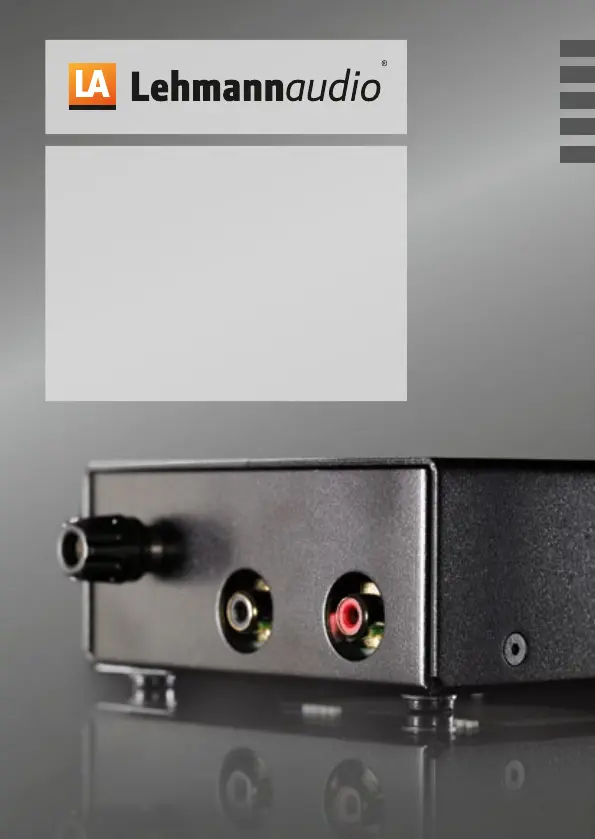
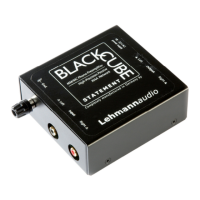
Lehmannaudio Black Cube Statement - User Manual

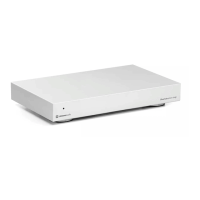
Lehmannaudio Black Cube Statement
14 pages
Print Icon
To Next Page IconTo Next Page
Loading...
Bedienungsanleitung/Manual/Mode d‘emploi/Manual de instrucciones/Istruzioni per l’uso
Black Cube
Statement
Phonoversrker
Phono Stage/Amplificateur Phono
Amplificador Phono/Amplificatore Acustico
FR
ES
IT
EN

Questions and Answers

  • K
    Kevin AndersonSep 2, 2025
    Why am I hearing radio interference with my Lehmannaudio Phono Stages?
    • P
      phillipgarciaSep 2, 2025
      If you're hearing radio interference in the background with your Lehmannaudio Phono Stages: * Ensure the pick-up arm ground is connected to the Black Cube Statement. * The standard input capacitance (100 pF) for MC might be too low, so have the custom impedance jack equipped with additional capacity by the dealer.
  • C
    Charles ScottAug 31, 2025
    How to fix inverted left and right channels on Lehmannaudio Phono Stages?
    • R
      Ryan BrowningAug 31, 2025
      If the left and right channels are inverted on your Lehmannaudio Phono Stages: * Check the connecting cables for channel inversions and swap them if necessary. This includes the system cable, pick-up arm cable, and line cable. * The adjustment between the pick-up system and Black Cube Statement may not be optimal. Increase the amplification factor using the DIP switches or activate the high gain Jumper.
  • B
    Barry ThomasAug 29, 2025
    Why does the signal from my Lehmannaudio Phono Stages sound hollow?
    • D
      Dr. Victor HudsonAug 29, 2025
      If the signal from your Lehmannaudio Phono Stages sounds hollow, lacking proper bass and localization: * Ensure the pick-up connection is not phase-inverted by connecting the system cable with correct polarity. * Verify the pick-up arm ground is connected to the Black Cube Statement. * If you have several connected devices, it may be a buzzing loop. Establish a proper ground connection.
  • D
    dburnettAug 27, 2025
    What causes a distorted signal from Lehmannaudio Phono Stages?
    • A
      Alex SmithAug 28, 2025
      If the signal from your Lehmannaudio Phono Stages is distorted: * The amplification in the Black Cube Statement might be set too high. Reduce the amplification factor using the DIP switches or deactivate the high gain Jumper. * Ensure the output of the Black Cube Statement is connected to a line input, not a phono input, of the downstream amplifier.
  • M
    Melvin GonzalezAug 27, 2025
    Why am I only getting a signal on one channel with my Lehmannaudio Phono Stages?
    • J
      Joseph BlackwellAug 27, 2025
      If you're only getting a signal on one channel of your Lehmannaudio Phono Stages, consider the following: * Check the position of both DIP switches and/or gain Jumpers to ensure the settings are the same for both channels. * Inspect connecting cables for loose contacts, improper insertion, or defects. This includes the system cable, pick-up arm cable, and line cable. Replace if necessary. * Try connecting to various line inputs to rule out a defective downstream input stage.
  • V
    Victoria OwensAug 25, 2025
    How to eliminate buzzing noise from Lehmannaudio Phono Stages?
    • G
      gregorydavisAug 25, 2025
      If you're experiencing a buzzing noise with your Lehmannaudio Phono Stages, it might be due to the power transformer of a nearby device interfering with the input. To resolve this, maintain sufficient distance from the device causing the interference.
  • W
    wagneranitaAug 22, 2025
    Why is the operating LED not lighting up on my Lehmannaudio Phono Stages?
    • A
      Amanda WallerAug 22, 2025
      If the operating LED on your Lehmannaudio Phono Stages isn't lighting up, it could be due to the following reasons: * The power supply might not be plugged into the outlet. Ensure it is properly connected. * The power supply might not be connected to the device. Make sure it's securely attached.

Summary

Introduction

Product Overview and Quality

Details the Black Cube Statement phono amplifier, its German origin, and commitment to sound quality.

Market Positioning

Describes the product as an ideal entry-level model in high-end phono amplifiers.

Further Information

Directs users to the operating manual and website for more details.

Important Safety Notes

Warning Classification and Symbols

Explains the hierarchy of warning notes and the meaning of associated symbols used in the manual.

General Precautions

Covers storage, operation notes, heat, ventilation, water, and liquid ingress precautions.

Power and Electrical Safety

Power Cable Usage

Details correct usage of power cables, including protective conductor and polarity for safe operation.

Power Supply and Protection

Covers using the correct power supply, protection against thunderstorms, and avoiding electric overload.

Fire Safety and Accessories

Advises against fire sources and specifies the use of manufacturer-approved accessories.

Device Handling and Maintenance

Mounting and Placement

Instructions for safe and stable mounting, ensuring access to the mains plug.

Cleaning Instructions

Specifies using only a dry cloth for cleaning the device.

Storage During Non-Use

Recommends unplugging the device when not in use for extended periods.

Authorized Service and Repair

States that all service and repair must be done by authorized technicians.

Approved Spare Parts

Emphasizes using only manufacturer-specified and approved spare parts for repairs.

Important Safety Instructions for Power Supplies

Power Supply Manual and Condition

Stresses reading the manual, using the included supply, and checking for damage before use.

Environmental and Operational Limits

Details safe operating conditions, temperature ranges, and unsuitable installation locations.

Power Supply Handling

Covers accessory use, disconnection procedures, and proper cable handling.

Installation and Setup

Unpacking and Inspection

Guide on unpacking the device and checking for transport damages before connection.

Functional Description

Setup and Connecting

Instructions on positioning the device and connecting it to the mains power supply.

Input Connections

Describes the Ground terminal (GND) and Input jacks (IN) for connecting a record player.

Device Outputs and Indicators

Output Connections

Explains the RIAA filtered high-level output jacks (OUT) for connecting to amplifiers.

Warning: Output to Phono Input

Warns against connecting the output to a phono input, which can damage the device or speakers.

Operating Mode Display (LED)

Details the function of the LED as an operational status indicator; no power switch.

External Power Supply Input

Identifies the port for connecting the external power supply.

Putting into Operation

System Information and Setup

Advises gathering pick-up system details (MM/MC, resistance) before proceeding with operation.

Operation Steps

Outlines the sequence for setting volume, gain, termination, connecting components, and power.

Common Settings and Configuration

MM;MC Settings Guide

Provides a table of switch and gain jumper configurations for various MM and MC pick-up systems.

Expert Notes and Internal Adjustments

Internal Adjustment Mechanisms

Discusses internal adjustments for experts, including the use of an Allen key and jumpers for amplification changes.

Jumper Functions

Explains the specific functions of internal jumpers like DC bridging, gain adjustment, bass roll-off, and impedance settings.

Sound Optimisation Tips

Pick-up Geometry and System Adjustment

Recommends specialist adjustment of pick-up arm geometry and system for optimal sound and wear.

Vibration and Decoupling

Suggests optimizing vibration behavior and using a decoupling mat for improved sound.

Cable Selection and Assembly

Highlights the importance of choosing and assembling appropriate cables for signal integrity.

Technical Specifications

MM Technical Specifications

Lists detailed technical specifications for the MM (Moving Magnet) system.

MC Technical Specifications

Lists detailed technical specifications for the MC (Moving Coil) system.

Troubleshooting

Power and Signal Issues

Addresses problems like the operating LED not lighting up and no signal, providing causes and solutions.

Channel and Signal Level Problems

Covers issues with single-channel output, inverted channels, and low signal levels, with their respective causes and fixes.

Advanced Troubleshooting

Signal Quality and Noise Issues

Tackles distorted signals, hollow sound, and buzzing noise, offering troubleshooting steps.

Radio Interference and Grounding

Explains how to deal with radio interference and buzzing noise caused by grounding or transformer issues.

Legal and Compliance Information

Warranty and Registration

Details the two-year warranty, proof of purchase, and product registration process.

Service and Modifications

Outlines service procedures, authorized repairs, and restrictions on device modifications.

Compliance and Certifications

Lists CE conformity and RoHS compliance, along with relevant European directives.

Disposal and Company Information

WEEE Disposal Guidelines

Provides instructions for the proper disposal of electronic waste according to WEEE directive.

Managing Director Signature

Includes the signature and location of Norbert Lehmann, Managing Director.

Lehmannaudio Black Cube Statement Specifications

General IconGeneral
BrandLehmannaudio
ModelBlack Cube Statement
CategoryAmplifier
LanguageEnglish

Related product manuals