Group 7 Data/Programming Page 128
Release R2.0 LEIBINGER JET3
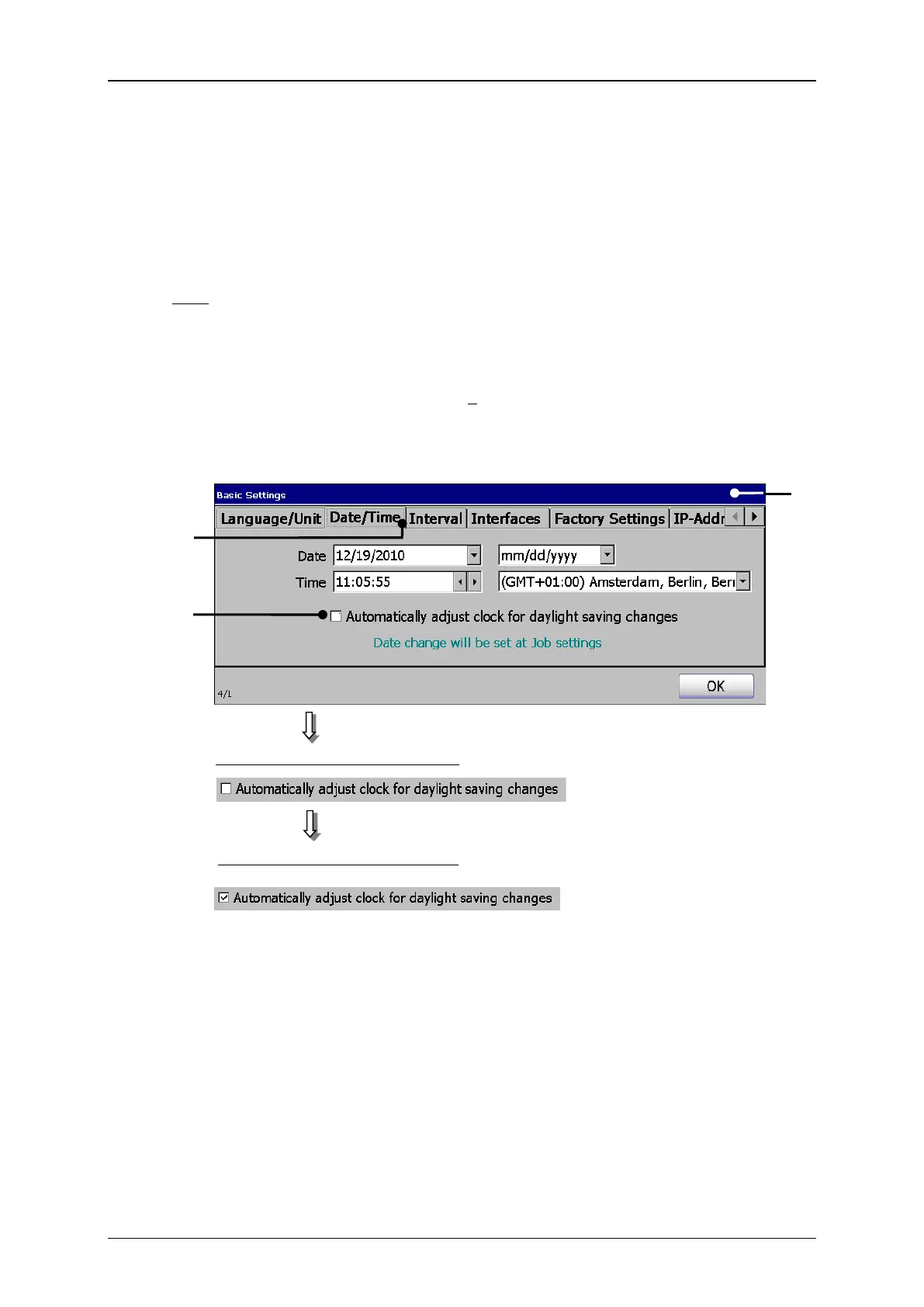
4. Automatic clock change:
The function enables you to activate or deactivate the automatic change to
summer- and wintertime (daylight savings time [DST]).
E.g.:The automatic change to summer- and wintertime should be activated.
Press on the tab <Date/Time> (2) to select the tab.
Now activate the automatic clock change by clicking on the checkbox (3). An
automatic change is displayed by in the checkbox.
Automatic clock change (Summer-/Wintertime)
1 – Dialog box <Basic Settings>
3 – Checkbox <Summer-/Wintertime>
Automatic change is switched on
Automatic change is switched off



 To Next Page