Group 7 Data/Programming Page 127
Release R2.0 LEIBINGER JET3
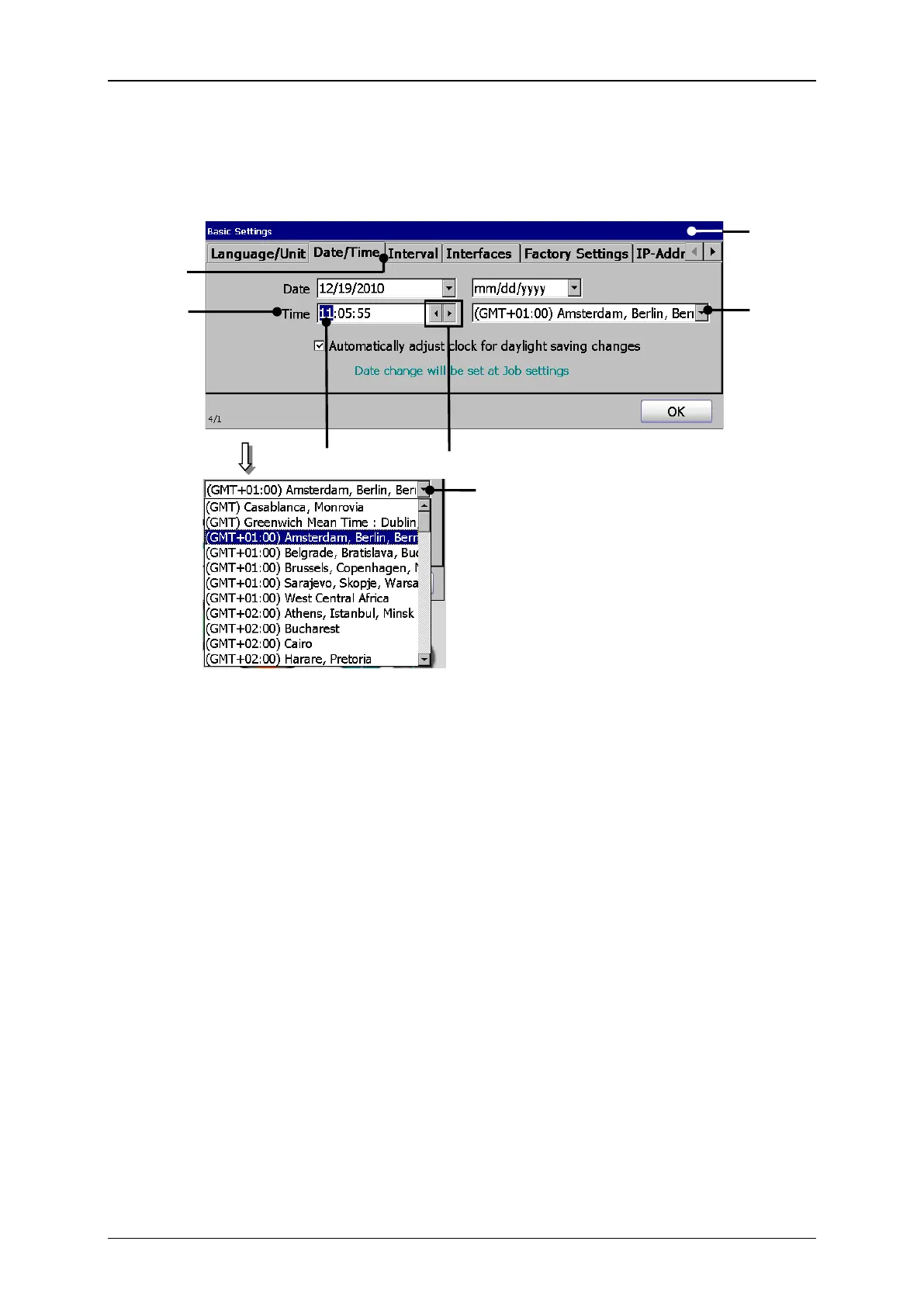
3. Set time and time zone:
1 – Dialog box <Basic Settings>
4 – Example hour block selected
6 – Drop-down list <Time zone>
Press on the tab <Date/Time> (2) to select the tab.
Now mark in the setting field <Time> (3) the hour-, minute- or second block
to change the values.
With the two <Arrow keys> (5) you can increase or reduce the values of the
blocks wich are each marked.
To define the time zone press on the drop-down list <Time zone> (6). The
Drop-down list opens for selection.
Now select the requested time zone.



 To Next Page