Group 7 Data/Programming Page 153
Release R2.0 LEIBINGER JET3
7.4.3 Printhead functions
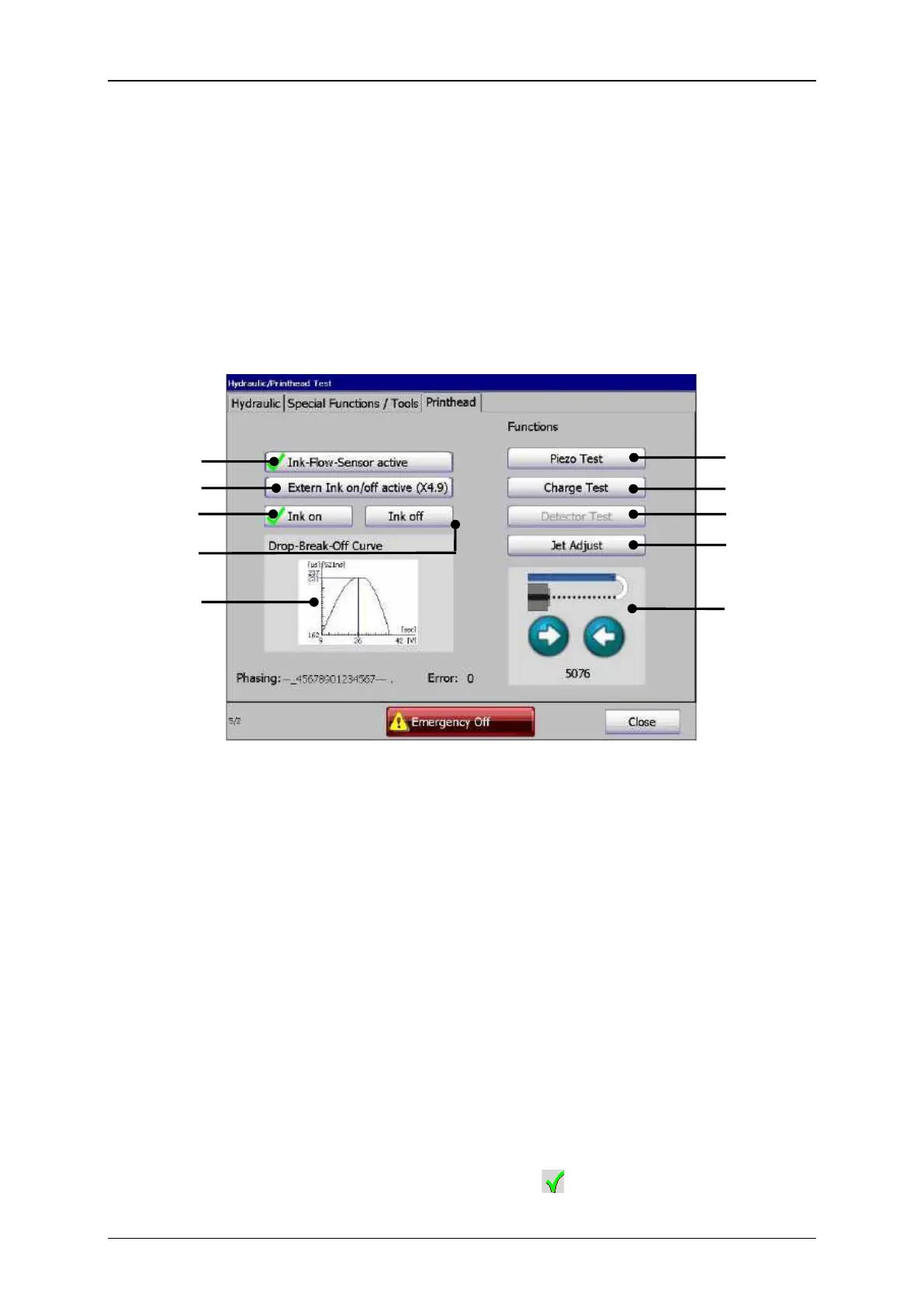
Under the tab <Print head> the following functions are available:
Extern Ink on/off active
1 – Button <Ink-Flow-sensor active>
7 – Button <Detector Test>
4 – Button <Extern Ink on/off active>
9 – Operating field<Nozzle seal>
10 – Display <Drop-Break-Off-Curve>
The ink jet monitoring provides highest operating reliability due to the additional
monitoring of the ink backflow. The full automatic monitoring turns off the ink jet as
soon as the ink backflow is interrupted. The nozzle seal will be closed automatically
and head impurities are therefore prevented.
By pressing the button <Ink-Flow-Sensor active> (1) the jet monitoring is turned on
or off.
An activated jet monitoring is designated by a on the button.



 To Next Page