Group 7 Data/Programming Page 169
Release R2.0 LEIBINGER JET3
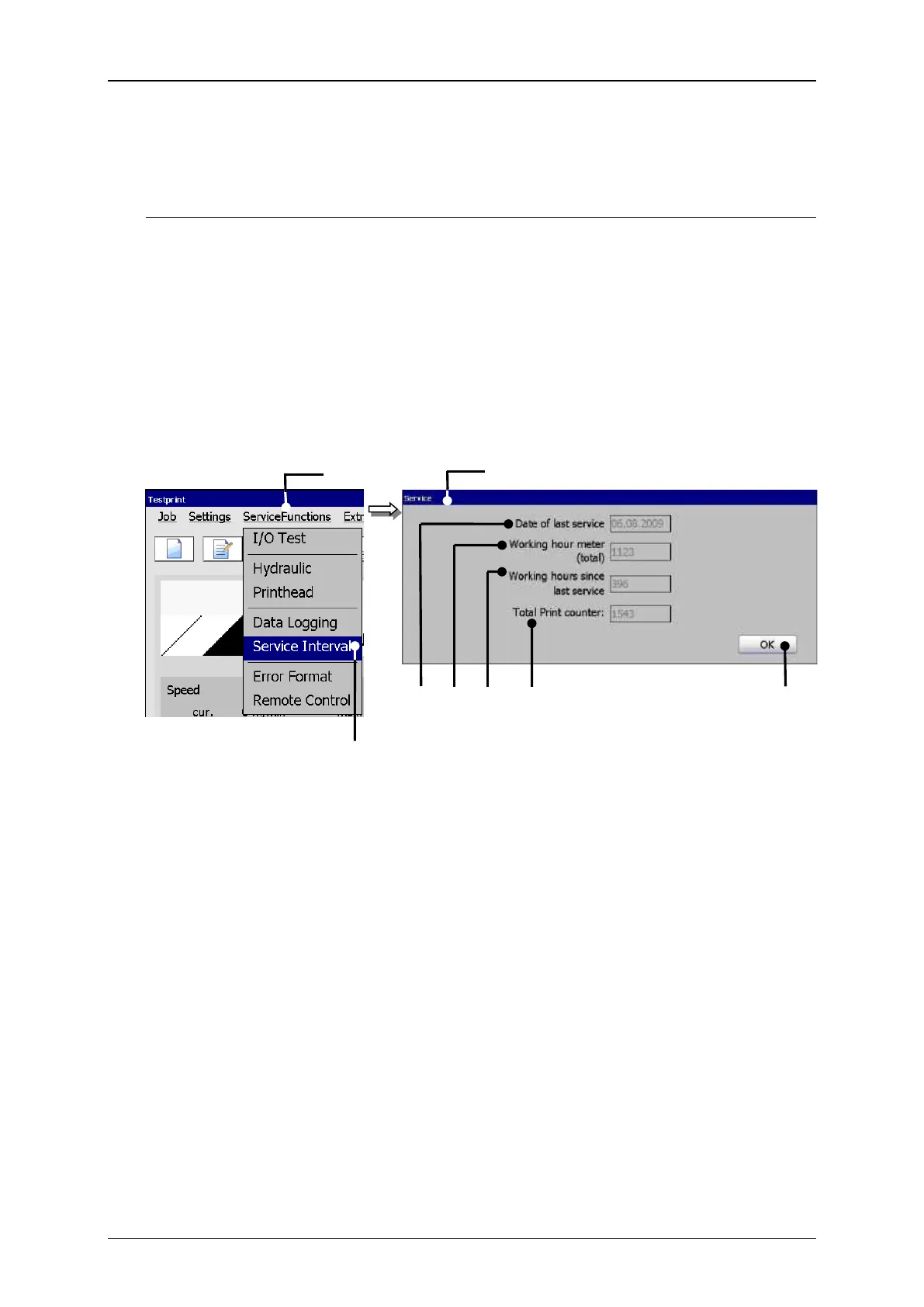
With the option <Service Interval> (2) you can open the display window “Service“
(3). The following parameters are displayed in this window:
The date of the last inspection (4)
The total amount of operation hours of device (5)
Operation hours since the last inspection (6)
The total print counter (7)
The button <OK> (8) closes the window.
1 – Button <ServiceFunctions>
5 – Display<Total operation hours>
2 – Option <Service Interval>
6 – Display <Operation hours since>
3 – Display window <Service>
7 – Display <Total print counter>
4 – Display <Date of inspection>



 To Next Page