Group 7 Data/Programming Page 180
Release R2.0 LEIBINGER JET3
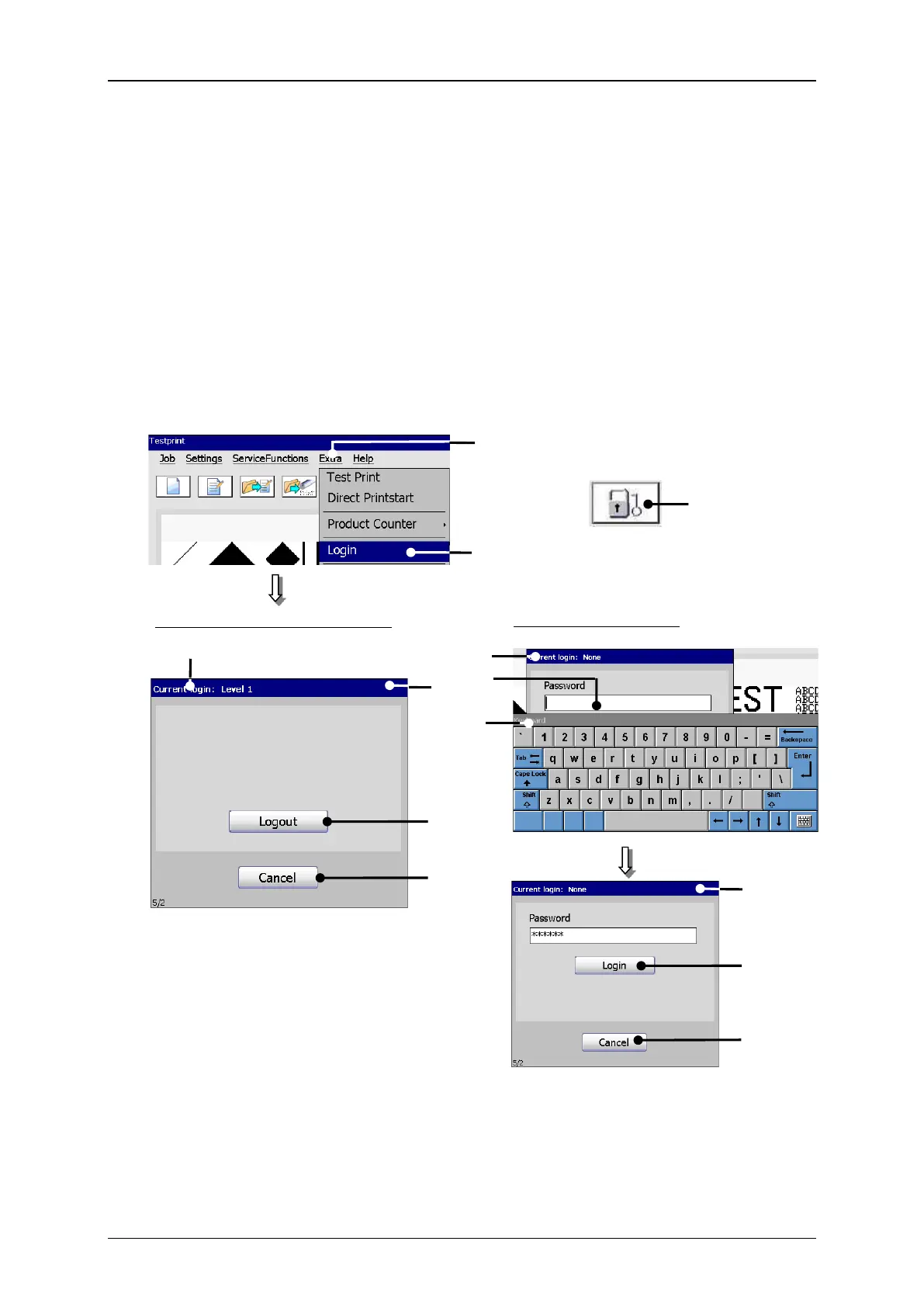
With the option <Login> an user can login during the operation to e.g. carry out
functions which are still not enabled for the original logged in user.
Further more the logged in user can logout also during the operation and can therefore
prevent a change of the settings by unauthorized staff.
7.5.4.1 Layout and call login-/logout dialog
6 – Input field <Password>
4 – Dialog field <Current login>
5 – Title bar with user display
Dialog (with already logged user)



 To Next Page