Group 7 Data/Programming Page 202
Release R2.0 LEIBINGER JET3
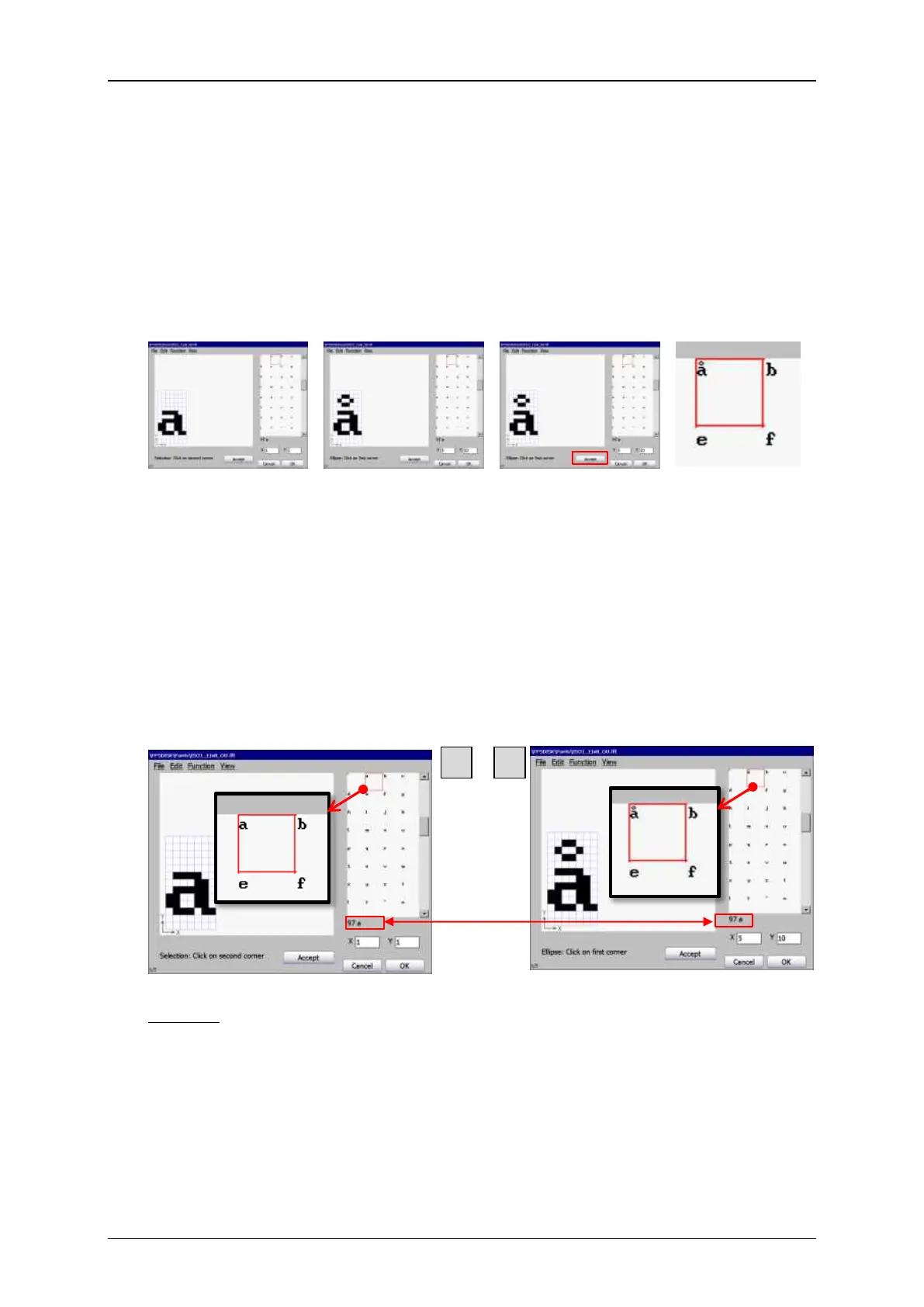
The font preview shows all characters of the currently loaded font. The printer
software works with 8-bit ASCII fonts which means you have a maximum of 192
printable characters per font. Using the scroll bar you can scroll through all available
characters of the currently loaded font. When you select one of the characters it is
marked with a red frame and displayed in the drawing area. Edited characters will
also be displayed in the preview area as soon as changes are applied with the
<Accept> button.
The selected character is
marked with a red frame
in the font preview and
displayed in the drawing
area.
Changes are not visible
in the font preview as
long as the changes are
not applied with the
<Accept> button.
After clicking the
<Accept> button the
edited character is
displayed in the preview.
Enlarged view of the
edited character in
the font preview
area.
There is a status indicator at the bottom side of the preview area. It shows the
decimal value of the ASCII code for the currently selected character and the
corresponding standard ASCII character. The displayed standard ASCII character may
differ from the character in the preview. There are two reasons for this: either the
character was modified with the font editor or there is no character defined for the
currently selected ASCII code.
Example: The decimal ASCII value of the character “a” is 97 and the standard ASCII
character is “a”. After editing the character it looks different and it will be
printed in that new design. Nevertheless the ASCII values remain the same.


 To Next Page
 Loading...




