Group 8 Job editor Page 218
Release R2.0 LEIBINGER JET3
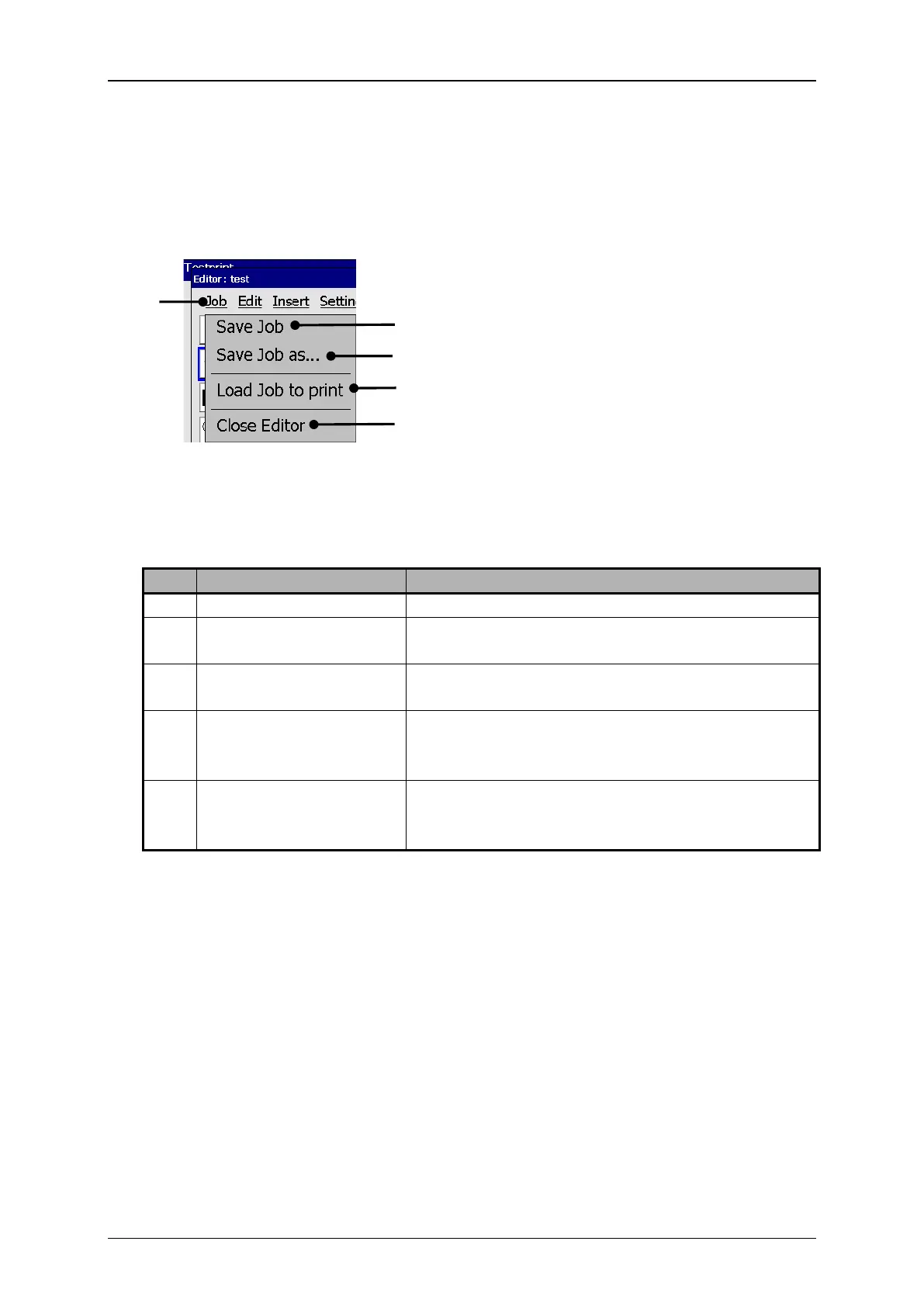
With the button <Job> you can select the organization tools of the job editor.
Job editor (File management tools)
4 – Organization tool <Load Job to print>
2 – Organization tool <Save Job>
5 – Organization tool <Close Editor>
3 – Organization tool <Save Job as>
Saves the current loaded job under the existing
name.
Saves the current loaded job or a new created job
under a new name.
Loads the selected job into the active memory in
the printer. This job will be the next one, which
will be printed
Closes the job editor. If carried out inputs or
changes have been not saved yet, an appropriate
safety query is faded in.



 To Next Page