Group 8 Job editor Page 241
Release R2.0 LEIBINGER JET3
Overview Settings and Changes
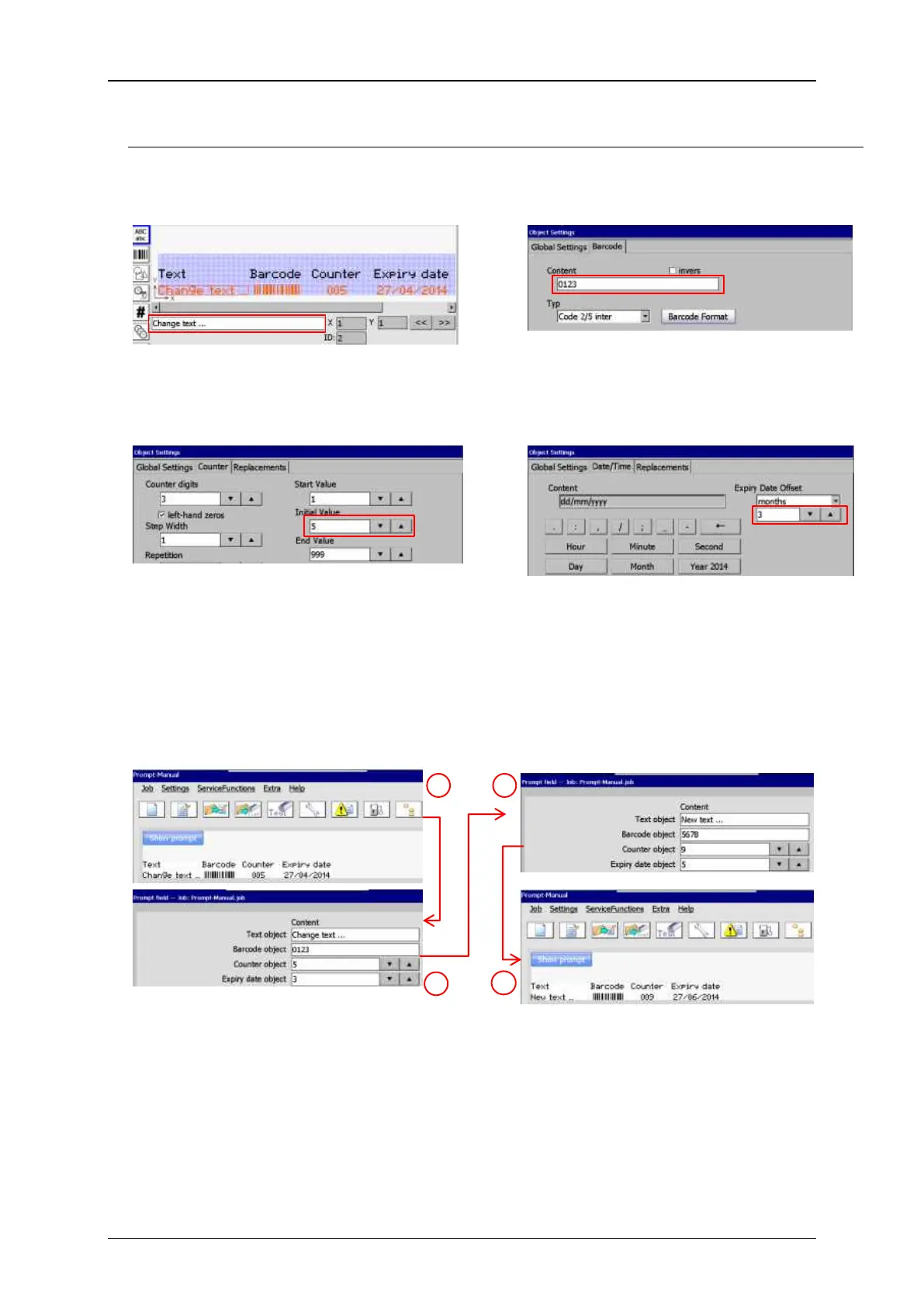
Original settings are made in the respective object settings menus
The content of the text object is originally
set directly in the JET3 editor.
The content of a barcode object is
originally set in the object settings.
Date object (Expiry date)
The content of a counter is originally set in
the object settings. The value that can be
changed using the <Prompt field> is the
<Initial value>.
The content of a date object is originally
set in the object settings. The value that
can be changed using the <Prompt field>
is the <Expiry Date Offset>.
New settings made by using the <Prompt field>
WYSIWYG Window and <Prompt
field> properties with the original
settings.
WYSIWYG Window and <Prompt
field> properties with the new
settings.
All changes can be made in one dialog box without entering the JET3 Editor!



 To Next Page