Group 8 Job editor Page 261
Release R2.0 LEIBINGER JET3
8.5.3.2 Font width (Stroke distance)
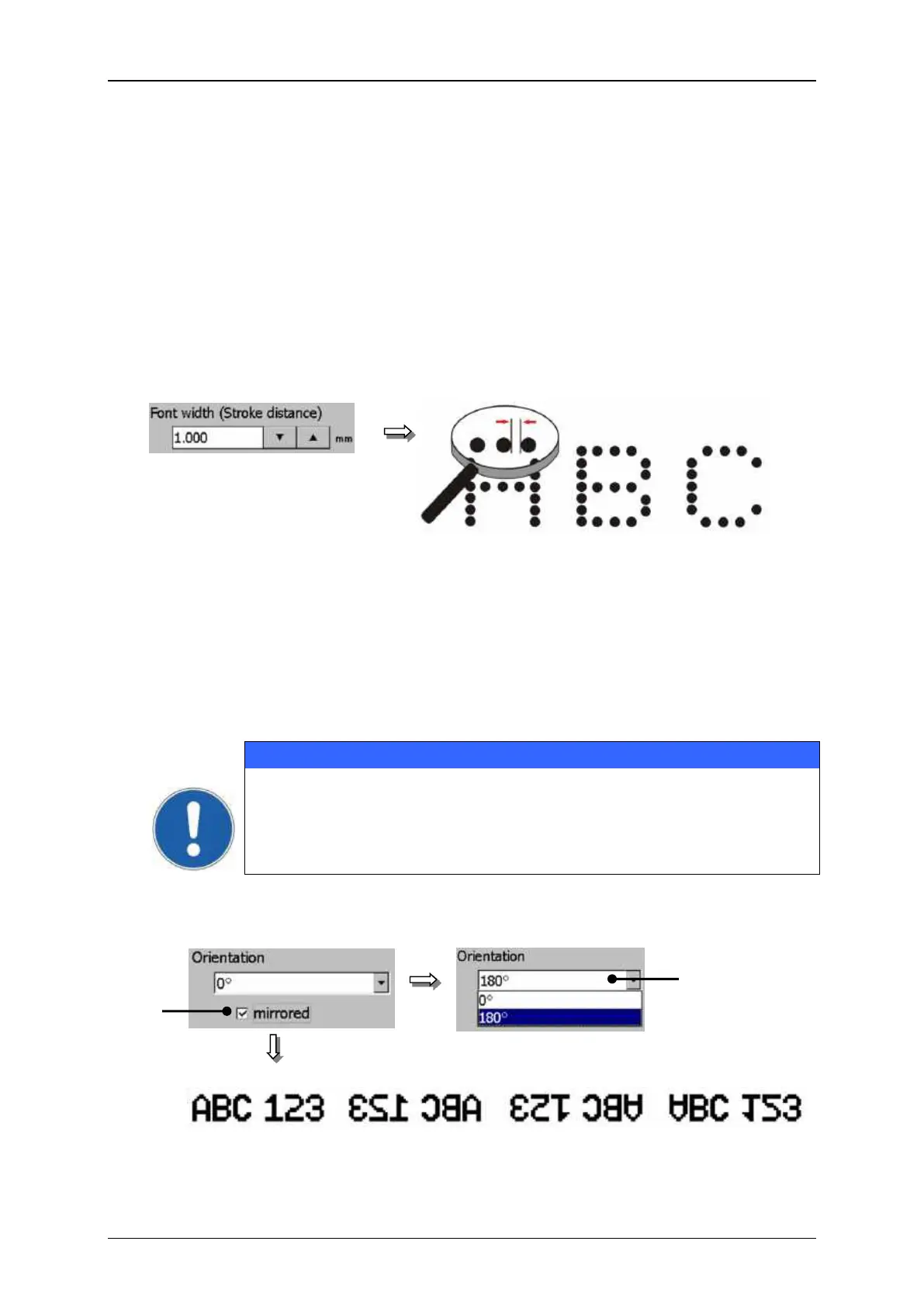
The setting determines the print width. The print width is determined by the
horizontal drop distance of the strokes. The input happens in the measurement which
has been selected in the basic settings.
The set value is shown on the accordant display field.
As higher the entered value, as larger the distance between the several strokes.
Font parameter values (Font width)
With the drop-down list <Orientation> (1) you can rotate all printing elements by
180°.
To get a reflection you have to activate the control <mirrored> (2).
The made settings have not only an effect on single printing objects
but on the complete print-band!
1 – Drop-down list <Orientation>
normal display mirrored 180° rotated 180° + mirrored



 To Next Page