Group 8 Job editor Page 282
Release R2.0 LEIBINGER JET3
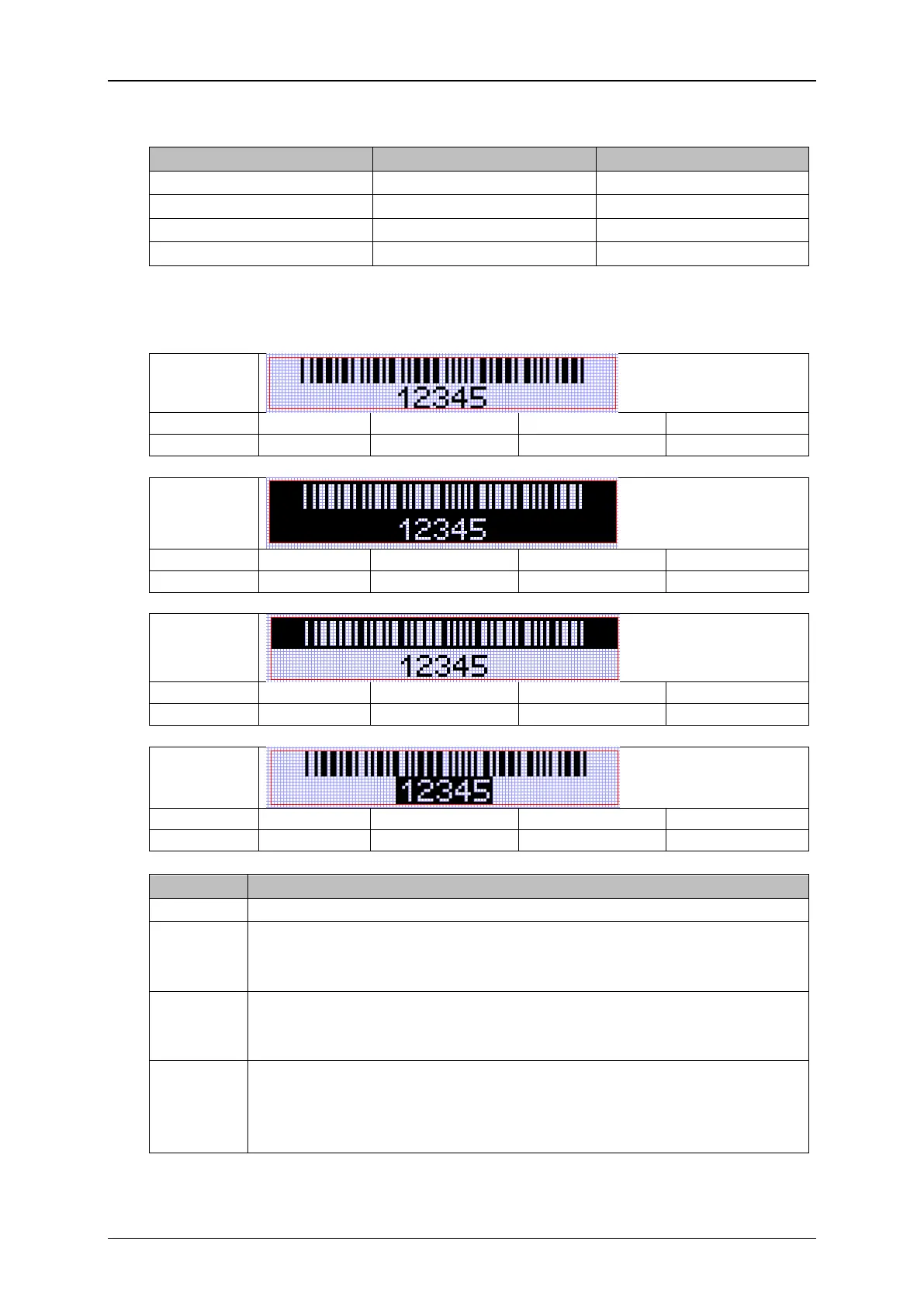
The global <Inverse> function affects the bar code as well as the plain text. The
bar code <Inverse> function only affects the bar code.
The following previews show the results of the different settings.
The bar code and plain text are printed in the color of the ink used
The bar code and plain text are printed inverted. They will have the
color of the print medium used. The outline of the bar code and the
plain text will be printed in the color of the ink used.
The bar code is printed inverted. It will have the color of the print
medium used. The outline of the bar code and the plain text will be
printed in the color of the ink used.
The bar code is printed in the color of the ink used (double inverted).
The plain text is printed inverted. It will have the color of the print
medium used. The outline of the plain text will be printed in the color
of the ink used.



 To Next Page