Group 8 Job editor Page 298
Release R2.0 LEIBINGER JET3
8.7.3.1.12 <Don’t print function>
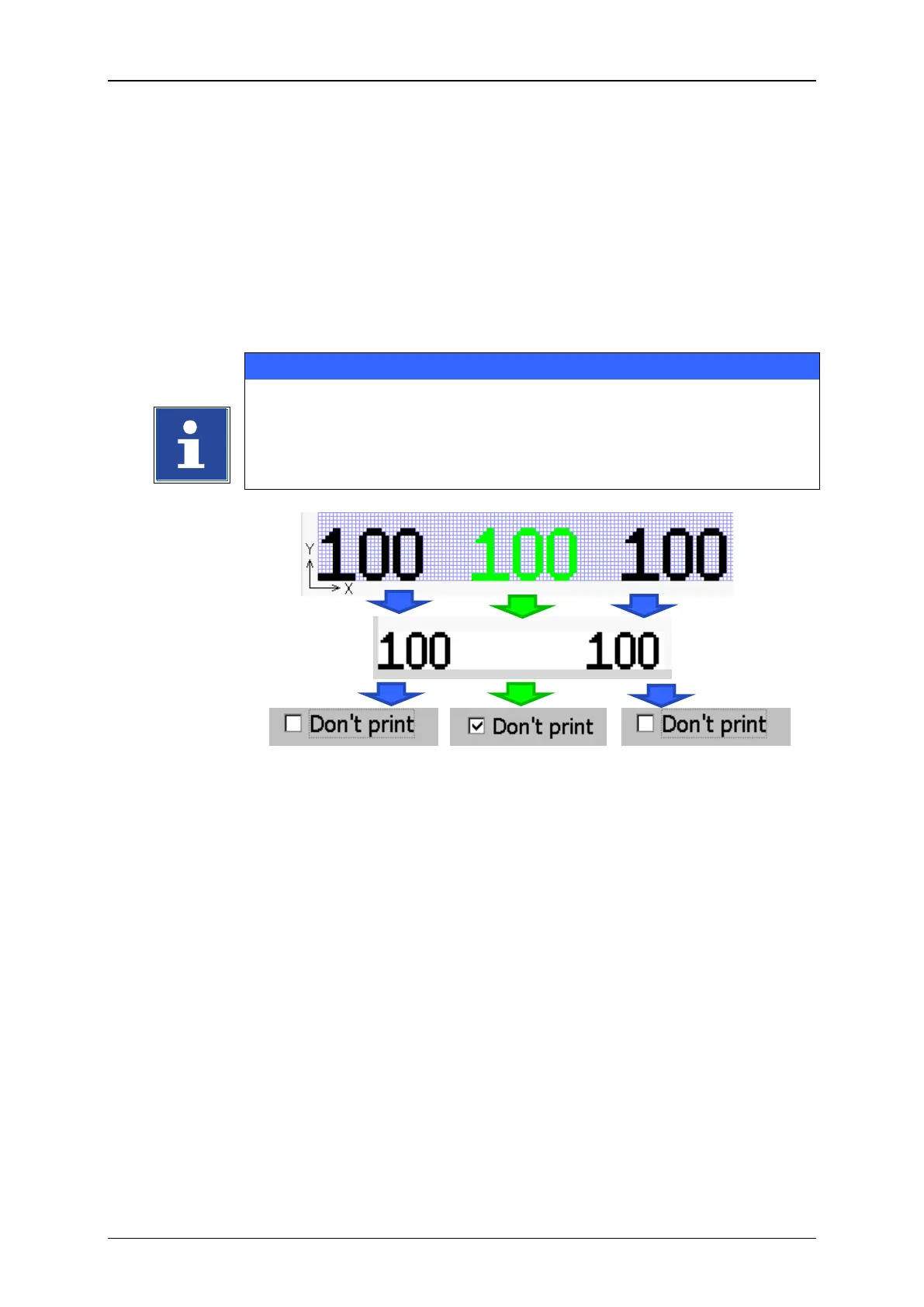
With the checkbox <Don’t print> on the <Counter> tab ticked off the counter
object will not be printed. The counter will work in the background and the counter
object will not be displayed in the WYSIWYG preview of the main window.
In the job editor a <Don’t print> counter object will be displayed in green colour. In
the preview WYSIWYG of the main window it would be not visible. A <Don’t print>
counter object can be used to control the print out of text objects.
Please see chapter 8.4.8 Counter assignment for details.
Counter without
Dont‘ print activated
Counter with Dont‘
print activated.
Not visible in the
WYSIWYG Preview
Counter without Dont‘
print activated



 To Next Page