Group 6 Operation – Elements and procedures Page 79
Release R2.0 LEIBINGER JET3
6.5.4 Reset product counter
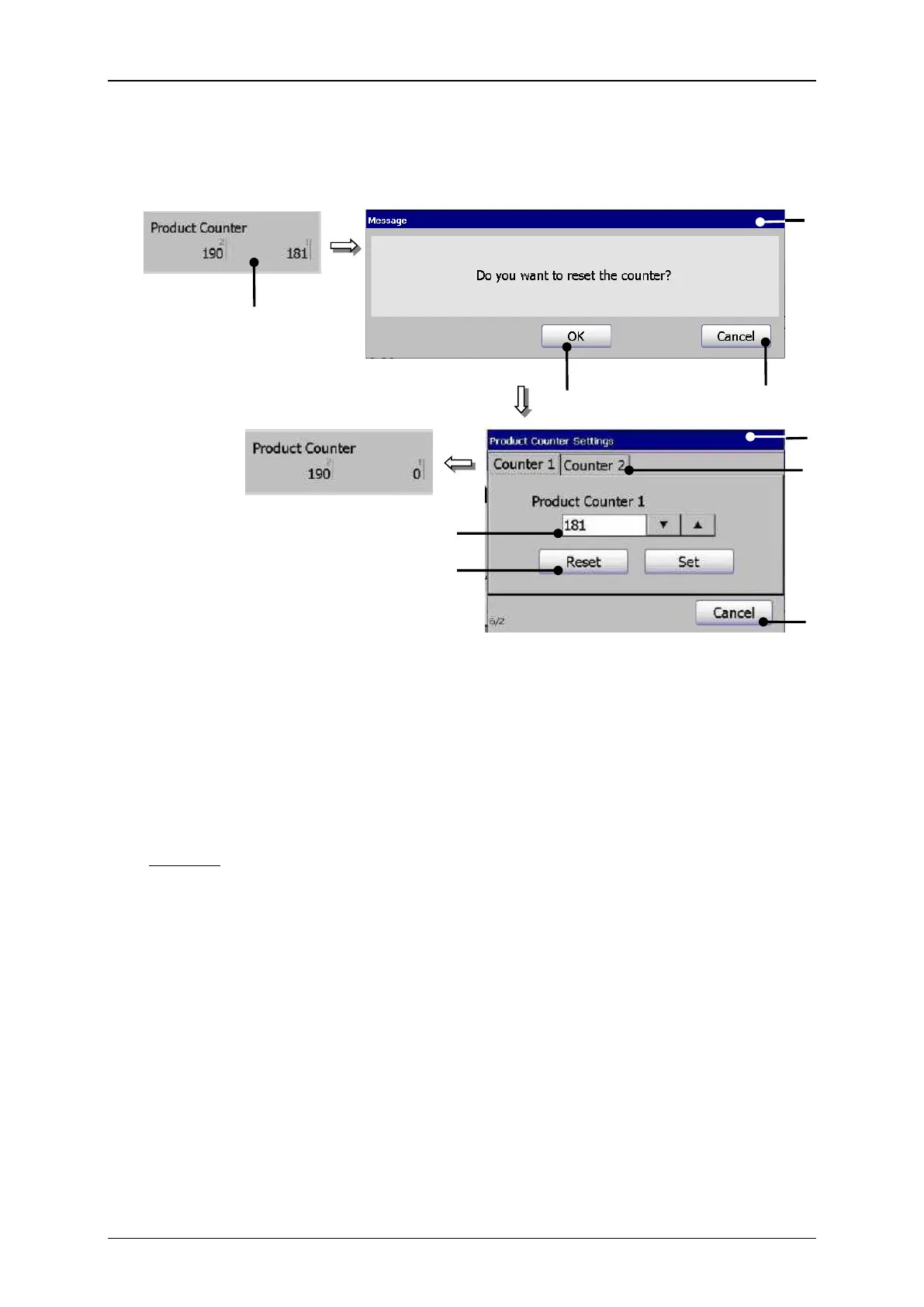
1 – Status field <Product Counter>
2 – Message <Safety query>
7 – Display field <Counter setting>
5 – Window <Product counter
settings>
Example: The product counter no. 1 of two product counters should be reseted.
Press on the status field <Product counter> (1).
A safety query (2), if the counter should be really reset is faded in.
Confirm the reset by pressing on the button <OK> (3) or cancel the process with
the button <Cancel> (4).
The window <Product Counter Settings> (5) is faded in.
Select the desired product counter no. 1 by pressing the corresponding <Tab>
(6) in the dialog box.
Confirm the reset of the counter again by pressing on the button <Reset> (7) or
cancel the process with the button<Cancel> (8).



 To Next Page