Group 6 Operation – Elements and procedures Page 82
Release R2.0 LEIBINGER JET3
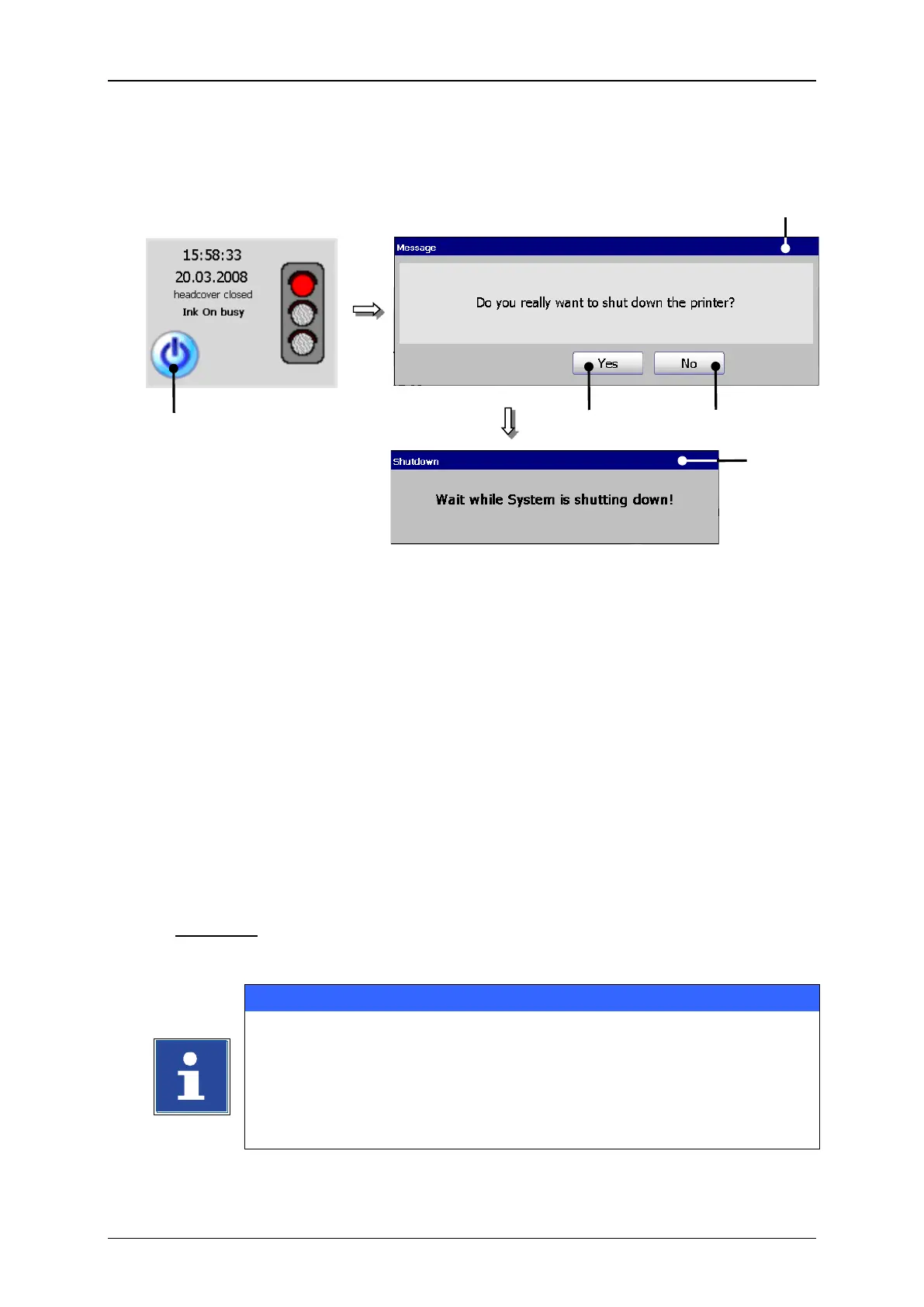
2 – Message <Safety query>
Press the button <Off> (1).
A safety query (2), if the printer should be really switched off is faded in.
Confirm the shut down of the device by pressing the button <Yes> (3) or cancel
the process with the button <No> (4) ab.
Now the device is turned off. During the shut down the message <Shutdown>
(5) is displayed.
Comment: If the nozzle is still open during the turn-off procedure, it will be closed
automatically.
Turning off the device is only possible after a print stop has been carried
out!
After turning off you have to wait approx. 5 sec. to turn on the device
again.



 To Next Page