Group 7 Data/Programming Page 96
Release R2.0 LEIBINGER JET3
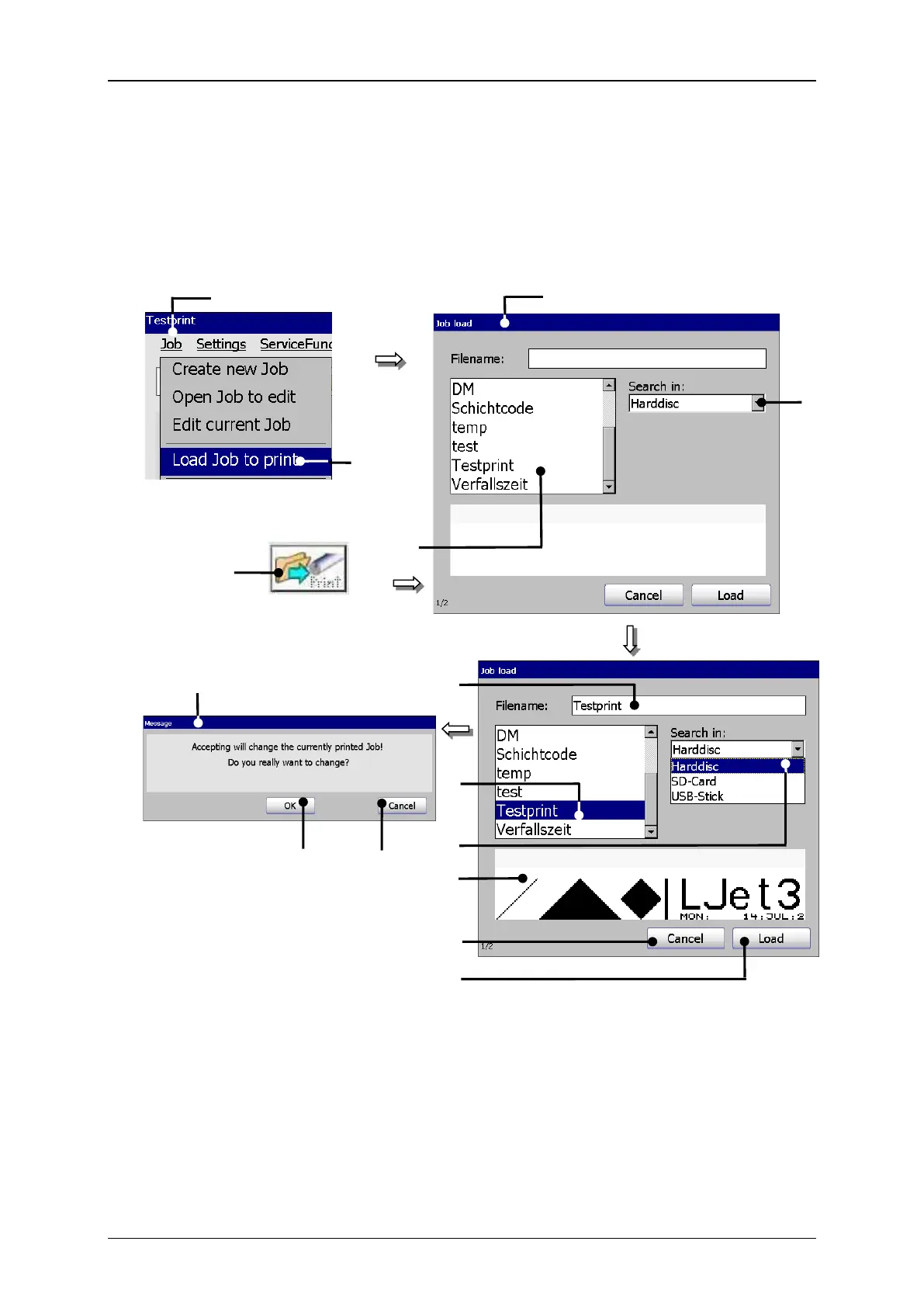
With the option <Load Job to print> you can load (open) a saved job directly for
printing. For selection of a job the window “Load job” opens.
9 – Selected memory device
2 – Option <Load Job to print>
10 – Display <Job preview>
5 – Selection field <Job list>
13 – Message <Change print job>
6 – Drop-down list <Search in>



 To Next Page