Service Manual JET3
S E R V I C E - D O C U M E N T A T I O N
62
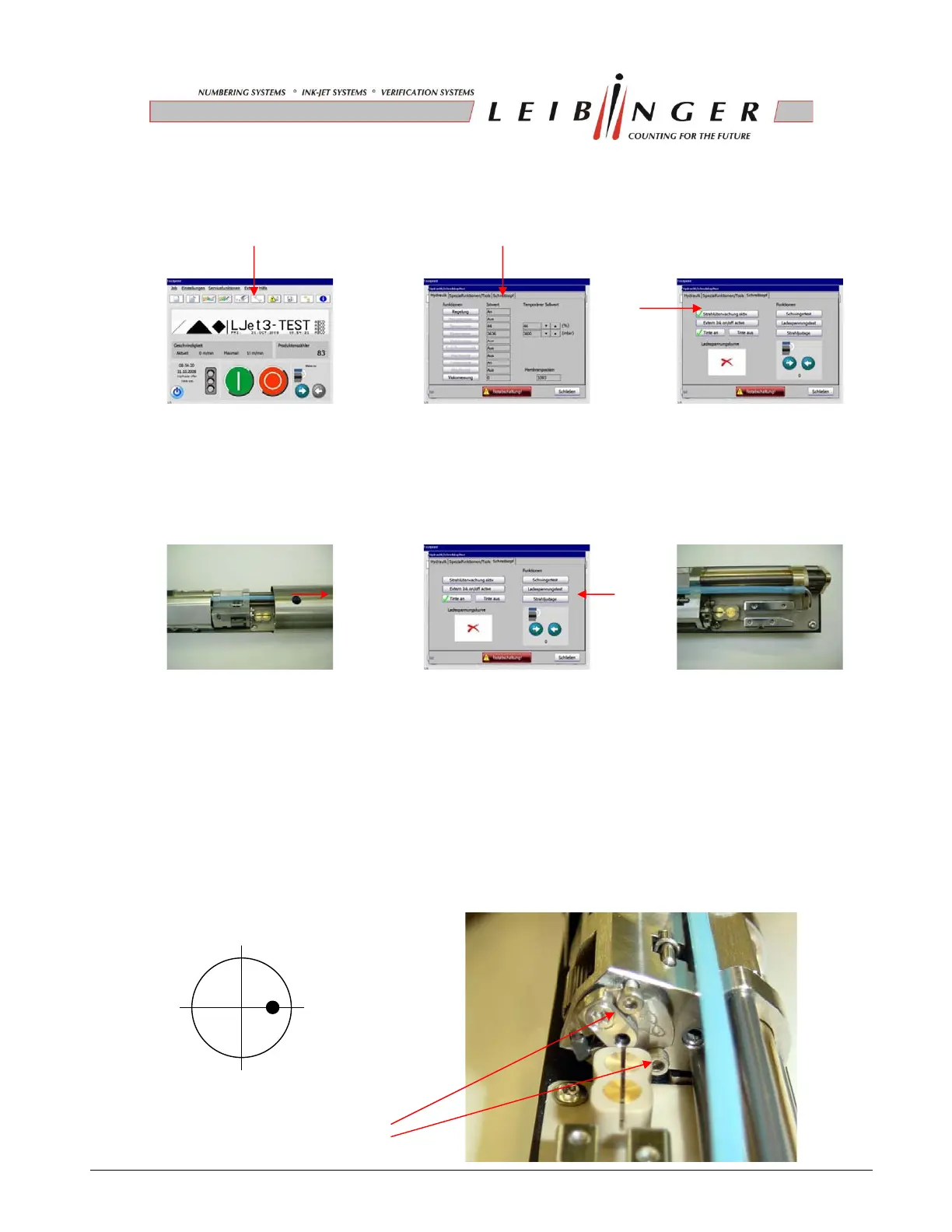
2. Touch the icon „wrench” and change to the menu „print head“.
Turn off the function “Ink-Flow-Sensor”.
3. Remove the head cover and press the button „Jet Adjust“.
The nozzle seal opens automatically to the “jet adjustment position” (4200)
4. Align the ink stream with the two adjusting screws according to the sketch into the gutter
tube.
Required tools: 6-fold magnifying glas
Allen key (SW 1,5)
Attention: It is not allowed to use a golf ball head allen key.
The screw heads could be damaged!
adjusting screws



 To Next Page