EasyManua.ls Logo

Leica Aperio AT2 DX - User Manual

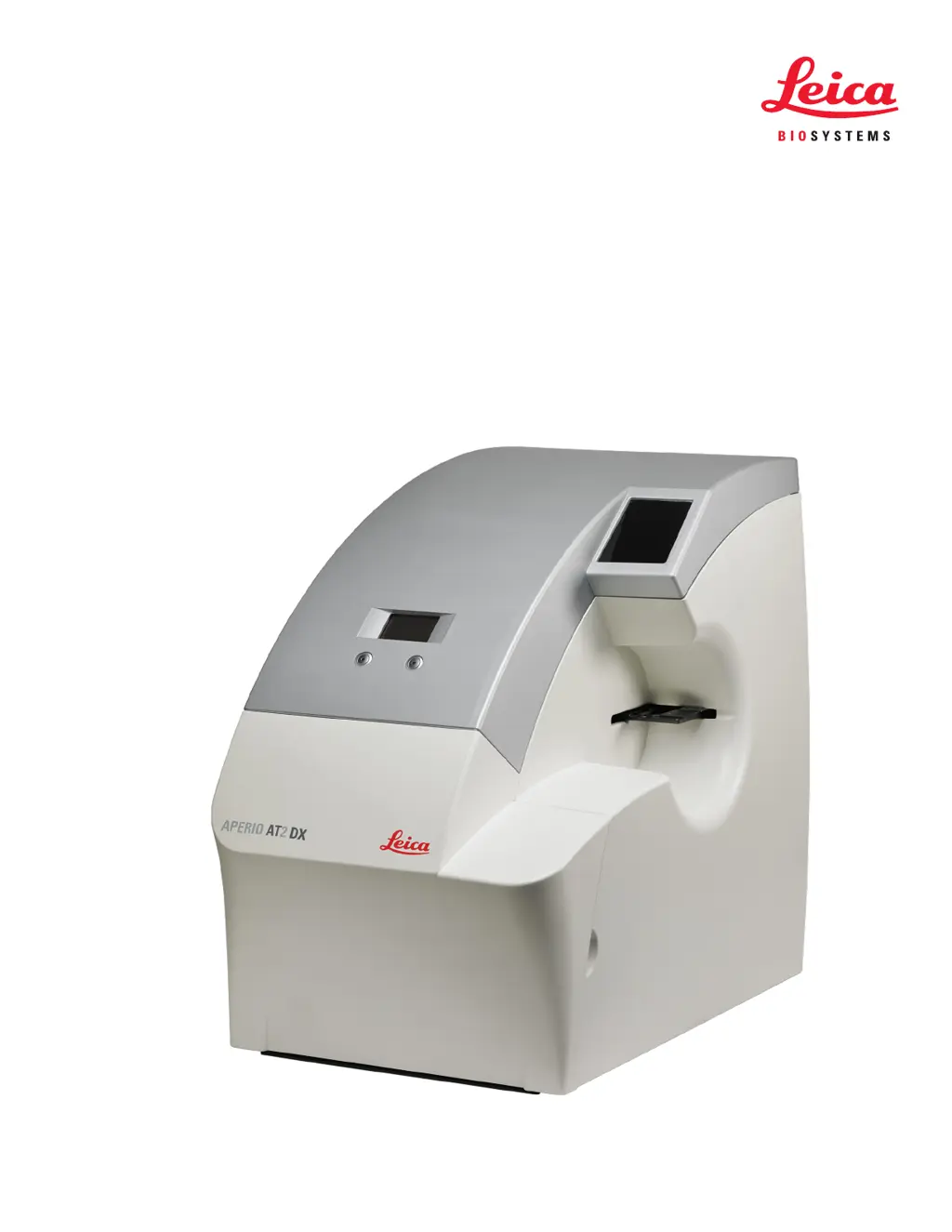
Leica Aperio AT2 DX
64 pages
Print Icon
To Next Page IconTo Next Page
Loading...
Aperio AT2 DX
MAN-0351, Revision B | 13 April 2020
User’s Guide

Table of Contents

Questions and Answers

  • J
    Joe SandovalAug 3, 2025
    What to do if my Leica Aperio AT2 DX scanner fails to start?
    • B
      Bryan McdonaldAug 3, 2025
      First, check that the power switch at the back of the unit is turned on. Next, ensure that all scanner doors, including the AutoLoader carousel door, are completely closed, as the scanner will not start unless all doors are shut. Finally, click the Aperio Service Manager icon in the Windows task bar. Verify that the entry for the Controller has a green dot and says 'Stop Controller Service.' If it shows a red dot and says 'Start Controller Service,' click the entry to restart it.
  • M
    Mark VelasquezAug 7, 2025
    How to troubleshoot issues when scanning a slide with my Leica Aperio AT2 DX?
    • R
      Richard GalvanAug 8, 2025
      Here are a few things to check when you're having trouble scanning a slide: * If the slide tissue is extremely thick or thin, this could cause issues. * If the slide is extremely dark or faint, use a parameter set such as faint. * If the label is large or located inside the area of interest, remove the label or adjust the area of interest. * For pen marks on the coverslip, remove the marks or perform a manual scan. * If there is dust or debris on the coverslip or bottom surface, clean the slide. * If there are bubbles under the coverslip, perform a manual scan. * In case of excess adhesive around the edges of the coverslip, clean it or perform a manual scan.
  • S
    Sherry MooreAug 13, 2025
    Why is the entire image out of focus on my Leica Aperio AT2 DX Laboratory Equipment?
    • J
      john77Aug 13, 2025
      Make sure the slide is held flat and isn't moving in the tray during scanning; tape it down if needed. Also, the optic surfaces, such as the objective, may have fingerprints. Please refer to 'Clean the Objective' on page 41 for instructions.
  • M
    Michael CaseyAug 18, 2025
    What to do if autofocus doesn't detect enough focus points on my Leica Laboratory Equipment?
    • J
      jimmy52Aug 18, 2025
      If the tissue is too faint to scan, try using the faint parameter set. Alternatively, try performing a new presnap.
  • M
    Mary GravesAug 23, 2025
    Why are some stripes of my Leica Aperio AT2 DX Laboratory Equipment image poorly focused?
    • R
      Russell MartinAug 23, 2025
      This issue may indicate that the slide is moving during scanning. Please verify that the slide tray is clean and ensure that the slide is sitting flat and not rocking.
  • G
    Gloria SalasAug 28, 2025
    What should I do if the Tissue Finder includes a non-tissue area during a scan on my Leica Aperio AT2 DX?
    • B
      Benjamin McdanielAug 28, 2025
      Perform a new presnap using a very clean, blank slide, and then repeat the manual load.

Summary

Introduction

Instrument Warnings

Highlights critical warnings for safe operation, focusing on electrical hazards.

Preparing for Scanning

Scanning Slides

Barcode Requirement

Explains the necessity of barcodes for slide identification and quality control.

Multiple Slide Scanning Using the AutoLoader

Overview of automated scanning of up to 400 slides unattended.

Batch Scanning

Procedure for performing the fastest possible scans of multiple slides.

Fine-Tuning Batch Scanning

Method for optimizing scans by taking and reviewing snapshots before scanning.

Using Snapshots

How to capture, view, and use snapshots for scan area and focus point setup.

Working with Focus Points

Guidance on automatic and manual focus point placement for optimal image quality.

Z-Stack Scanning

Creating 3D images by scanning slides at multiple focal depths.

Image Quality Review

Image Quality Review

Importance of verifying scanned image quality for diagnostic accuracy by operators.

Using the AutoLoader

Loading Slides into the AutoLoader

Step-by-step guide for placing slide racks into the AutoLoader carousel.

Quality Control and Maintenance

Maintenance Schedule

Recommended tasks and frequency for maintaining scanner performance and image quality.

Recalibrate the AutoLoader Slide-in-Rack Sensor

Procedure to ensure precise slide positioning from the AutoLoader to the stage.

Troubleshooting

General Troubleshooting

Common issues and solutions for scanner startup and general operation problems.

AutoLoader Troubleshooting

Specific solutions for errors related to the AutoLoader carousel status lights.

Slide on Stage

How to resolve errors when a slide is already present on the scanner stage.

Stalled AutoLoader Carousel or Rack Lift

Steps to clear obstructions and restart the AutoLoader carousel or rack lift.

Unable to Load AutoLoader Carousel

Troubleshooting for carousel stalling or inability to load racks.

Magnification Changer Troubleshooting

Addressing issues with the magnification changer not engaging correctly for scanning.

Recovering from a Motion Fault

Procedures to recover from stage position errors and rehome the stage.

Aperio AT2 DX Safety Instructions

Heed All Warnings

Importance of following all safety warnings listed in the manual and on the device.

Follow All Instructions

Emphasizes adherence to all operating and usage instructions for safe operation.

Water and Moisture

Warnings against using the scanner near water or in wet conditions to prevent hazards.

Power Sources

Guidance on using the correct power source and checking voltage compatibility.

Grounding and Polarization

Importance of using the polarized AC plug with its integral safety ground pin.

Power Overloading

Warning against overloading electrical outlets with the scanner and accessories.

Object and Liquid Entry

Prevention of objects or liquids entering the scanner openings to avoid electric shock.

Servicing

Instruction to refer all servicing and repairs to qualified service personnel.

Damage Requiring Service

Conditions under which the scanner requires professional servicing for repair.

Replacement Parts

Importance of using specified manufacturer replacement parts for safety and function.

Operational Check

Requesting operational checks by a technician after repairs are completed.

Cleaning

Guidance on using a damp cloth for cleaning, avoiding liquid or aerosol cleaners.

Leica Aperio AT2 DX Specifications

General IconGeneral
TypeDigital Pathology Scanner
CapacityUp to 400 slides
Magnification20x, 40x
Z-StackingYes
Scanning MethodLine scanning
Power Requirements100-240 V AC, 50/60 Hz
Resolution0.25 μm/pixel at 40x
Camera TypeCCD camera
Image FormatSVS
Operating SystemWindows
ConnectivityGigabit Ethernet

Related product manuals