1"
"
!"#$%&'()*(+,)-.,/.,0(
1"%23(45/(674(8$"#$(93':3;(
4<3#<(:=*(
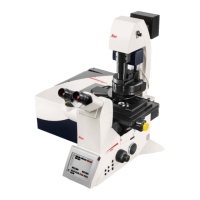
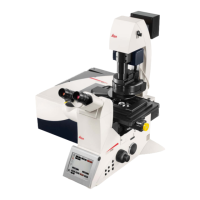
1. Turn"the"PC"Microscope,"Scanner"Power,"Laser"Power,"and"the"Laser"Emission"key"to"on"
(bottom"righ t"of"de sk). "
2. Turn"on"the"fluorescent"lamp"(top"left"of"the"compute r"m on itor). "
3. Log"into"the"computer"using"your"PI’s"last"name."
4. Double"click"on"the"LAS"X"software"found"on"the"desktop."
5. Select,"Configuration:"Maching.xhlw,"Microscope:"DMI8,"Load"Settings"at"Startup:"use"last"
system"settings"(This"should"be"default)."
6. Click"yes"if"you"want"to"use"image"stitching,"click"no"if"you"do"not"want"to"use"image"
stitching."
>?3%;3@;"(&@A"2<%?"$*(
63x"Plan"APO"1.4"NA"oil"immersion"
40x"HC"APO"1.3"NA"oil"immersion"
40x"HCX"PL"APO"0.85"NA"dry"
20x"HC"PL"APO"0.75"IMM"
10x"HC"PL"APO"0.4"NA"dry"
"
The"objectives"are"selected"by"touching"the"desired"object"on"the"touch"screen."The"turret"will"turn"
automatically"to"the"selected"objective.""
"
"
B@A"2<(<&:2C($2#""'(D"':(
(
(
(

 Need help?
 General

 To Next Page