
 Need help?
Do you have a question about the Leister VARIMAT 700 and is the answer not in the manual?
Defines the professional use of the VARIMAT 700/500/300 hot-air welder on flat roofs.
Defines any use of the hot-air welder beyond its described purpose as non-intended.
Provides crucial safety instructions regarding electrical voltage, fire hazards, burns, and glare.
Lists specifications like voltage, capacity, frequency, temperature, air volume, and dimensions.
Details safety regulations and procedures for carrying and lifting the hot-air welder.
Explains how to find and use the device's model and serial number from the name plate.
Lists all standard accessories and components included with the VARIMAT 700/500/300.
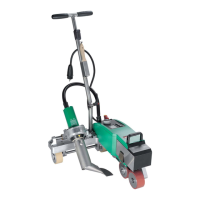
Identifies and labels all physical components of the VARIMAT 700/500/300.
Provides step-by-step instructions for adjusting the welding nozzles for optimal performance.
Explains how to add weights to increase the contact pressure for better welding.
Details the procedure for adjusting the guide bar for proper machine handling and alignment.
Describes how to adjust the transportation axle for different welding positions.
Guides users on how to adjust the track setting for proper movement and stability.
Outlines essential safety precautions for the work environment and general handling of the device.
Explains how to prepare the device for operation, including cord strain relief and nozzle setting.
Guides users on the initial steps to start the hot-air welder and its display indications.
Details the process of preparing for welding and executing the actual welding steps.
Describes the steps to properly finish a welding operation and disengage parts.
Outlines the procedure for safely switching off the device and basic maintenance after use.
Provides a condensed step-by-step guide for starting the VARIMAT 700/500.
Offers a condensed guide for safely switching off the VARIMAT 700/500.
Explains the function and allocation of buttons on the device's control panel.
Describes the structure and areas of the digital display on the control panel.
Guides on how to adjust welding parameters like speed, temperature, and air volume.
Explains the meaning of various symbols shown in the status display area.
Details the symbols used in the work display for welding parameters and status.
Provides a visual overview of the software menu structure and navigation flow.
Explains how to access basic settings like Workmode, Recipes, and Eco Mode.
Describes how to create and manage custom welding recipes or formulas.
Explains how to configure the display to show actual and set values for parameters.
Details the Eco-Mode function, its activation, and standby timer behavior.
Covers settings related to LQS (Leister Quality System) data recording.
Explains monitored welding, auto-stop, and audible alarm functions.
Details how to name seams and set the recording interval for data.
Shows file counts, free memory, and GPS status.
Explains how to view GPS position data and reception status.
Introduces advanced options and WLAN configuration.
Covers general device settings like date, time, unit, and display adjustments.
Details adjustments for LCD contrast, backlight, and button illumination.
Describes how to reset all device settings to their factory defaults.
Explains the Info Mode, which displays additional information at the work level.
Details machine runtimes, distances, and device identification information.
Describes warning messages, their causes (e.g., high supply voltage), and actions.
Details error messages, their codes (e.g., No.0008, No.0020), and solutions.
Lists further error codes (e.g., 0002, 0004, 0100, 0400) and their descriptions.
Explains why the device auto-starts and switches to cool-down mode.
Lists checks and potential causes for poor welding quality.
Provides steps to diagnose and resolve failure to reach set temperature.
Guides on adjusting components for straight movement.
Guides on the initial steps to start the VARIMAT 300 and its display indications.
Details the process of preparing for welding and executing the actual welding steps.
Describes the steps to properly finish a welding operation.
Outlines the procedure for safely switching off the device and basic maintenance.
Provides a condensed guide for starting the VARIMAT 300.
Offers a condensed guide for safely switching off the VARIMAT 300.
Explains the function of buttons on the VARIMAT 300 operating unit.
Describes the digital display areas for the VARIMAT 300.
Explains symbols in the VARIMAT 300 status display.
Details symbols related to welding speed display on VARIMAT 300.
Explains symbols for welding temperature on VARIMAT 300.
Details symbols for air volume display on VARIMAT 300.
Describes the status LEDs for heating and drive on VARIMAT 300.
Guides on setting parameter units (°C/°F, m/min/ft/min) for VARIMAT 300.
Explains how to regulate welding parameters during operation on VARIMAT 300.
Describes the cool-down process for VARIMAT 300 and when it is activated.
Details continuous monitoring of welding parameters on VARIMAT 300.
Lists error groups (e.g., 0001, 0004, 0008) and their corresponding descriptions/measures.
Lists checks and potential causes for poor welding quality.
Guides on adjusting components for straight movement.
Directs users to leister.com for accessory information.
States that repairs must be done by authorized partners and directs to leister.com.
Mentions welding courses and training offered by Leister Academy and partners.
Presents EU and UK Declarations of Conformity with directives and standards.
Instructs on proper disposal of electrical equipment according to regulations.
 General
| Brand | Leister |
|---|---|
| Model | VARIMAT 700 |
| Category | Welding System |
| Language | English |






 To Next Page