11
1. Introduction
Congratulations for having chosen the POSEIDON
loudspeaker system!
To make the best use of the system, please read this
manual thoroughly before operating the equipment.
2. Contents
3. Instructions for use and installation. . . 11
1. Protection and maintenance . . . . . . . . . . . . . . . 11
2. Prevention of possible interference . . . . . . . . . . 11
3. Connections . . . . . . . . . . . . . . . . . . . . . . . . . . . . 11
4. Connector cables . . . . . . . . . . . . . . . . . . . . . . . . 11
4. The POSEIDON system . . . . . . . . . . . . . 11
5. Installation, connections and transport 12
1. Installation . . . . . . . . . . . . . . . . . . . . . . . . . . . . . 12
2. Connections . . . . . . . . . . . . . . . . . . . . . . . . . . . . 12
3. Transport . . . . . . . . . . . . . . . . . . . . . . . . . . . . . . 12
6. DPPM module - Connection panel . . . . 12
7. Functions and operating procedures . . 12
1. DX BOARD - Functions . . . . . . . . . . . . . . . . . . . 12
2. The navigation through the control panel . . . . . 13
3. How to recall a PRESET . . . . . . . . . . . . . . . . . . 13
4. How to enable or disable the PLUGINS . . . . . . 13
5. How to modify the PLUGINS parameters . . . . . 13
6. How to set the system volume . . . . . . . . . . . . . . 13
7. How to set the system DELAY TIME . . . . . . . . . 14
8. How to set the system ID number . . . . . . . . . . . 14
8. Remote control . . . . . . . . . . . . . . . . . . . . 14
1. Connection to the PC . . . . . . . . . . . . . . . . . . . . . 14
2. DX EDITOR . . . . . . . . . . . . . . . . . . . . . . . . . . . . 14
3. Basic operations for the remote control . . . . . . 14
4. Setting the parameters . . . . . . . . . . . . . . . . . . . 15
5. Working with PRESETS . . . . . . . . . . . . . . . . . . . 16
6. System options . . . . . . . . . . . . . . . . . . . . . . . . . . 16
7. How the PLUGINS work . . . . . . . . . . . . . . . . . . 16
9. Technical specifications . . . . . . . . . . . . 18
3. Instructions for use and installation
1. Protection and maintenance.
To avoid jeopardizing correct operation, it is best not
to position the enclosures for long periods in exposed
places (damp, high temperature, etc.), in dusty
environments or those subject to strong vibrations. On
this subject, it’s advisable to always leave the protective
grille mounted on the enclosures. In the event of
breakdown, do not open the enclosure, but contact the
nearest GENERALMUSIC Service Centre.
2. Prevention of possible interference.
Avoid installing your equipment in the vicinity of radios,
televisions, etc., since this could cause noisy
disturbance. When connecting other equipment to your
sound system, pay close attention to so-called earth-
loops, which can cause hum: in the event of
interference, try using the SHIELD switch on the unit’s
control panel.
3. Connections.
Before connecting the enclosures to the mains supply,
make certain that the current corresponds with that
indicated on the rear of the units (there is an allowance
of ±10%). Always connect the power cable to the
enclosures before switching them on and always
remove it after having switched off. Remember to
always connect or disconnect other equipment with the
enclosures off and to always switch on the mixer first,
then the enclosures: in this manner, annoying and often
dangerous peaks are avoided.
4. Connector cables.
When connecting the enclosures to the mixer, make
certain to always use only screened signal cables made
up of two wires plus a braid/screen: the use of
unscreened cables could in fact probably cause
annoying hum and noise. Check periodically that your
cables are in good condition, correctly wired and with
perfectly efficient contacts: in fact many problems and
drawbacks (false contacts, ground hum, crackles, etc.)
are caused by the use of unsuitable or damaged cables.
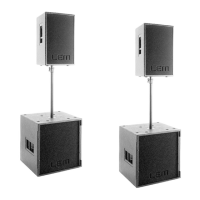
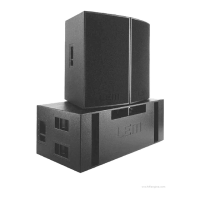
4. The POSEIDON system (fig. 1)
POSEIDON is a system that integrates in the same unit
loudspeakers, amplifiers and digital processor. The
system includes two different models.
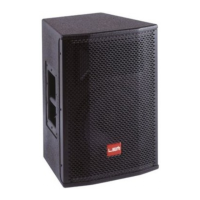
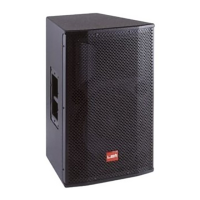
- POSEIDON 212: includes a 2” compression driver and
a 12” midrange both horn-loaded. It’s powered by two
separate 400W amplifiers, one for the driver and the
other one for the midrange. It’s intended for the use as
a satellite for the mid-high range reproduction in
combination with the POSEIDON 218.
- POSEIDON 218: it’s a sub-woofer including two 18”
woofer in push-pull configuration mounted in a
bandpass cabinet. It’s powered by two separate 400W
amplifiers, one for each woofer.
The POSEIDON 212 horizontal coverage is 32°,
therefore the minimum set includes TWO SATELLITES
for each side, in order to obtain a 64° coverage. The
use of THREE SATELLITES for each side is also
possible when a 96° horizontal coverage is needed. In
addition, the POSEIDON 212 MID horn is tilted by 6°
downward, so that when the unit is placed above the
listener’s heads, the sound beam is still directed to the
audience increasing the efficiency of the system.
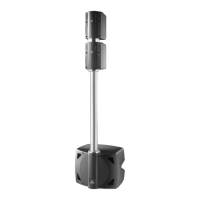
The POSEIDON’s basic setup includes 1 SUB for 2
SATELLITES (fig. 2a). If a bigger efficiency in the low
range is needed, also 2 SUBS and 2 SATELLITES for
each side can be used (fig. 2b). When 3 SATELLITES
are used for a 96° coverage, 2 or 3 SUBS can be used
according to the low range level needed (fig. 2c and


 To Next Page