13
4 additional PLUGINS are also available, which allows
the system performances to be further increased:
MULTICOMP, NOISE GATE, HUM CANCEL, ANTI-
FEEDBACK. Each PLUGIN can be enabled or disabled
by the user and set according to any need.
The DX BOARD includes FACTORY PRESETS
suitable for the use of the system in different
configurations, which can be recalled directly from the
control panel. A complete serial interface (RS232 +
RS485) allows the remote control of all the input
parameters (EQ, MASTER DELAY, LEVEL) and the
PLUGINS from a PC using the DX EDITOR software.
Personal setups can be saved in a series of USER
PRESETS.
2. The navigation through the DPPM control panel
The DPPM module includes 4 different menus for the
system parameters selection and modification. To select
the menus the SEL button has to be used: the current
menu is displayed by the corresponding LED. To sel the
parameters of a menu the UP & DOWN buttons must
be used. Finally, to confirm the selection or to modify
the status of the PLUGINS the ENTER button has to
be used.
NOTE 1: every modification made on a POSEIDON
unit is kept in memory when the unit is switched off
and restored when the unit is switched on again.
NOTE 2: if several POSEIDON units are linked
together through the RS285 serial port, any
modification made on one unit is automatically
made on all the connected units.
3. How to recall a PRESET
In the DEFAULT condition, the active menu is the
PRESET menu and the display shows the current
PRESET number. To select a different PRESET:
- act on the UP & DOWN buttons: the PRESET number
will flash on the display;
- press ENTER to confirm the PRESET selection.
When a new PRESET is selected, the system is muted
for a while in order to allow all the parameters to be
loaded.
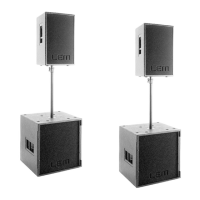
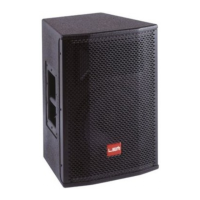
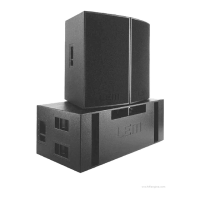
POSEIDON 212 (fig. 7)
POSEIDON 212 has two FACTORY PRESETS, both for
the use of the system as a satellite together with
POSEIDON 218.
01. SAT DEFAULT: this is the POSEIDON 212
DEFAULT PRESET, giving the typical response of
the system. To be used when TWO POSEIDON
212 are combined with ONE POSEIDON 218.
02. SAT+SUB DOUBLE: this is the POSEIDON 212
DEFAULT PRESET to be used when TWO
POSEIDON 212 are combined with TWO
POSEIDON 218.
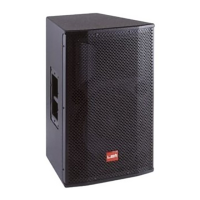
POSEIDON 218 (fig. 7)
POSEIDON 218 has two FACTORY PRESETS, both for
the use of the system as a sub together with
POSEIDON 212.
01. SUB DEFAULT: this is the POSEIDON 218
DEFAULT PRESET, giving the typical response of
the system. To be used when ONE POSEIDON
218 is combined with TWO POSEIDON 212.
02. SUB DOUBLE: this is the POSEIDON 218 DE-
FAULT PRESET to be used when TWO
POSEIDON 218 are combined with TWO
POSEIDON 212.
4. How to enable or disable the PLUGINS
- Select the PLUGINS menu with the SEL button: the
LED corresponding to the first PLUGIN (HUM CANCEL)
flashes and the display shows OF if the PLUGIN is
disabled or ON if the PLUGIN is enabled.
- Use the ENTER button to enable or disable the
PLUGIN. When the PLUGIN is enabled the
corresponding LED lights.
- To select a different PLUGIN to be modified, use the
UP & DOWN buttons.
NOTE: the PLUGINS ON or OFF status is not
included in the parameters saved in the system’s
PRESETS. Therefore you always need to enable or
disable the PLUGINS manually according to your
needs.
5. How to modify the PLUGINS parameters
From the DPPM panel you can modify two PLUGINS
parameters.
- NOISE GATE: to modify the THRESHOLD, once
NOISE GATE has been selected PRESS & HOLD the
ENTER button and the threshold’s current value will
flash on the display. To modify it use the UP & DOWN
buttons. The range is from 0 (maximum threshold
corresponding to 8dB) to 91 (minimum threshold
corresponding to -80dB). The default value is 81
corresponding to -60dB.
- HUM CANCEL: to modify the FREQUENCY, once
HUM CANCEL has been selected PRESS & HOLD the
ENTER button and the frequency’s current value will
flash on the display. To modify it use the UP & DOWN
buttons. The range is from 40 Hz to 70 Hz. The default
value is 50Hz.
6. How to set the system volume
- Select the VOLUME menu with the SEL button: the
input level will be shown on the display (typically 0,
corresponding to the nominal value).
- Use the UP & DOWN buttons to set the input level.
The range is from 0 (nominal value) to 99 (input closed)
and each step is equal to 0.5 dB. For example, 20 will
correspond to a level reduction of -10 dB.


 To Next Page