— 6 —
8. MODE Button ( CD/USB mode):
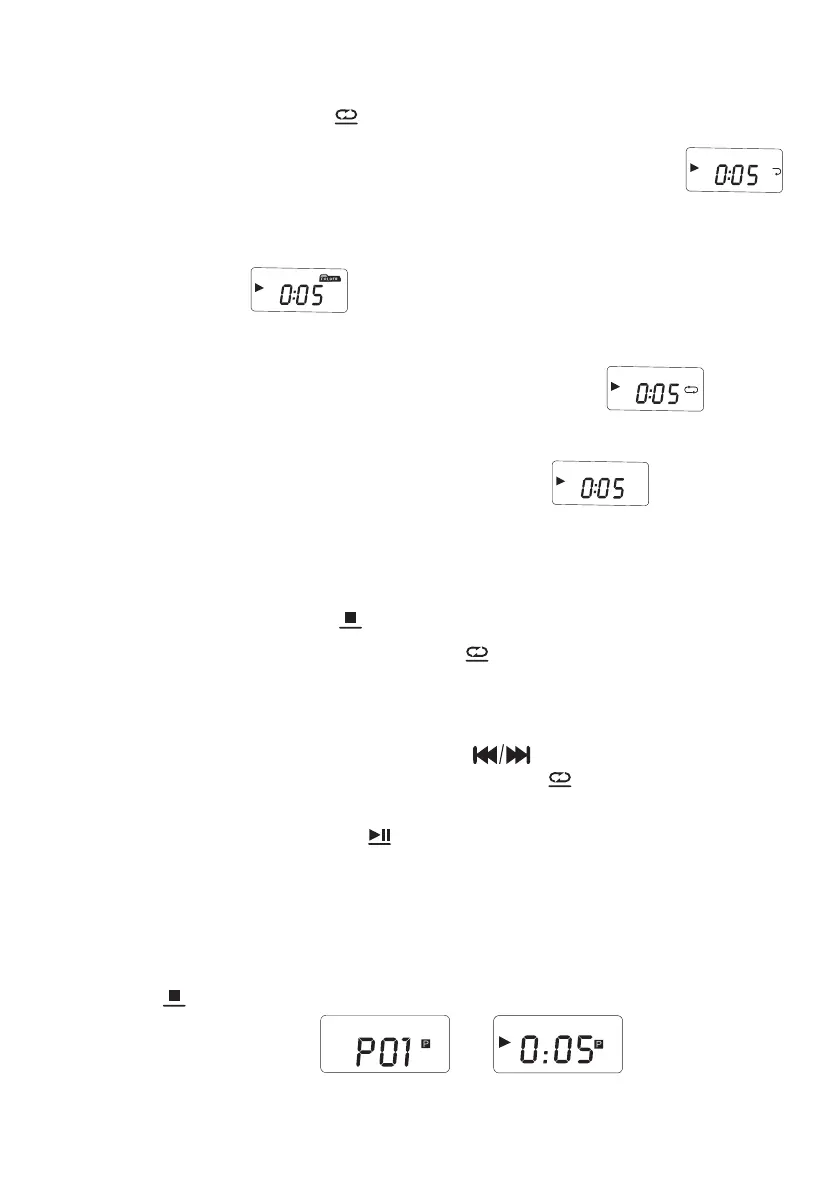
1) Short press the MODE ( ) button once, the current song you listen to
will enter into single cycle, and the screen will display the icon like " "
2) Short press the MODE button twice, if your USB flash drive contains a
file directory, it will repeat to play the current folder for you.Displayed on the
LCD shown as “ “
3) Short press the MODE button three times, the whole disc/USB will be
played repeatedly, and displayed on the LCD shown as “ “
4) Short press the MODE button four times, the whole disc/USB will be
played randomly. Displayed on the LCD shown as“ “
5) Press the repeat button five times to resume normal playback.
9. PROGRAM Function (when CD/USB is in STOP state):
1) Press the STOP button ( ) to stop to play the CD discs/USB
2) Then short press the MODE button( ) to entry the programming
interface (The LCD will flash and display "P01" on the screen, like above
figure (1)
3) Press the previous or next song button( ) to select the track to be
programmed, and then press the MODE button( )button to confirm
after programming.
4) Press the play/pause button( ) to play in the sequence of the
programmed track(Screen will display like above figure 2).
5) CD can be programmed with 20 songs and USB flash drive can be
programmed with 99 songs.
6) If you want to exit the program function, just short press the STOP
button( ) twice.
MODE
SLEEP
MODE
SCAN
SLEEP
MP3
MP3
MP3 RAND
CD
Figure 1
Figure 2
CD
MP3
MODE


 To Next Page