13
d. Press “c/d” button to select the channel
which you want to delete and press
“BLUE” button to pitch on. Press
“ENTER” button to confirm.
e. Press “c/d” button to select the channel
in the list, press “ENTER” button to enter
the “EDIT SUB” menu.
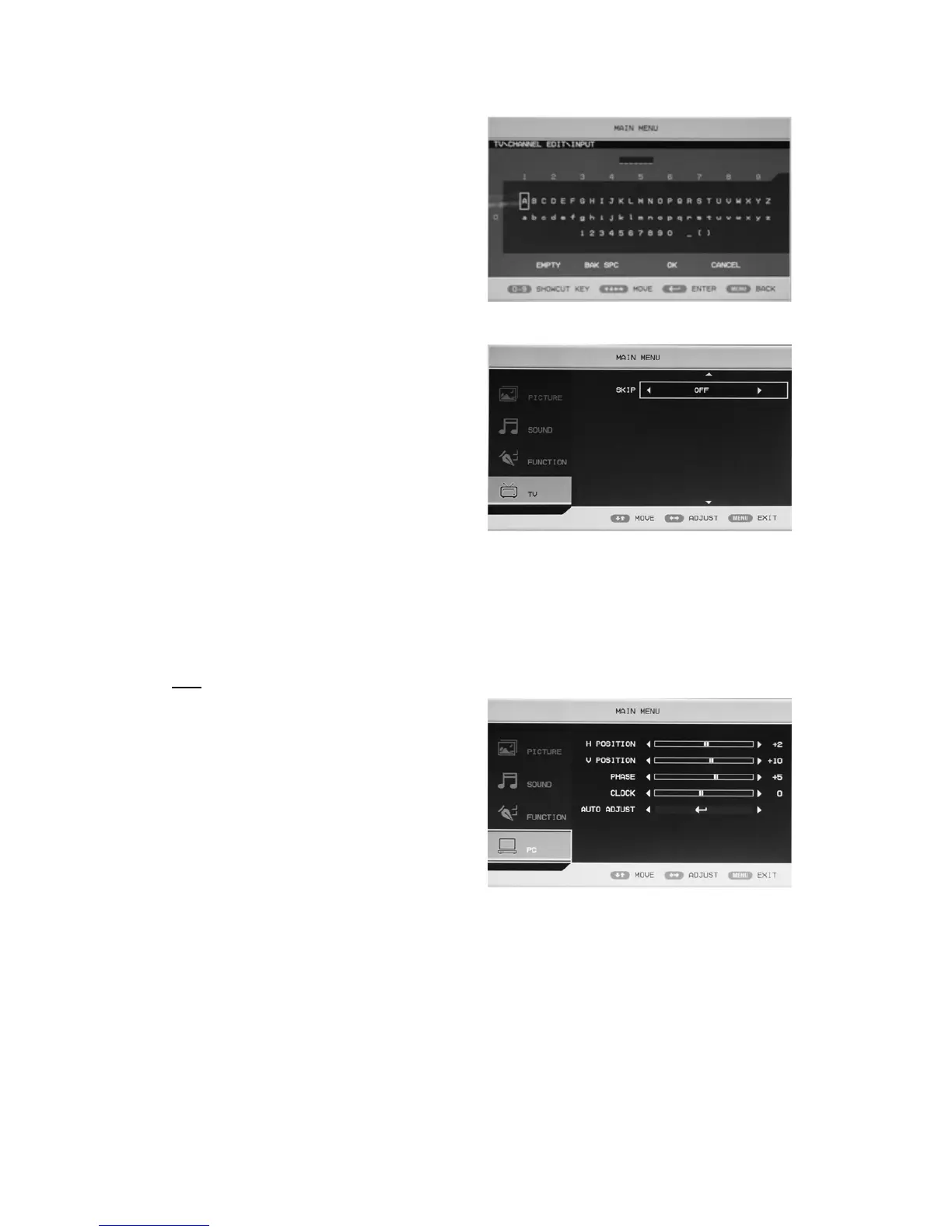
f. Press “c/d” button to select“CHANNEL
EDIT NAME”menu and press “ENTER”
button to enter the rename channel’s window.
Input channel name at “____”, press
“c/de/f” button to select “letter”,
“number”, “_”, “〔”, “〕”, “EMPTY” or
“BAK SPC”, and press “ENTER” button
to confirm.
Press “c/de/f” button to select “OK”
to save and return to the previous menu.
Press “c/de/f” button to select
“CANCEL” to exit and return to the
previous menu.
8. Press “c/d” button to select “SKIP” and press the “e/f”button to select skip the channel on
or off.
PC
1. Press the “MENU” button to enter the
OSD menu. Then press “c/d” button to
select the “PC” menu. Enter the “PC”
menu by pressing “f” button.
2. Press “c/d” button to select
“H POSITION” menu and press the
“e/f” button to enter “H Position”
adjustment menu to adjust “H Position”.
3. Press “c/d” button to select
“V POSITION” and press the “e/f” button to enter “V Position” adjustment menu to adjust
“V Position”.
4. Press “c/d” button to select “PHASE” and press the “e/f” button to enter phase adjustment
menu to adjust phase.
5. Press “c/d” button to select “CLOCK” and press the “e/f” button to enter clock adjustment
menu to adjust clock.
6. Press “c/d” button to select “AUTO ADJUST” menu and press the “ENTER” button to do
auto adjustment.



 To Next Page