E10
Main OSD :
TV Mode
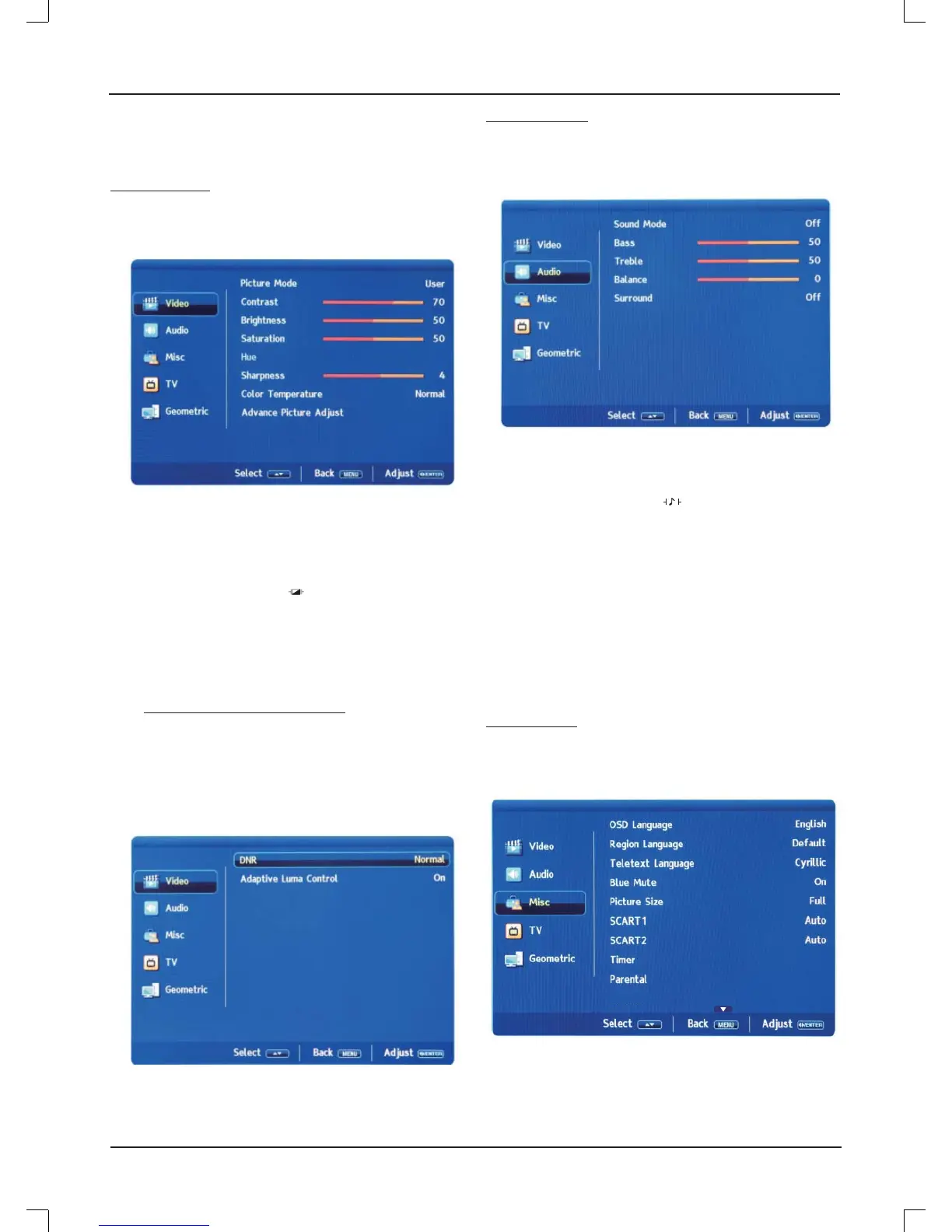
Video menu
Press [LCD MENU] to display the main menu.
Press [
p
/
o
] to select "Video" in the main menu, then press [
a
]
or [ENTER] to enter.
Picture Mode: Press [
p
/
o
] to select "Picture Mode", then
press [
b
/
a
] to select. (Available Picture Mode: User,
Cinema, Standard, Vivid, Hi-Bright). You can change the
value of contrast, brightness, saturation, sharpness and color
temperature when the picture is in USER mode.
TIPS: You can press
[P.STD ]
!
on the remote control to
change the Picture Mode directly.
Contrast: Set the picture’s contrast.
Brightness: Set the picture’s brightness.
Saturation: Set the picture’s saturation.
Hue: Set the picture's hue.
(Avaliable for NTSC video signal only)
Sharpness: Set the picture’s sharpness.
Color Temperature: Press [
p
/
o
] to select "Color
Temperature", then press [
b
/
a
] to select. (Available Color
Temperature: Normal, Warm, User, Cool).
Advance Picture Adjust: Press [
p
/
o
] to select "Advance
Picture Adjust", then press [ENTER] to enter.
DNR: Press [
p
/
o
] to select "DNR", then press [
b
/
a
] to select.
(Available DNR: Normal, Strong, Off, Low).
Adaptive Luma Control: Press [
p
/
o
] to select "Adaptive
Luma Control", then press [
b
/
a
] to select "On" or "Off".
Audio menu
Press [LCD MENU] to display the main menu.
Press [
p
/
o
] to select "Audio" in the main menu, then press [
a
]
or [ENTER] to enter.
Sound Mode: Press [
p
/
o
] to select "Sound Mode", then
press [
b
/
a
] to select. (Available Sound Mode: Off, Rock,
POP, Live, Dance, Techno, Classic, Soft).
TIPS: You can press
[S.STD ]
!
on the remote control to
change the Sound Mode directly.
Bass: Set the proper value of bass.
Treble: Set the proper value of treble.
Balance: Set the proper value of left and right channel
speaker’s balance.
Surround: Set the surround sound to "On" or "Off".
Misc menu
Press [LCD MENU] to display the main menu.
Press [
p
/
o
] to select "Misc" in the main menu, then press [
a
] or
[ENTER] to enter.
Hotel Mode
OSD Language: Set the on-screen display menu language.
The factory setting is English.
Region Language: Press [
p
/
o
] to select "Region Language",
then press [
b
/
a
] to select.



 To Next Page