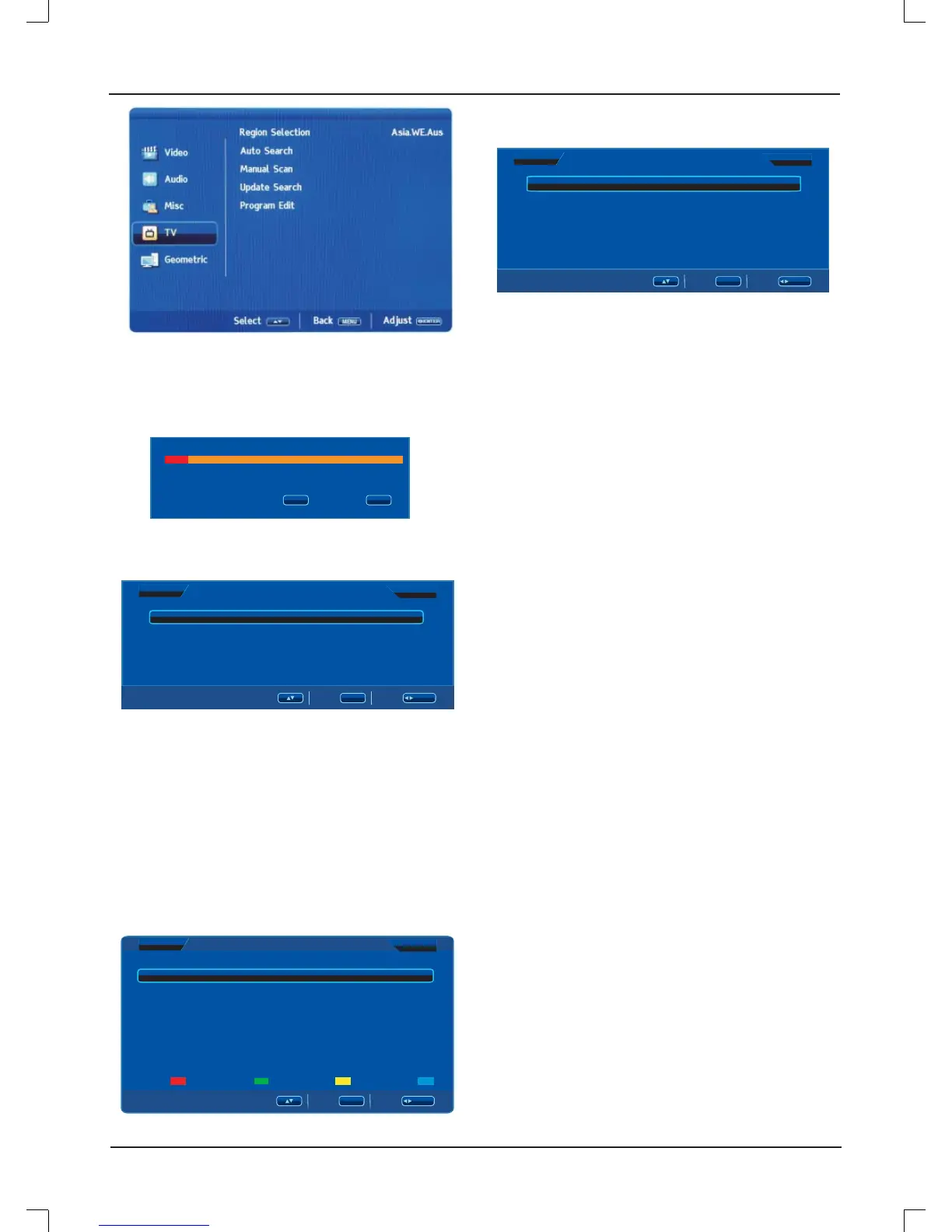
E12
Region Selection: Press [
p
/
o
] to select "Region Selection",
then press [
b
/
a
] to select different regions.
Auto Search: Press [
p
/
o
] to select "Auto Search", then press
[ENTER] to start auto search.
Searching
170.37MHz
1
15%
MENU
EXIT
Stop
Exit
Manual Scan: Press [
p
/
o
] to select "Manual Scan", then
press [ENTER] to enter sub-menu.
FER
ManualScan
Start From
Start Search
45.00MHz
/ENTER
MENU
PRStart
PR Start: Press [
p
/
o
] to select "PR Start", then press [
b
/
a
]
to select start search channels.
Start From: Press [
p
/
o
] to select "Start From", then press
[
b
/
a
] to select start search frequency.
Start Search: Press [
p
/
o
] to select "Start Search", then press
[
b
] to search down, press [ENTER] or [
a
] to start search up
since the beginning of a channel and frequency.
Update Search: Press [
p
/
o
] to select "Update Search", then
press [ENTER] to select start search.
Program Edit: Press [
p
/
o
] to select "Program Edit", then
press [ENTER] to enter sub-menu.
/ENTER
MENU
Program Edit
Swap Insert Copy Delete
Channel Freq System Name Skip
Off
On
On
On
On
On
On
On
49.75
85.25
121.25
D/K
D/K
B/G
1
2
3
4
5
6
7
8
Press [
p
/
o
] to select "Channel", then press [ENTER] to enter
channel sub-menu selected.
PRNumber:1
/ENTER
MENU
PRName
Sound System
Frequency
AFC
Skip
DK
49. 75MHz
On
Off
Select
Back Adjust
Decoder
Off
PR Name: Press [
p
/
o
] to select "PR Name", then press
[ENTER] to enter the state input channel name. Press [
p
/
o
]
to select the character that you want.
Sound System: Press [
p
/
o
] to select "Sound System", then
press [
b
/
a
] to select. (Available sound system: DK, D/K1
A2, D/K2 A2, D/K3 A2, I, B/G, B/G A2, L, L').
Frequency: Press [
p
/
o
] to select "Frequency", then press
[
b
/
a
] to adjust.
AFC: Press [
p
/
o
] to select "AFC", then press [
b
/
a
] to select
"On" or "Off".
Skip: Press [
p
/
o
] to select "Skip", then press [
b
/
a
] to select
"On" or "Off".
This option has four functions:
1. Swap: Change the position of the channel. Use [
p
/
o
] to
select the channel you want to swap, press RED to pull the
channel table out, and use [
p
/
o
] to choose the position you
want to put, press [ENTER] to confi rm the change.
2. Insert: Use [
p
/
o
] to select the channel you want to insert,
press GREEN to pull the channel table out, and use [
p
/
o
]
to choose the position you want to put, press [ENTER] to
confi rm the change.
3. Copy: Use [
p
/
o
] to select the channel you want to copy,
press YELLOW to pull the channel table out, and use [
p
/
o
]
to choose the position you want to put, press [ENTER] to
confi rm the change.
4. Delete: Use [
p
/
o
] to select the channel you want to delete,
press BLUE to delete selected channel.



 To Next Page