4. First Time Setup
Connect an RF cable from the TV’s input called “RF-In” and to your TV Aerial socket.
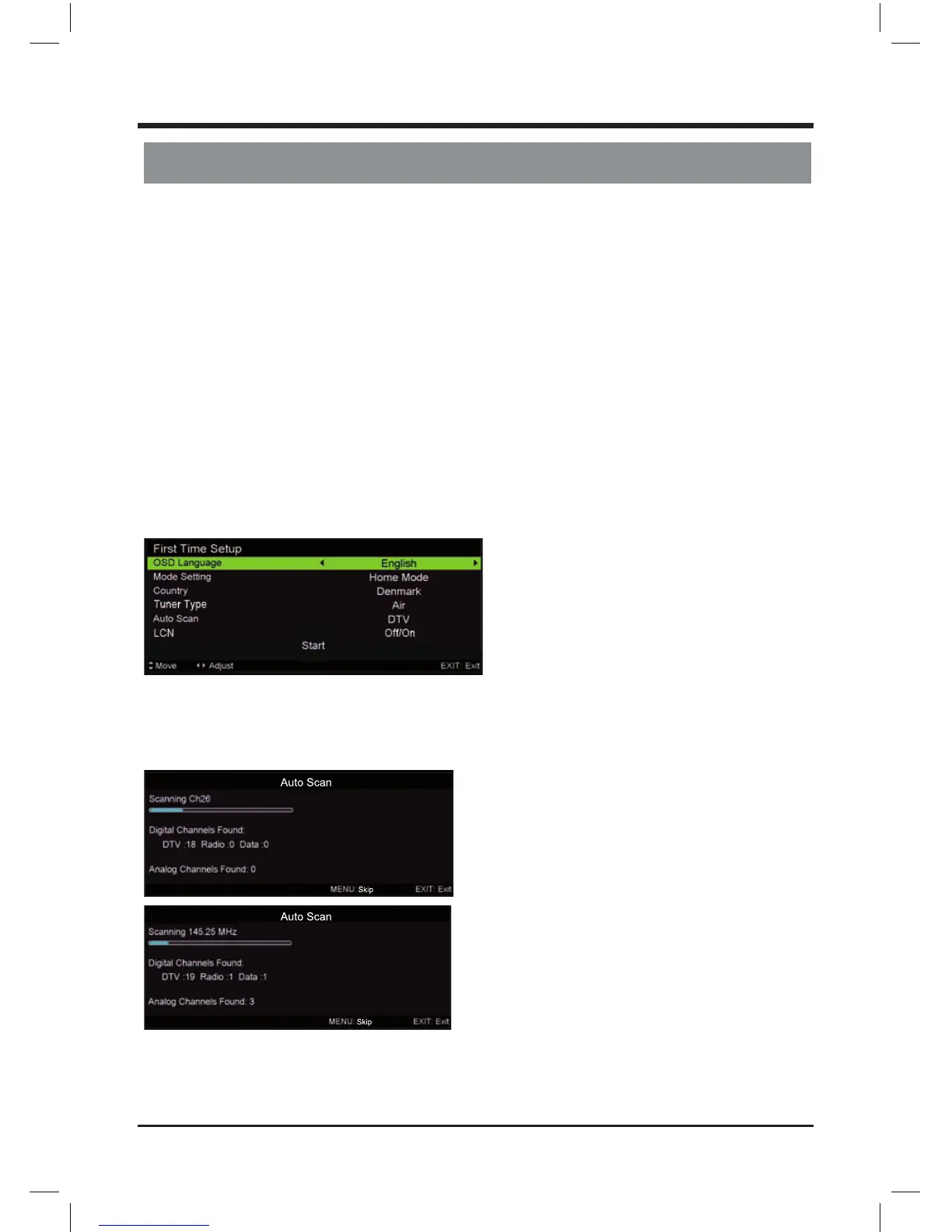
OSD Language
Press / button to select the language to be used for menus and message.
Mode Setting
Press / button to select mode.
Country
Press / button to select the country you want to.
Tuner Type
Press / button to select Air or Cable.
Auto Scan
Press / button to select Mode: DTV+ATV, DTV, ATV.
Auto Tuning Status
First tuning digital, press MENU button to skip digital tuning, Second tuning analogue, press MENU
button to skip analogue tuning.
First Time Setup
7
LE D COLOR TV



 To Next Page