Main Menu Operation
OSD Time
Press / button to select OSD Time, press / button to select.
(Available OSD Time: O , 10 seconds, 20 seconds, 30 seconds, 60 seconds).
Sleep Timer
Set a timer for the TV to turn o automatically.
Press / button to select Sleep Timer, press / button to select.
(Available Sleep Timer: O , 5 mins, 15 mins, 30 mins, 60 mins, 90 mins, 120 mins, 240 mins).
Auto Sleep
Press / button to select Auto Sleep, press / button to select O , 3 hours, 4 hours or 5 hours.
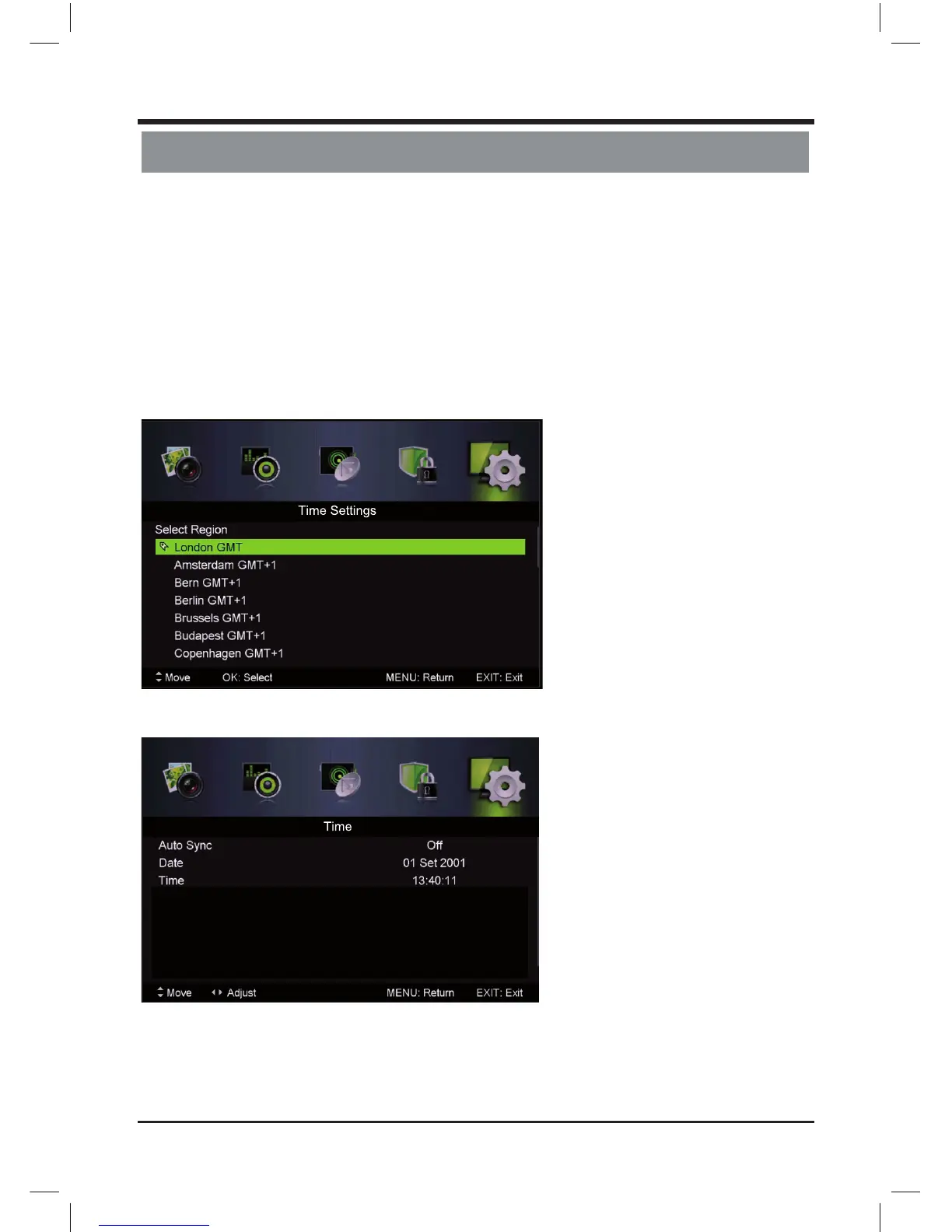
Time Zone
Select your time zone.
Press / button to select Time Zone, then press Enter / button to enter sub-menu.
Time
Press / button to select Time, then press Enter / button to enter sub-menu.
Set Auto Sync to O , Power On/O Timer to On, then you can set the time manually.
Note: In the case of loss of power, the clock setting will be lost.
19
LE D COLOR TV



 To Next Page