18
4.
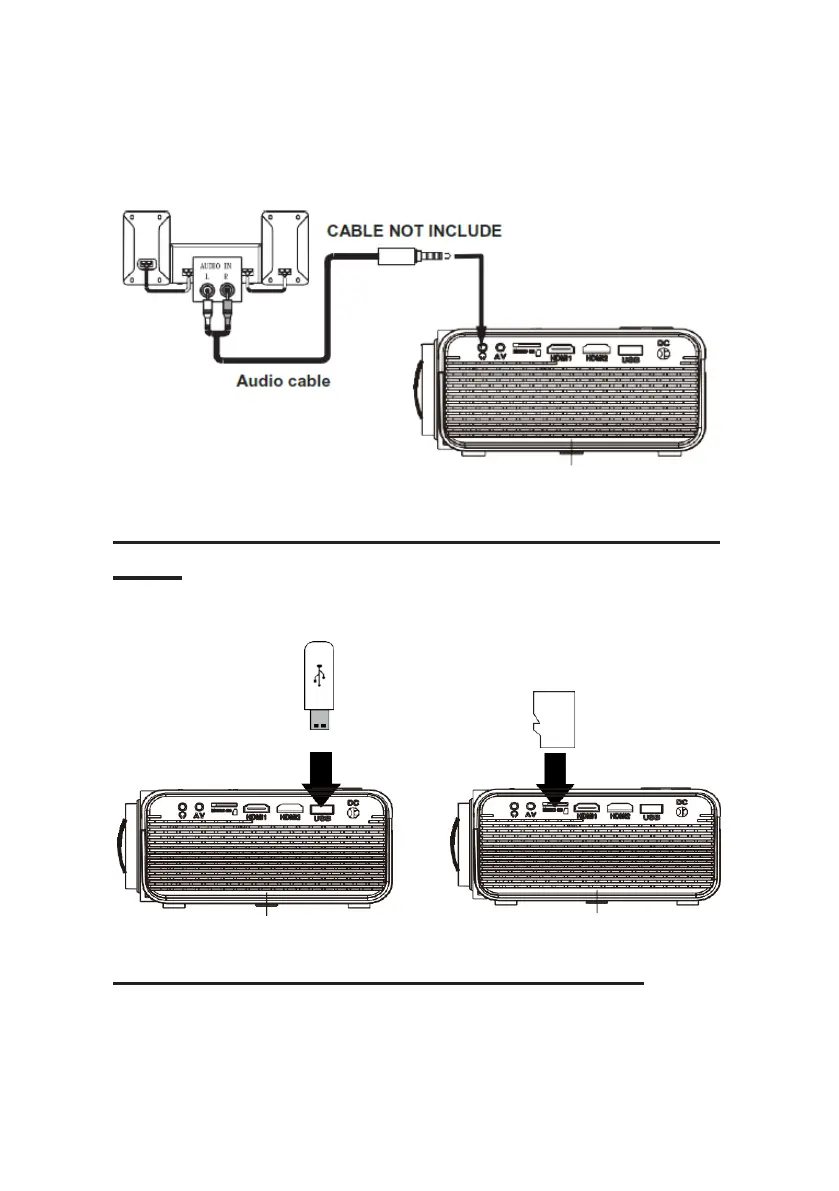
Switch off both devices after use.
Station Amplifier
Connect USB Device And Micro SD Card
“TF”
Follow below picture to connect a USB stick and Micro SD card.
Turn off the projector before connecting the USB/Micro SD card.
Using a Micro SD Card or USB Stick
Connect USB/Micro SD device:
1. Turn off the unit before connecting USB/Micro SD card.
2. Connect the USB device to the USB port.


 To Next Page